
IndiaFilings
Expert
Published on: Jun 15, 2026
Voonik Seller Registration - Become a Seller on Voonik
Voonik is an online marketplace for women's fashion and accessories powered by an Artificially Intelligent system that handpicks the best clothes for the user based on various parameters like body type, skin tone, budget and style preference. With over 15 lakh products from over 4000+ stores, the platform offers 3000+ brands and acts as a multi-store platform. With over 5 million shoppers across India and over 10,000 fashion businesses already registered on the platform, Voonik is a great sales channel for those selling fashion products. In this article, we look at the process for completing Voonik Seller Registration and becoming a seller on Voonik.com
Voonik Seller Platform
Voonik Seller Registration can be completed through the Voonik seller platform. Voonik seller platform can be used by both businesses wishing to become a Voonik seller - to complete the registration process and by registered Voonik sellers to fulfill sales orders. To complete Voonik Seller Registration:Step 1: Go to Voonik Seller Platform
Go to the Voonik seller platform and provide your email, password, phone, company name and display name to begin the registration process.
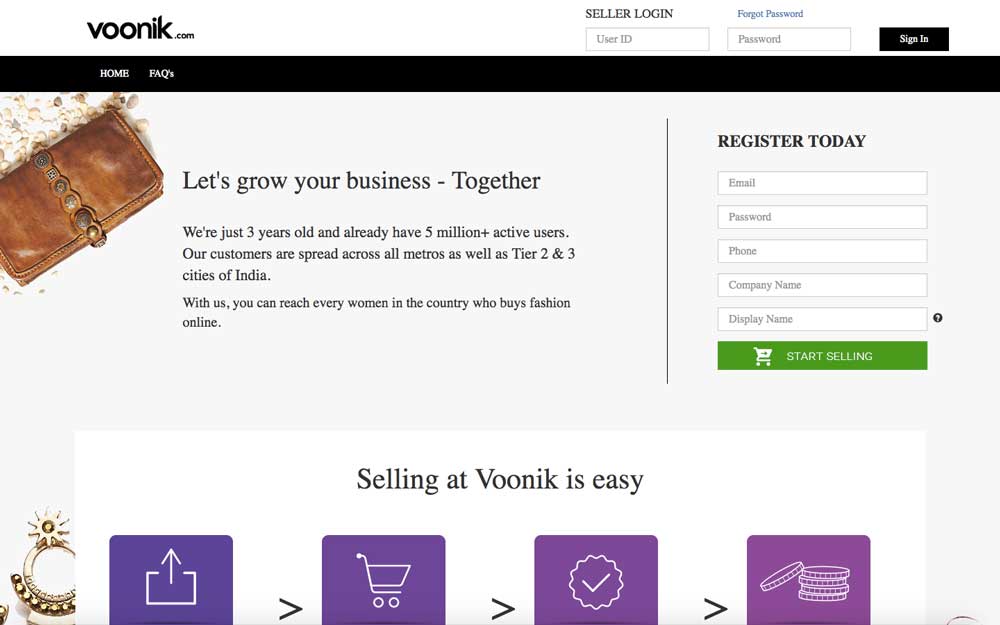 Voonik Seller Registration Step 1
Step 2: Provide Address Details
On providing the information mentioned in the above step, the Voonik Seller Registration process would start and address details of the seller would be requested. In this step, in addition to the registered address of the company, the seller can also provide a pickup address for the courier to fulfil sales order. Finally, address proof of the seller must be uploaded in this step to proceed to the next stage.
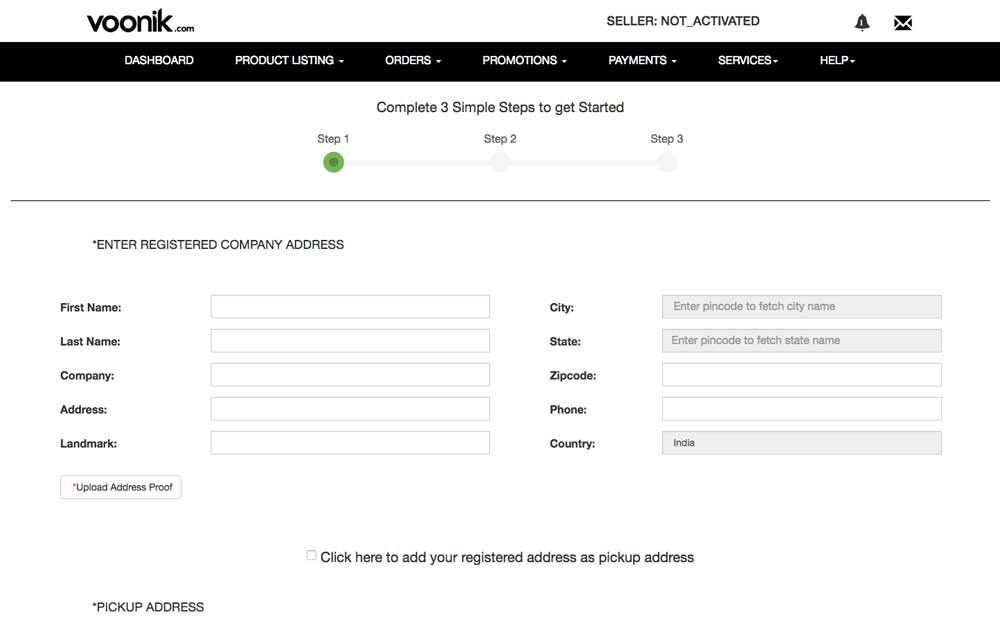 Voonik Seller Registration Step 2
Step 3: Accept Voonik Agreement for Sellers
On providing address details, the seller must accept the Voonik Memorandum of Understanding or Voonik Seller Agreement to continue to the next step.
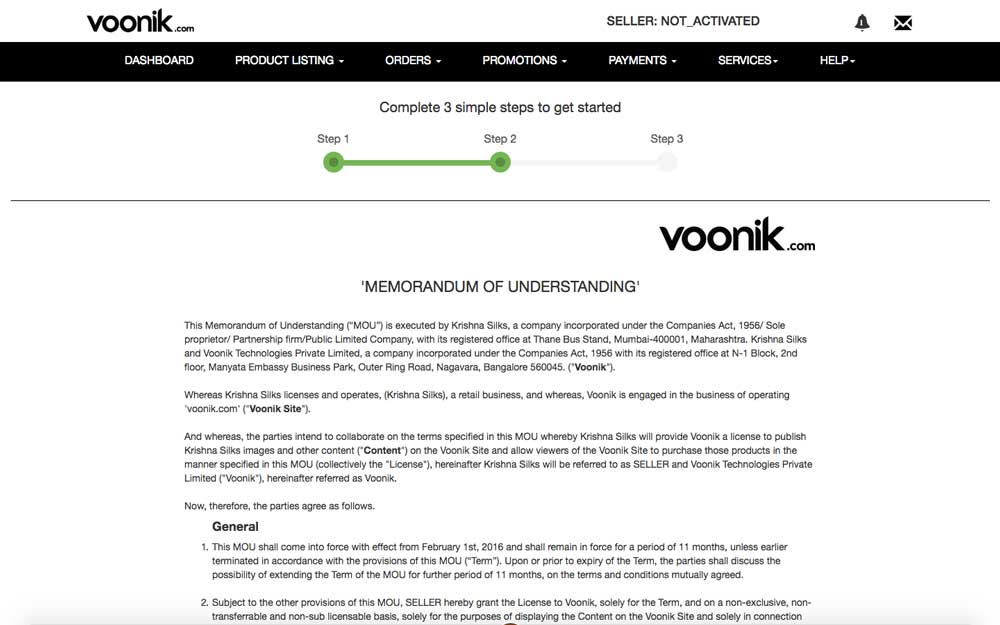 Voonik Seller Registration Step 3
Step 4: Provide Business Details
In the last step, business information and tax information of the seller is needed. Information like type of company (Proprietorship, Partnership, Private Limited or Limited Company), PAN of the seller, TIN or VAT number of the seller, TAN number of the seller, Aadhaar card details is required. In addition to the information, documents must also be uploaded for PAN, TIN, TAN and Aadhaar card.
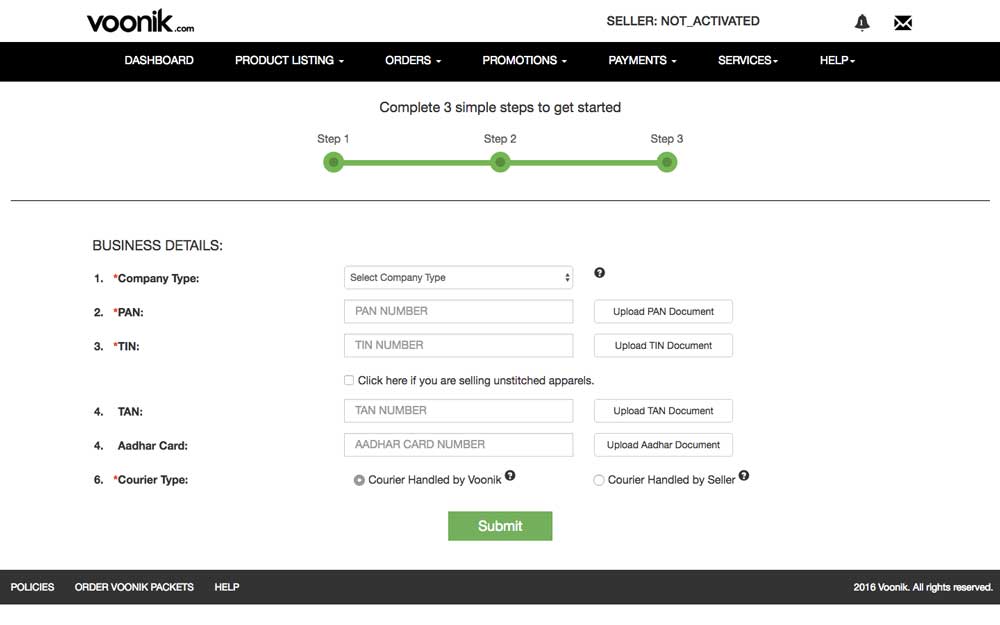 Voonik Seller Registration Step 4
Step 5: Provide Bank Details
After providing business details, as the last step, the sellers bank account name, account number and IFSC code are requested along with a copy of a cancelled cheque to complete the seller registration process. After submitting the form, a confirmation screen is displayed and a Voonik seller onboarding associate would call to complete the process.
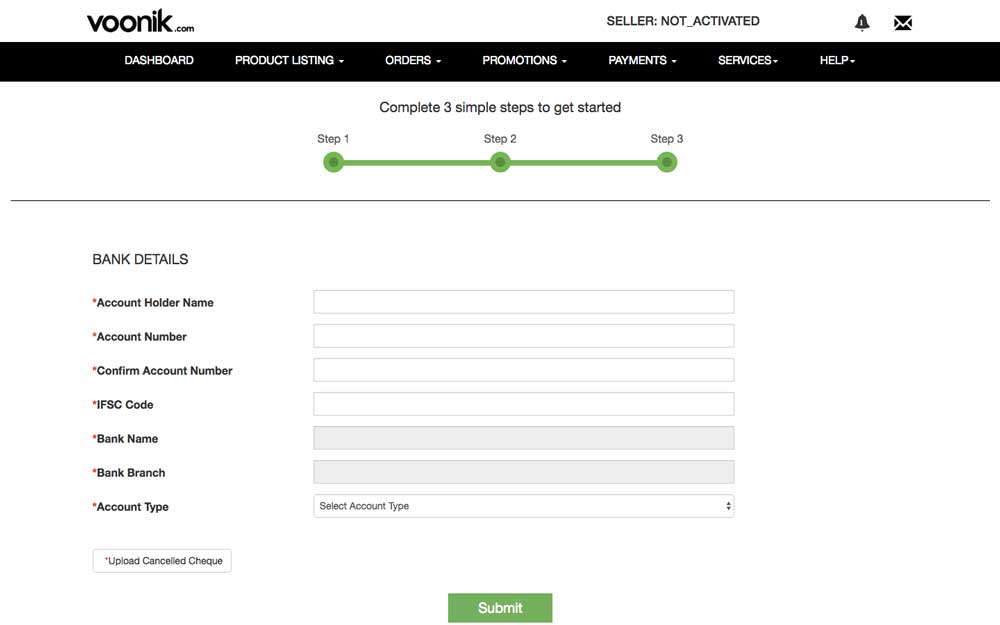 Voonik Seller Registration Step 5
Voonik Seller Registration - Requirements
To complete the above process and begin selling on Voonik, the following registrations and documents would be required.
Business Registration
There is no requirement for a specific type of business entity to become a Voonik seller. However, we recommended Voonik sellers that they be registered as a
LLP or Private Limited Company to enjoy limited liability protection and easy access to credit. Further, being registered as a corporate entity would ensure that the business is scalable and transferable in the future.TIN or VAT Registration
To become a Voonik seller,
VAT or TIN registration is mandatorily required. VAT registration is not required only if the seller proposes to sell unstitched garments. Hence, VAT registration is a mandatory requirement for completing the seller registration process.PAN and TAN
PAN of the seller is mandatorily required on Voonik. However, TAN is not a mandatory requirement. Hence, submission of PAN along with a copy of the PAN car is sufficient.
Bank Account
Bank account of the seller along with a cancelled cheque is also required. In case of proprietorship, the PAN, Bank account, TIN and Seller name would be in an individuals name. In case of business entities like Partnership, LLP or Private Limited Company, the PAN, Bank account and TIN would be in the business name.
Trademark Registration
On beginning to sell on online platforms, any brand would get a lot of exposure. Hence, its important to ensure that the brand is trademarked to avoid counterfeit goods or competitor listing for the same product in the long term.
Trademark registration for clothing and fashion fall under Class 25.Becoming an Online Seller
The registration documents requirement for selling on most platform is similar. Hence, its easy for a seller registered on Flipkart or Snapdeal to begin selling on Voonik or any other ecommerce platform. Know more about selling on ecommerce platforms through the following articles: