

RENU SURESH
Expert
Published on: Apr 18, 2026
PAN Card 2.0: Key Features, Benefits, QR Code Details, & Application Procedure
The Income Tax Department has introduced the PAN Card 2.0 initiative to make the process of obtaining and using PAN cards easier and more secure. PAN Card 2.0 includes a new QR code for quick online verification and aims to provide a more paperless and digital experience. In this article, we will explain everything about the PAN 2.0 details, PAN card 2.0 features, PAN card 2.0 QR code, PAN card 2.0 benefits, PAN card 2.0 eligibility and PAN card 2.0 application.Latest Update on PAN Card 2.0
The Income Tax Department has awarded the modernization contract to IT services firm LTIMindtree, and the new system is expected to be operational within 18 months, according to government officials.
What is PAN Card 2.0?
PAN Card 2.0 is India’s upgraded and modernized version of the traditional Permanent Account Number (PAN) system initiated by the Income Tax Department. Introduced as part of an e-governance transformation, its key aim is to enhance security, simplify processes, and improve user experience through digital integration and modern tech infrastructure.
New PAN card 2.0 image
The government has not yet released an official image of the new PAN Card 2.0. However, the new PAN card is expected to display the following details:
- Permanent Account Number (PAN)
- Full Name of the PAN holder
- Date of Birth
- Father's Name
- QR code containing encrypted details for instant verification
- Digitally signed details for authenticity
- Enhanced printing quality and design for better durability
.webp)
PAN 2.0 Project Overview
The PAN 2.0 Project is a transformative initiative launched by the Income Tax Department of India to upgrade the Permanent Account Number (PAN) system with advanced technological features, including the incorporation of a QR code.The project was approved by the Cabinet Committee on Economic Affairs (CCEA) on 25th November 2024 with a financial outlay of Rs. 1,435 crore. The primary goal of PAN 2.0 is to digitally enhance the PAN card system by moving towards a fully paperless, streamlined, and technology-driven process.
The project is aligned with the government's broader Digital India vision, aiming to improve service delivery, ensure better security, and provide a seamless digital experience to taxpayers.
Key Features of PAN 2.0
The new PAN 2.0 system introduces key advancements, including mandatory Aadhaar linkage, real-time data validation, and advanced analytics to strengthen security and combat fraud effectively. Here are the core features of PAN Card 2.0:
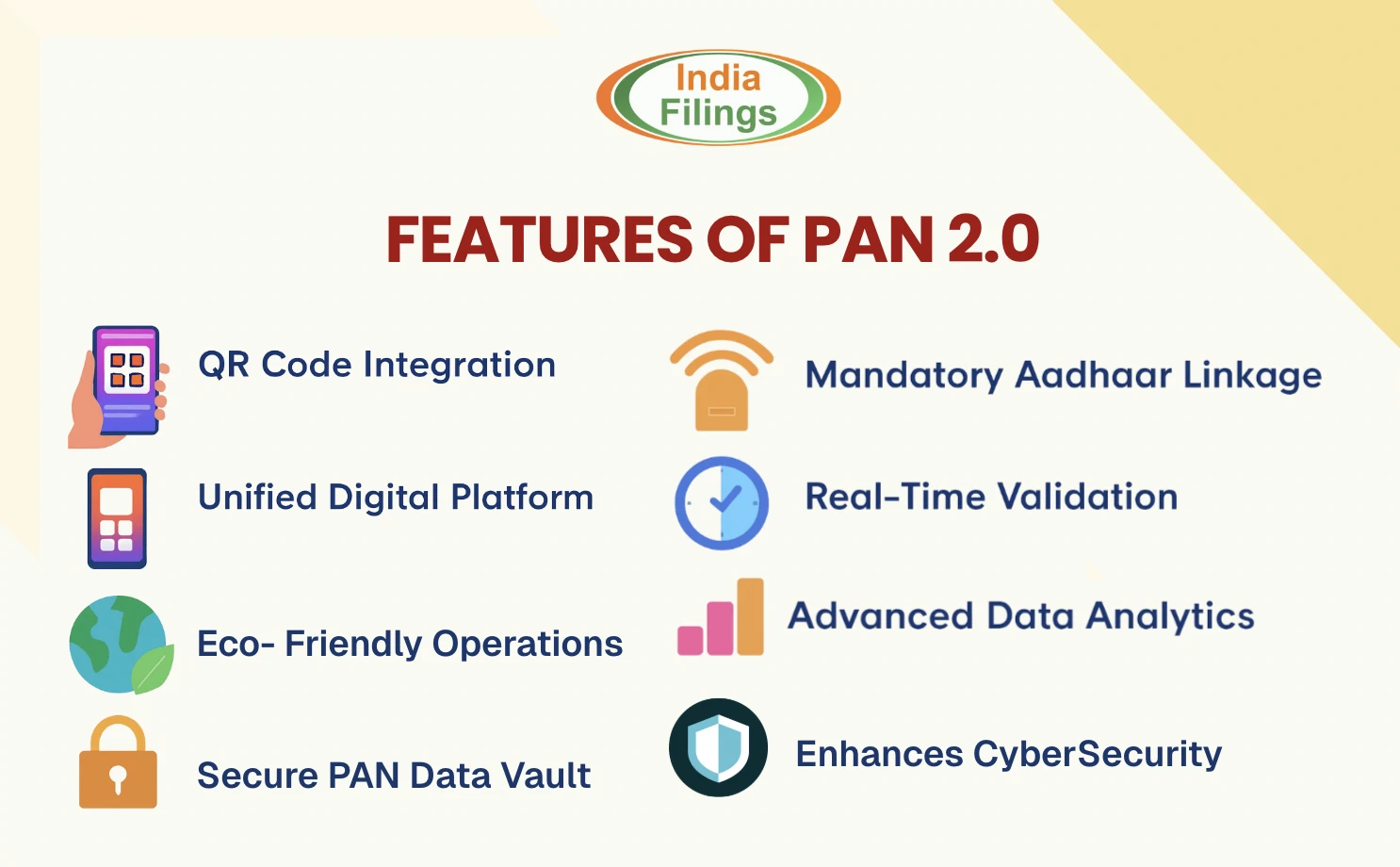
- QR Code Integration: The PAN 2.0 card includes a QR code for quick verification and easy access to taxpayer information.
- Unified Digital Platform: A single platform consolidates all PAN-related services, making it easier for users to manage their accounts online.
- Enhanced Cybersecurity: Improved measures ensure taxpayer data is protected from unauthorized access and breaches.
- Eco-Friendly Operations: By going paperless, PAN 2.0 reduces environmental impact and operational costs.
- Secure PAN Data Vault: A dedicated vault ensures safe storage for entities using PAN data, bolstering privacy and security.
- Mandatory Aadhaar Linkage: The new system ensures that Aadhaar is linked to PAN for enhanced verification and fraud prevention.
- Real-Time Validation: Immediate validation of PAN details improves accuracy and reduces errors in the system.
- Advanced Data Analytics: Cutting-edge technology will help detect and prevent fraudulent activities more effectively.
Benefits of New PAN Card 2.0
Here are the advantages of the 2.0 PAN Card.
Enhanced Security
The integration of a QR code in the PAN card introduces a robust layer of security. Encrypted personal information, such as name, date of birth, and PAN number, is stored within the QR code, accessible only through authorised scanning software.
Streamlined Verification
The QR code enables quick and accurate identity validation by allowing instant scanning. This feature significantly reduces the time required for verification processes, benefiting both cardholders and organisations conducting checks.
Updated Information Maintenance
With 2.0 PAN Card, user details are synchronised with the latest formatting and requirements of the Income Tax Department. Any outdated or inconsistent information is automatically corrected or updated during the digitised application or replacement process.
Fraud Prevention
The use of advanced encryption for the QR code prevents unauthorised duplication of the PAN card. The embedded information cannot be easily replicated or counterfeited without access to authorised decryption tools.
Regulatory Compliance
2.0 PAN Card ensures alignment with updated government protocols and security measures. This modernisation supports regulatory efforts to enhance the financial system’s integrity, reducing the risk of misuse or errors.
Digitised Application Process
Under the PAN 2.0 initiative, the entire process of applying for, updating, or reissuing a PAN card has been fully digitised. This reduces paperwork and makes it easier for applicants to submit and track their applications online.
.webp)
Documents Required to Apply for PAN Card 2.0
To apply for new PAN Card 2.0, the following documents are required for verification. Make sure all the documents you provide are up-to-date, accurate, and meet the specified requirements to avoid delays in processing and easily apply for PAN 2.0:- Proof of Identity (PoI): This is required to verify your identity. Acceptable documents include:
- Aadhaar Card
- Passport
- Driving License
- Voter ID Card
- Bank Statements(Recent ones, usually from the last 3 months)
- Birth Certificate
For more details on the documents required for PAN card application, please refer to the document attached here:
Additional Notes:
- Ensure that the documents you provide are valid and not expired.
- All documents should be legible and clear for a smooth verification process.
- Aadhaaris is a preferred document as it can serve as both Proof of Identity and Proof of Address, but you can use other valid documents as needed.
Eligibility Criteria for PAN 2.0
For PAN 2.0 Card apply online, individuals must meet specific eligibility criteria, whether they are existing PAN cardholders or new applicants, and provide the required documents for verification.- Existing PAN Cardholders: If you already possess a PAN card, you are automatically eligible for the PAN 2.0 upgrade. You can request the new QR-enabled PAN without reapplying.
- New Applicants: New applicants must fulfil the standard eligibility requirements by providing the following documents:
- Proof of Identity (PoI): Aadhaar card, Voter ID, Passport, or Driving License.
- Proof of Address (PoA): Utility bills, Bank Statements, or Rent Agreements.
- Proof of Date of Birth (DoB): Birth Certificate, School Leaving Certificate, or Passport
PAN Card 2.0 online Apply - Procedure
All current PAN cardholders are automatically eligible for this PAN 2.0. If you already have a PAN, you do not need to reapply but can simply request the new QR-enabled version. Below is a detailed guide to apply for PAN 2.0 online through the official channels of NSDL and UTIITSL.
Check Whether Your PAN is Issued by NSDL or UTIITSL
Before proceeding, ensure you know whether your current PAN card was issued by:- NSDL (National Securities Depository Limited)
- UTIITSL (UTI Infrastructure Technology and Services Limited)
Pan Card 2.0 Apply Online Through NSDL Website
If you're a current PAN cardholder and would like to obtain the upgraded PAN 2.0 card, which includes a QR code for added security, here's a detailed step-by-step guide for pan 2.0 apply online NSDL.
applying via the NSDL website.
Step 1: Visit the NSDL Website:
Go to the official :Step 2: Enter Your PAN and Personal Information
On the NSDL page, you will be required to enter the following details:- PAN(Permanent Account Number)
- Aadhaar Number(This is mandatory for individuals only)
- Date of Birth
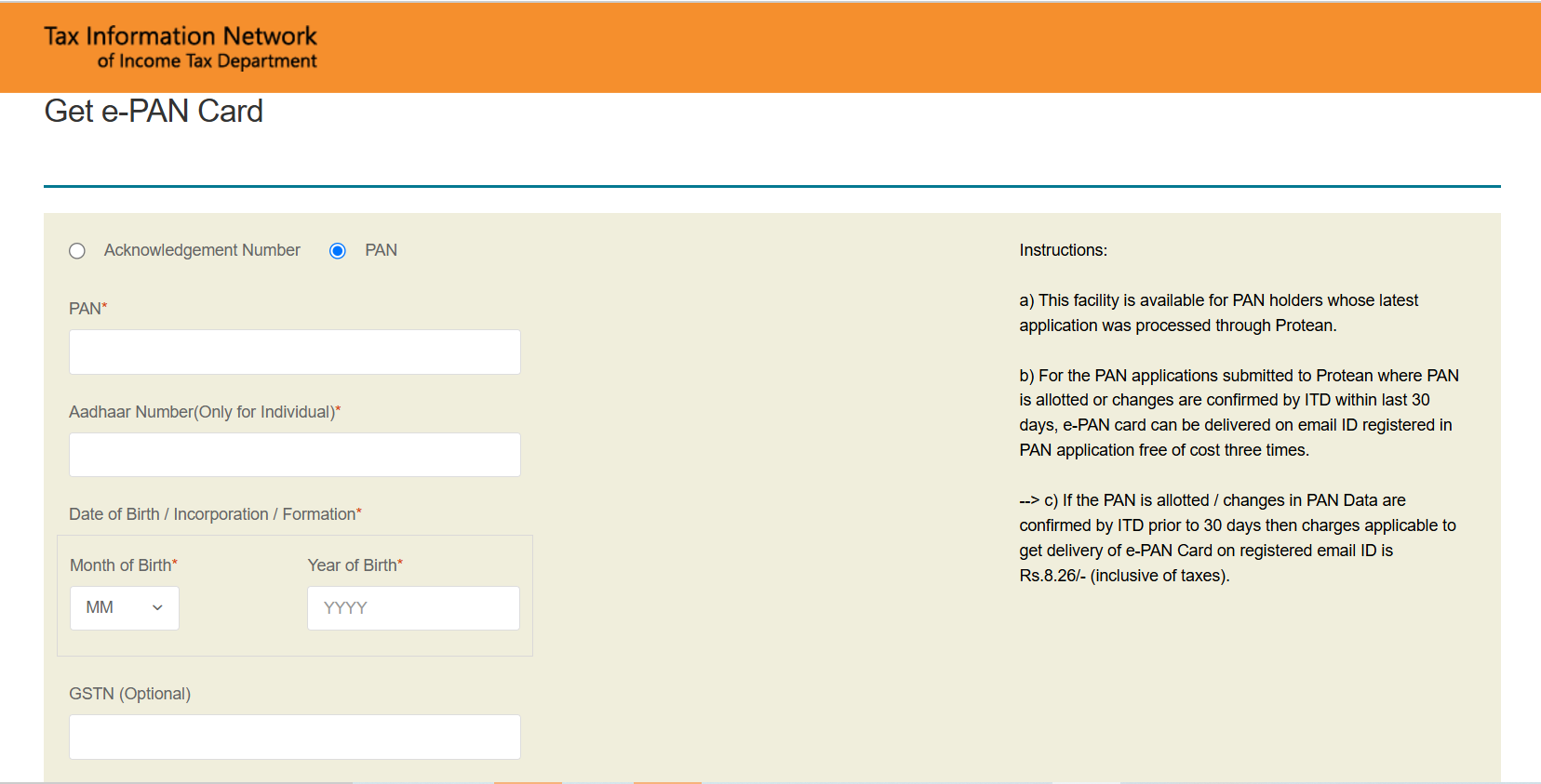
PAN 2.0 Card Online from the NSDL Website - 1
After entering the details, you will also be asked to:-
- Tick the applicable checkboxes to confirm that the information entered is correct.
- Submit the details and wait for the system to display the information as registered with the Income Tax Department.
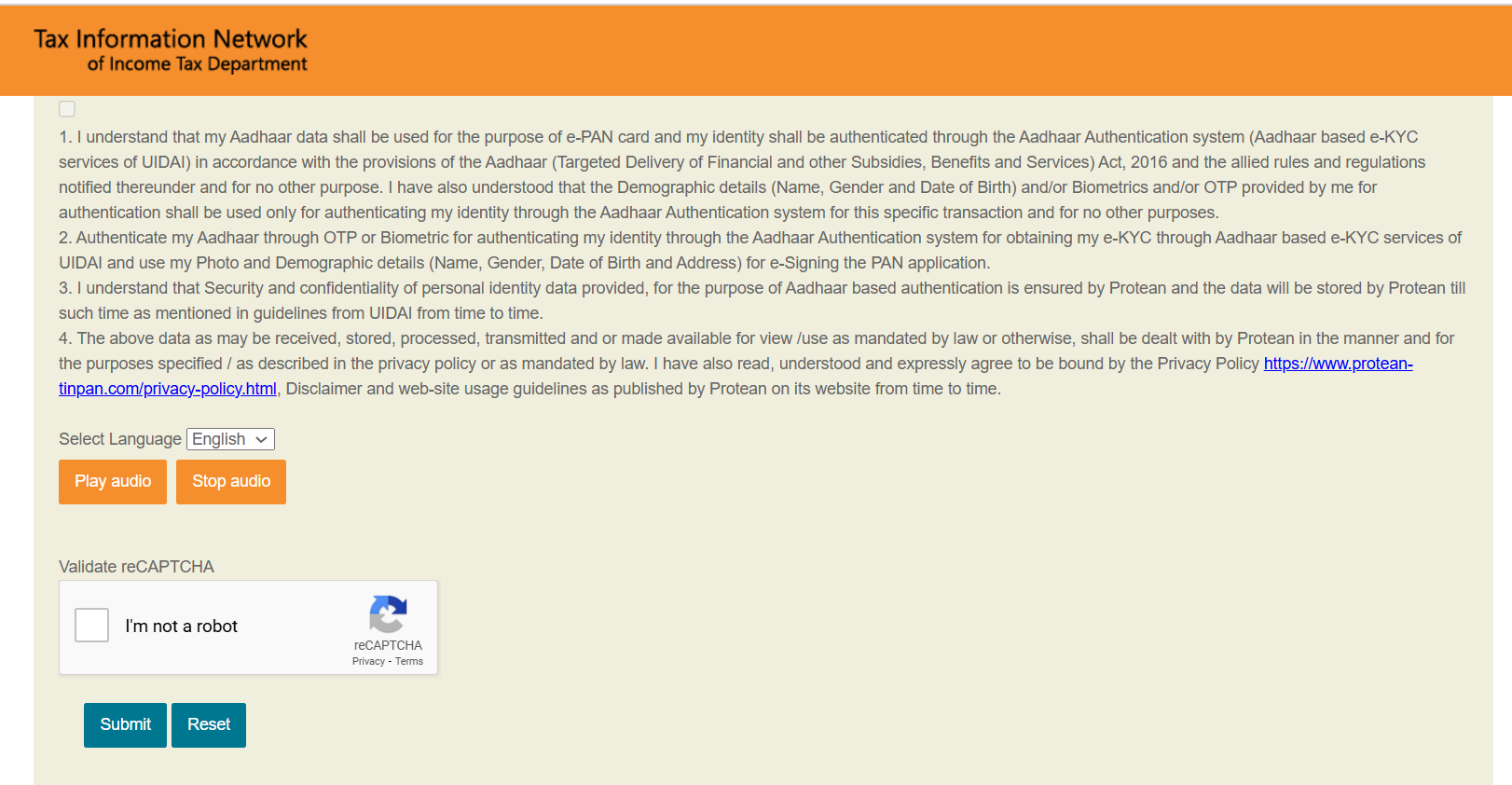
PAN 2.0 Card Online from the NSDL Website -2
Step 3: Choose the OTP Delivery Method and Validate the Details
- Once the system has displayed your information, you will be prompted to choose the method for receiving the One-Time Password (OTP). You can typically choose between receiving the OTP via email or SMS.
- After selecting the OTP delivery method, you will receive a 6-digit OTP. Enter the OTP on the NSDL website to validate your details.
- Important: The OTP is valid for 10 minutes, so be sure to enter it promptly.
Step 4: Agree to Terms and Conditions
- After successfully entering the OTP and validating your details, you will need to read and agree to the terms and conditions presented by the NSDL website.
- Once you agree to the terms, you will be asked to proceed with the payment.
Step 5: Payment and Final Submission
- The process to receive your e-PAN may be free if your PAN was issued recently (within the last 30 days). If you've exceeded the free request limit, you will be required to pay a nominal fee (Rs. 8.26, including GST).
- Select the payment mode(Credit/Debit Card, Net Banking, etc.) and confirm the payment amount.
- After successfully making the payment, your PAN 2.0 card will be delivered to your registered email ID in PDF format.
- The email should arrive within 30 minutes of the payment being processed.
Once you have done the application process, you can initiate the PAN 2.0 Card download process and obtain the e-PAN.
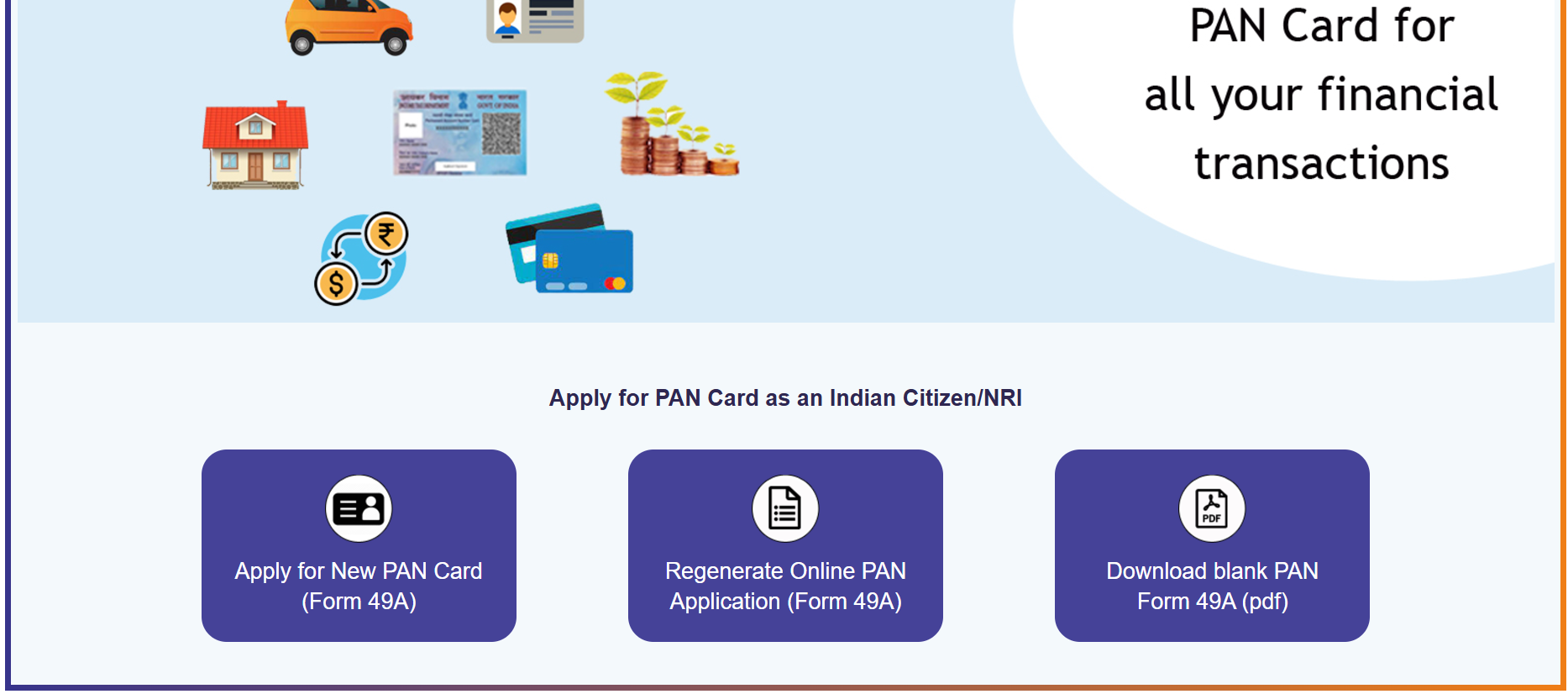
How to Apply for PAN 2.0 via UTIITSL Website
If you're a PAN cardholder and want to obtain the upgraded PAN 2.0 card with a QR code, here’s a detailed step-by-step guide to apply for PAN 2.0 and how to get it from the UTIITSL (UTI Infrastructure Technology and Services Limited) website. Ensure to complete this process before engaging on the PAN 2.0 Card download,Step 1: Visit the UTIITSL Website
- Go to the official .
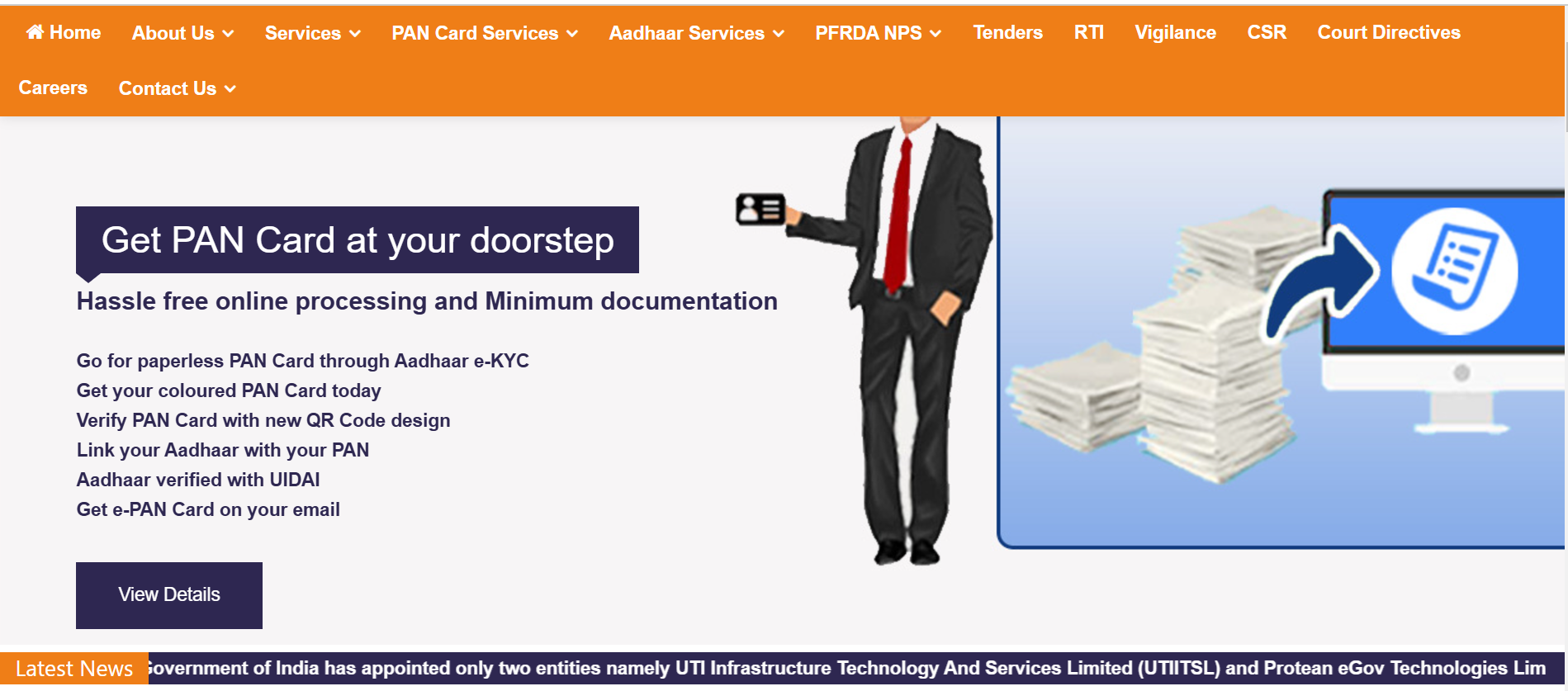
Get PAN 2.0 Card Online from the UTIITSL Website - 1
Step 2: Enter Your PAN and Personal Details
On the UTIITSL page, you will need to enter the following details:-
- PAN(Permanent Account Number)
- Date of Birth
- Captcha Code(to verify that you are not a robot)
Get PAN 2.0 Card Online from the UTIITSL Website - 2
Step 3: Check for Registered Email ID
- Once you submit the details, the system will display whether an email ID is already registered with your PAN details in the Income Tax records.
- If your email is registered, proceed to request your e-PAN.
- If your email is not registered, you will need to update it under the PAN 2.0 project. This will be free of charge once the PAN 2.0 project is fully implemented.
Step 4: Request e-PAN
- Free e-PAN: If your e-PAN was issued within the last 30 days, you can request the e-PAN free of charge.
- Paid e-PAN: If your e-PAN was issued more than 30 days ago, a fee of 8.26(including GST) will be applicable for each request for your e-PAN.
Step 5: e-PAN Delivery to Your Email
- After confirming the request and making any applicable payment, your e-PAN will be sent to your registered email ID in PDF format.
- The e-PAN should arrive in your inbox within a few minutes, depending on the processing time.
Important Notes:
- Processing Time: After payment is confirmed, the e-PAN should be delivered to your email within 30 minutes.
- Updating Email Address: If your email address is not updated in the Income Tax records, you can do so once the PAN 2.0 project officially starts, which will allow you to receive the PAN card digitally.
- Physical PAN Request: If you want a physical copy of the PAN card, a fee of Rs. 50(domestic) or Rs. 15 + postage (international) will be charged.
PAN Card 2.0 Reprint with QR Code
You can request a reprint of your PAN Card 2.0, which includes a secure QR code, via the NSDL or UTIITSL portals. Below are step-by-step instructions for both options:
PAN Card 2.0 Reprint via NSDL Website
Step 1: Go to the NSDL PAN Services Portal.
Step 2: Enter the following details:
- PAN number
- Aadhaar number
- Date of birth
- GSTIN (if applicable)
Step 3: Tick the declaration checkboxes and click ‘Submit’.
Step 4: Verify your details, select your preferred OTP method, agree to the terms, and click ‘Generate OTP’.
Step 5: Choose a payment method and complete the payment.
Step 6: Once payment is successful, you will receive an acknowledgment receipt.
Your reprinted PAN card will be delivered to your registered address within 15–20 days.
PAN Card Reprint 2.0 via UTIITSL Website
Step 1: Visit the UTIITSL PAN Portal.
Step 2: Fill in the required details:
- PAN number
- Aadhaar number
- Date of birth
- GSTIN (if applicable)
- Captcha code
Step 3: Submit the OTP received on your registered mobile number and pay the applicable fee.
Step 4: Once processed, your PAN card will be sent to your registered address.
Click here to know more about PAN 2.0 QR Code Reprint: How to Apply Online for PAN Card With QR Code
PAN card 2.0 Download
After reprinting, you can also download PAN Card 2.0 from either portal.
PAN Card 2.0 Download via NSDL Website
Step 1: Visit the NSDL e-PAN Download Page.
Step 2: Enter:
- PAN number
- Aadhaar number
- Date of birth
Step 3: Tick the required checkboxes and click ‘Submit’.
Step 4: Verify your information, select the OTP delivery method, accept the terms, and enter the OTP within 10 minutes.
Step 5: Make the payment using your chosen payment method.
Step 6: Your e-PAN will be emailed to your registered email address within 30 minutes, along with a link to download it.
PAN Card 2.0 Download via UTIITSL Website
Step 1: Go to the UTIITSL e-PAN Portal.
Step 2: Provide the following:
- PAN number
- Date of birth
- Captcha code
Step 3: Enter the OTP sent to your registered mobile/email and make the payment.
Step 4: You will receive your e-PAN via email with a link to download it directly.
Also read: Download ePAN Card – Get ePan from NSDL & UTIITSL
Changes/Upgrades from Existing PAN Card to PAN 2.0
PAN 2.0 brings new digital functionalities to enhance security and ease of use.
- Dynamic QR Code: Unlike the static QR in older cards, PAN 2.0 uses a dynamic QR code that instantly validates PAN details. Scanning it with the official QR reader displays the cardholder’s name, parents’ names, photo, signature, and date of birth.
- Paperless Verification: The upgrade streamlines taxpayer registration and verification through a secure, fully digital system.
- Eco-Friendly & Faster: Faster access to e-PAN services reduces paperwork.
- Validity: Existing PAN cards remain valid. You don’t need to apply for a new card; you can upgrade your current PAN to PAN 2.0 at no extra cost.
Where to Upgrade: Updates can be done online through the NSDL or UTIITSL portals.
Difference Between PAN and PAN 2.0
The traditional PAN card is a physical card issued by the Income Tax Department to individuals and entities for the purpose of tracking their financial transactions and ensuring compliance with tax laws in India. The PAN 2.0 card is the upgraded version of the traditional PAN card. Here is a detailed comparison of the key differences between the PAN Card and the PAN 2.0 Card:| Feature | PAN | PAN 2.0 |
| QR Code | No QR Code | Includes a QR Code for quick verification. |
| Format | A traditional plastic card with the PAN number. | Same 10-digit alphanumeric PAN number, but with a QR code. |
| Verification Method | Manual verification of details. | Quick verification through the QR code by scanning it. |
| Security Features | Basic security features (photograph, signature). | Enhanced security with QR code, which can be scanned for authenticity. |
| Digital Version | Only available in physical form. | Available as both physical PAN Card and e-PAN (digital format). |
| Cost | Charges are applicable for issuing physical PAN cards. | Issued free of cost (both physical and digital versions). |
| Purpose | Used for tax-related purposes, such as filing returns, financial transactions, etc. | It is the same as a traditional PAN card but with enhanced security and convenience due to the QR code. |
| Processing Time | It may take longer to receive, especially if applying for a physical card. | e-PAN is delivered within minutes to the registered email; the physical card may take up to a few weeks. |
| Use in Transactions | Used for financial transactions, tax filings, etc. | It has the same use, with easier verification due to the QR code. |
Summary:
- Traditional PAN Cards are physical cards with no QR codes, primarily used for tax purposes.
- PAN 2.0 is the upgraded version with a QR code for faster and more secure verification, available in both physical and digital formats, and is issued free of charge.
Click here to learn more about the Difference Between PAN 2.0 and Older PAN.
Key Takeaways: PAN 2.0
The Indian government’s PAN 2.0 initiative is designed to modernise taxpayer services by introducing a unified portal that will manage all PAN and TAN-related tasks, including applications, updates, corrections, Aadhaar linking, reprints, and online validation. The upgrade will be offered at no additional cost.
- PAN 2.0 introduces several advanced features such as a dynamic QR code for real-time verification, fully digital and eco-friendly processes, global accessibility for NRIs and OCIs, and improved data security through a dedicated PAN data vault.
- Additionally, the initiative will strengthen grievance redressal systems to ensure quicker and more effective resolution of issues. While existing PAN cards remain valid and there is no mandatory requirement to upgrade, individuals can voluntarily opt in to access the new benefits.