
IndiaFilings
Expert
Published on: Jul 30, 2026
GSTR 2A Return
GSTR-2A is not a return to be filed by all persons with GST registration but is automatically generated for every taxpayer. GSTR-2A acts as an auto-drafted return through which the Government provides details of all B2B invoices uploaded by the supplier to the respective taxpayer. The illustration below shows how the GSTR-2A return is prepared on the
GST Portal.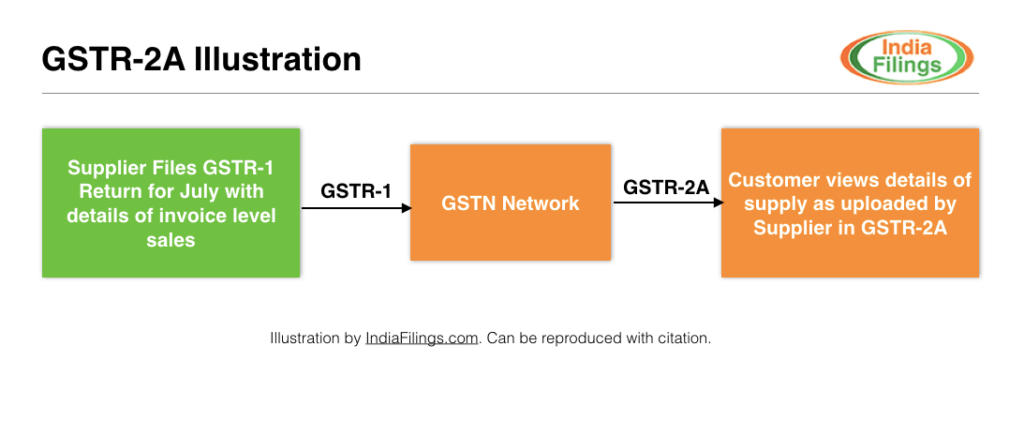 GSTR-2A Illustration
GSTR-2A: AnOverview
In the GSTR-2A return, a taxpayer can find details of invoices uploaded by the supplier pertaining to a B2B transaction. For instance, if Company X had purchased computers from Company Y, then in the GSTR-2A return of Company X, the details of the purchase as uploaded by Company Y would be shown. As mentioned above, GSTR-2A return cannot be filed and there is no due date for filing GSTR 2A. GSTR 2A is only a return through which the Government provides information uploaded on GSTN by the suppliers.
Download GSTR 2A
Taxpayers must regularly download GSTR 2A to verify the details uploaded by suppliers. To download GSTR 2A, follow the steps below:
Step 1: Log in to GST Portal
Login to the GST Portal and select the month for which you want to download GSTR-2A. Select GSTR-2A as shown below:
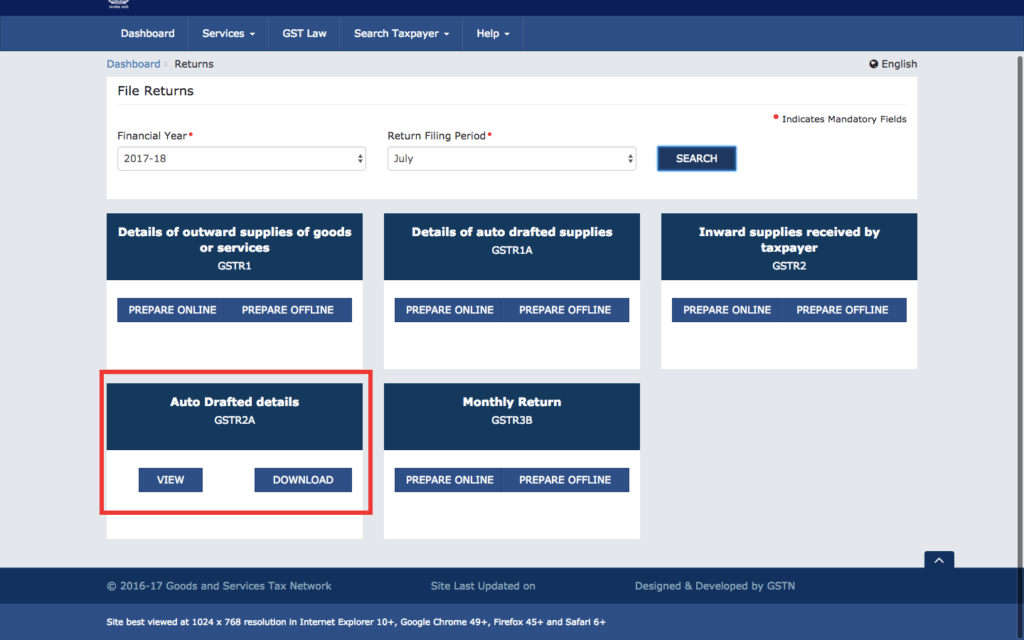 GSTR 2A - GST Portal
You can select view if you want to just view invoice details uploaded by the suppliers. If you want to download GSTR-2A to prepare GSTR-2 return filing, click on download. In case of download, the document is available for download in ZIP format and the user can import it into the GST return offline tool for preparing GST returns.
GSTR 2A - GST Portal
You can select view if you want to just view invoice details uploaded by the suppliers. If you want to download GSTR-2A to prepare GSTR-2 return filing, click on download. In case of download, the document is available for download in ZIP format and the user can import it into the GST return offline tool for preparing GST returns.
Step 2: View or Download GSTR-2A Data
You can view the GSTR-2A data by clicking on the view button. If the suppliers have uploaded invoices pertaining to that month, details of such invoices will appear as given below:
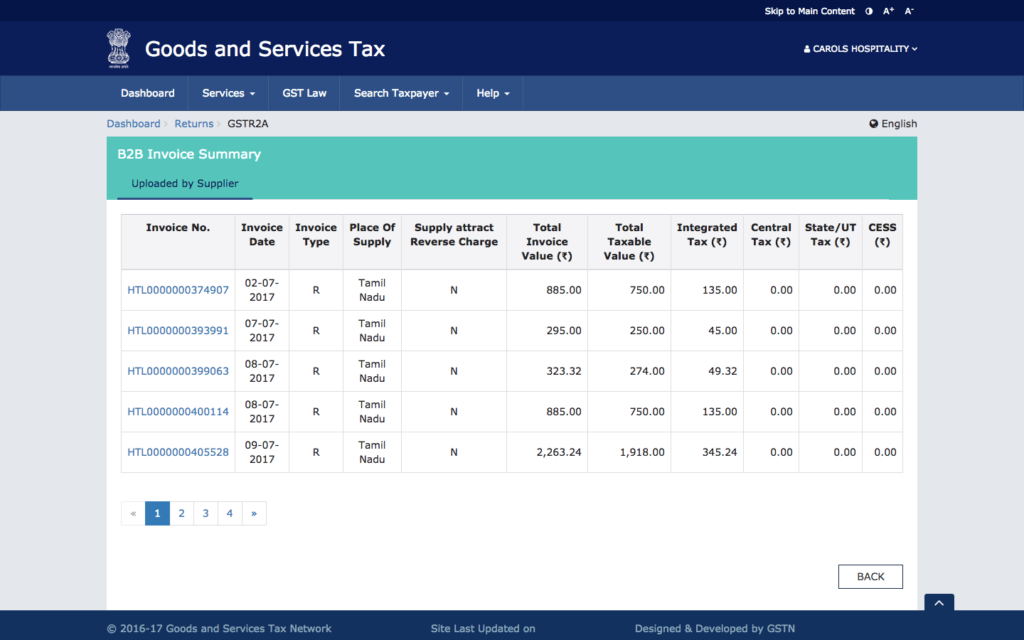 GSTR 2A - Invoice Details
GSTR-2A Missing Supplier
If you have purchased goods or services from a business and have received a tax invoice, but the invoice does not appear under GSTR 2A, the following could be the reasons:
Supplier Did Not File GSTR-1 Return
If the supplier fails to file GSTR-1 for the month, the taxpayer will not find the supplier name mentioned in GSTR-2A. Before contacting the supplier, try the other steps below.
Supplier Has Wrong GSTIN Number
If the supplier has filed the GSTR-1 return and you still haven't received the information in GSTR-2A, check whether the GSTIN number provided to the supplier is correct. If the supplier has an incorrect GSTIN number, the details will appear under the GSTR-2A return of the wrong taxpayer.
Any Other Reason
If the above two reasons are not the cause, please contact the
GST helpline for assistance.GSTR-2A Missing Invoice
If the name of the supplier is visible on the GSTR-2A return and there are a few invoices and one or more invoices are missing, the following could be the reason:
Supplier Did Not Upload Details of Invoice in GSTR-1 Return
While filing the GSTR-1 return, the supplier must
upload details of all B2B invoices issued along with GSTIN to the GST Portal. If the supplier has incorrectly classified the transaction as a B2C invoice, then the invoice will not be visible under GSTR-2A. Hence, check the GST invoice to verify if the registered GSTIN reflects on the invoice. If mentioned, you can add the details of the missing B2B invoices while filing the GSTR=2 return. For verification purposes, the supplier can view all the invoices added by the customer. If accepted, then input tax credit will be provided to the customer.