

Renu Suresh
Expert
Published on: Mar 28, 2026
URN Status Online
URN or Update Request Number is a unique number that is allocated to a person when applying for correction in the Aadhaar data. In the last few years, Aadhaar has emerged as a vital identity document for Indian citizens. Central Government is linking Aadhaar to various government schemes to ensure that only the eligible citizens are receiving the benefits under the respective schemes. The citizen can check the URN status online through the SSUP (Aadhaar Self Service Update Portal). In this article, we will look at how to check URN status online in detail. Know more about Duplicate Aadhaar CardURN at a Glance
As stated above, URN or Update Request Number is a unique number that is allocated to a person when applying for correction in the Aadhaar Data. Citizen will receive a URN irrespective of the fact whether he/she has applied for the change through online channels or offline channels. The URN will be automatically generated by the system on submission of a request for change. This update request number (URN) can be used to check URN status anytime. Note: It is imperative to keep the URN safe as it is required to track the aadhaar URN Status. If you lose this URN, you will not be able to know the outcome of the request for updating aadhaar data.Check the URN Status Online
Checking the URN status has become an easy task with the help of SSUP portal. You can log-on to the SSUP portal to check the Aadhaar URN status online. If you do not have access to a computer or intent connection, you can also visit the aadhaar enrolment centre for information on the same. Follow the following steps to check URN status online: Step 1: Access the official website of aadhaar self-service portal (SSUP) Step 2: In the respective input field, provide your aadhaar number and URN Number.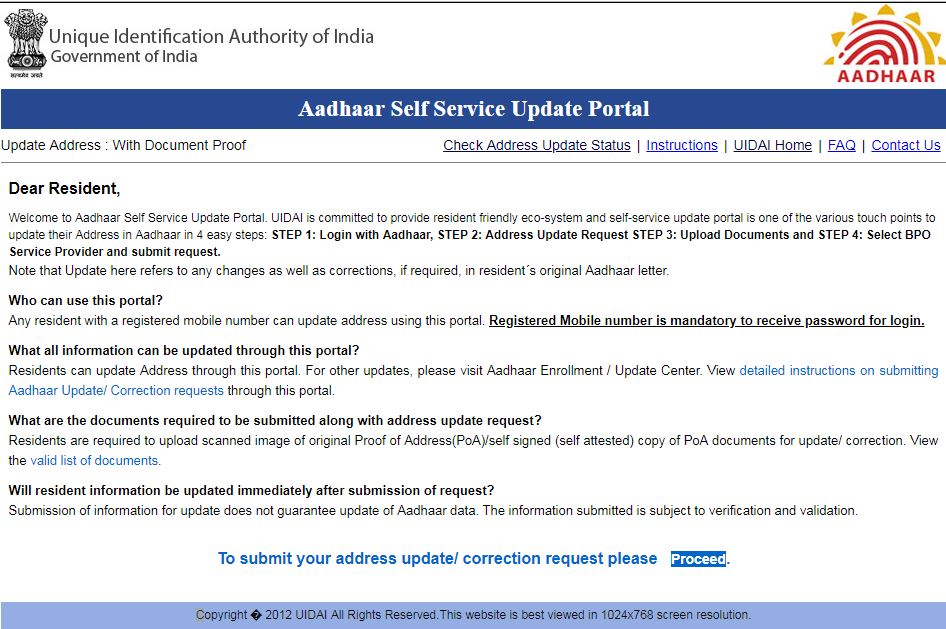 Image 1 URN status Online
Note: Make sure that you have entered the correct details because you would otherwise not be able to check the aadhaar URN status.
Step 3: After providing aadhaar and URN number, enter the Captcha code to complete the verification process.
Step 4: Click on the “Get Status” option. You can now be able to check URN Status Online.
Image 1 URN status Online
Note: Make sure that you have entered the correct details because you would otherwise not be able to check the aadhaar URN status.
Step 3: After providing aadhaar and URN number, enter the Captcha code to complete the verification process.
Step 4: Click on the “Get Status” option. You can now be able to check URN Status Online.
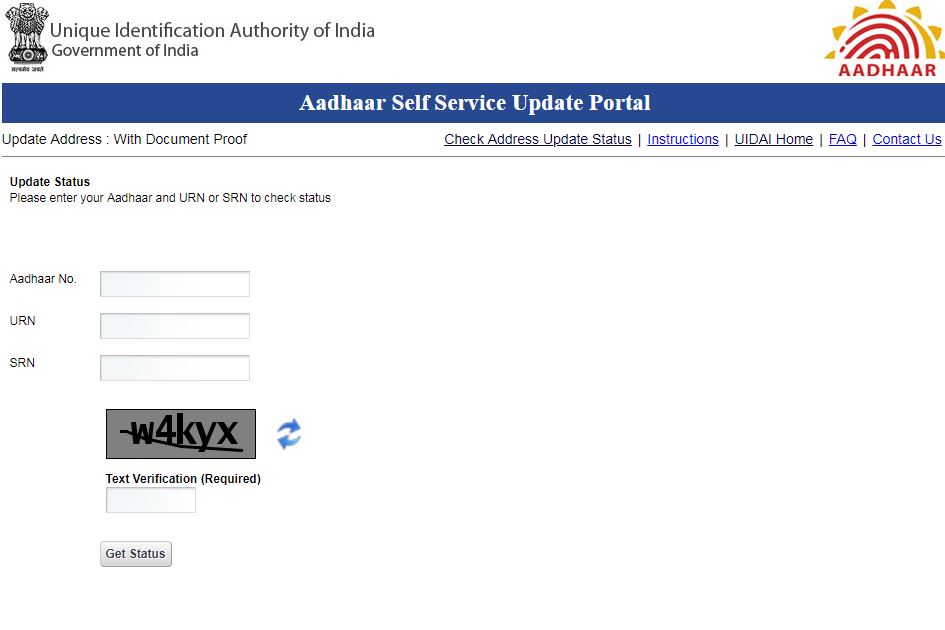 Image 2 URN status Online
The information on the result page will give a clear indication of the status of the update request. You can see three possible results as provided below:
Image 2 URN status Online
The information on the result page will give a clear indication of the status of the update request. You can see three possible results as provided below:
- If the application has been successful, it means that the changes have been made successfully in the aadhaar and you can now download the updated copy of the e-aadhaar. You will also receive the hard copy of aadhaar by post.
- If the request for updating aadhaar is under process, it means that the changes are yet to be approved. You need to check-in after a few more days.
- If the request has been rejected, it means the changes have not been made, and you will need to apply for the same again.
Reasons for Rejection
In some cases, the request for updating the aadhaar is rejected by the UIDAI. The applicant can able to see the reason for rejection on the result page itself. The primary reasons that can lead to cancellation of the request are given below:- Applicant has not provided sufficient documents
- Applicant has provided incorrect details
- There have been some typographical errors in the updating of application form
- The documents provided have not been self-attested