
IndiaFilings
Expert
Published on: Jul 30, 2026
Adding a Customer - LEDGERS Guide
Adding a customer to you LEDGERS is the first step to begin issuing estimates, invoices and tracking payment or receivables. In addition to basic accounting, using LEDGERS you can also keep track of your customers and verify the GSTIN on a real-time basis. LEDGERS Software is free.
You can start using LEDGERS by signup today.Simple Steps to Add a
You can easily create add a customer on LEDGERS GST software by following these steps:
- Login to your LEDGERS account. You can log in using this link.
- Once you have logged in to your account, select the business you would like to add a customer.
- Go to Contacts -> Add Customer.
Add Customer on LEDGERS GST Software
You will only have to provide a name to add a customer in LEDGERS. All other fields are optional. In case all other fields are left blank, the place of supply for the customer would be taken as the location of business of the supplier. If a customer is not registered for GST, you can leave the B2B or Customer
Registered under GST? as No, Unregistered. In case, you select Yes, GSTIN of the customer would have to be provided under Customer GSTIN in a valid format or left blank. If you enter a GSTIN, then the GSTIN will be checked against the GSTN Network and the Business Name as per GSTN will be auto-filled. If you do not know the GSTIN of the customer, you can leave the GSTIN blank and the customer would receive an email for updating GSTIN on your LEDGERS. The customer using the link can directly update billing details and the information will be ready for your verification under Customer On Boarding. If you accept the information provided the customer, the customer master would be updated. Once the information and address tab is updated with the necessary information, you can update the tax tab. In the tax tab various information about the customer like PAN, TAN, TDS applicability, currency, preferred payment method and terms of payment can be updated easily. Also, you will be able to update if a reverse charge is to be applied on default for this customer.LEDGERS - Customer Portal
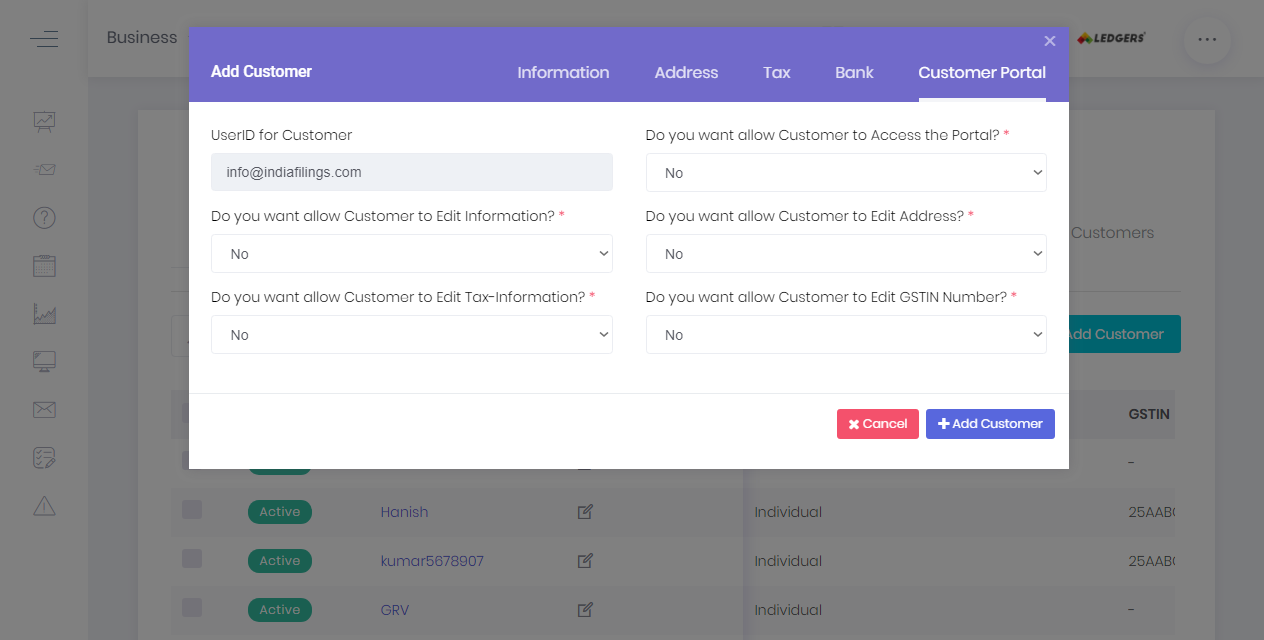
In the customer portal tab, you can select if the customer is to be provided access to the customer portal by default. The default option is NO. If yes is selected, any customer added to LEDGER would receive a welcome email requesting them to verify the information you had updated as their billing details. In case of any changes, the customer can make the changes and the suggested changes would be held for approval. If customer changes are accepted, the customer master would be updated with the most recent information.
 Sample Customer Verification Screen