
IndiaFilings
Expert
Published on: Jul 30, 2026
Split Payments on LEDGERS
LEDGERS GST Software allows for payment to be split while sending estimates and invoices with payment links. The split payment can be used for the following scenarios:- To collect payment from customers in instalments.
- To collect payment from a customer in smaller amounts from multiple credit/debit card or net banking or wallet accounts.
- To enable multiple persons to make payment on the same invoice or estimate.
Split Payment
You can follow the steps below to split payment:
Step 1: Start creating an estimate or invoice Create an estimate or invoice using LEDGERS by entering the customer information and product details. Once the details are updated, click on Split Payment button.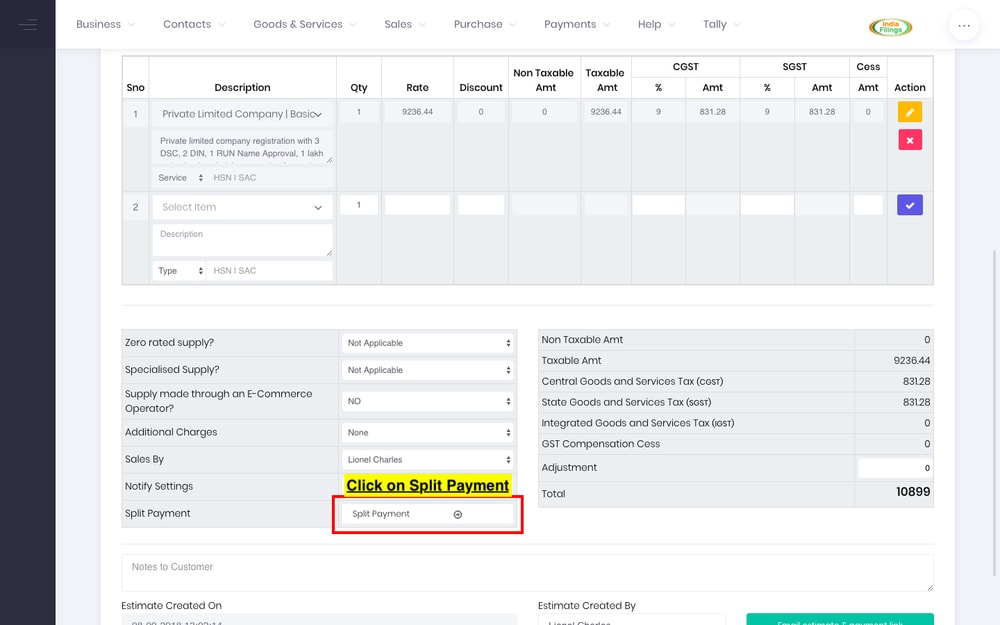 Step 1 - Split Payments
Step 2: Provide details of split payment
You can split payment while also providing different due dates and persons. In case different email addresses and persons are provided, the persons mentioned in the split payment will receive separate payment links for the payment amount.
For example, if a payment of Rs.10,000 is split into two payments of Rs.5000 between Rahul and Vikas with separate email ids, Vikas will receive a payment link email for Rs.5000.
Once the payment split information is entered, click on Split Payment button.
Step 1 - Split Payments
Step 2: Provide details of split payment
You can split payment while also providing different due dates and persons. In case different email addresses and persons are provided, the persons mentioned in the split payment will receive separate payment links for the payment amount.
For example, if a payment of Rs.10,000 is split into two payments of Rs.5000 between Rahul and Vikas with separate email ids, Vikas will receive a payment link email for Rs.5000.
Once the payment split information is entered, click on Split Payment button.
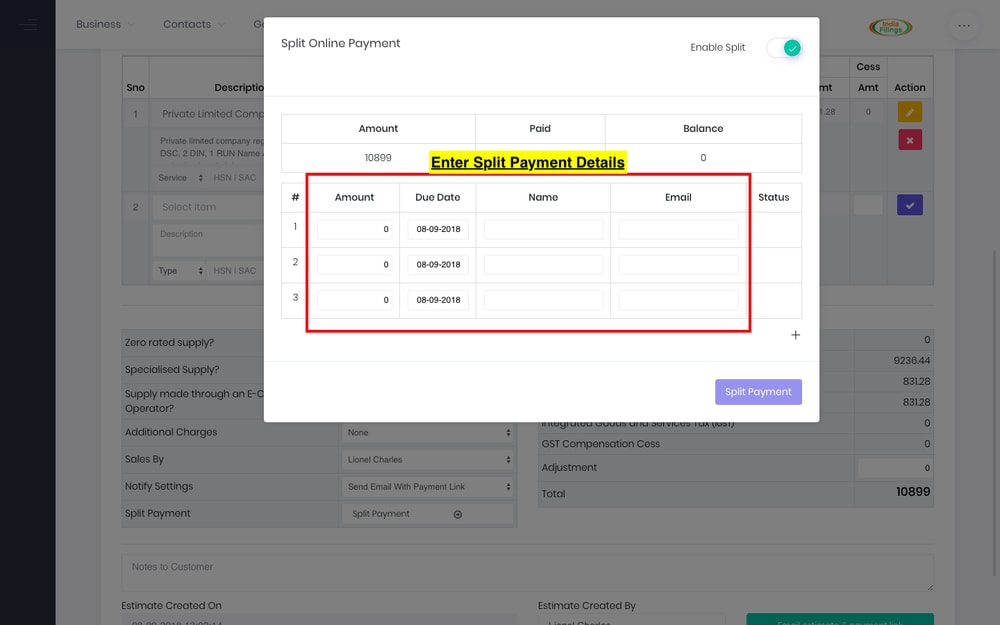 Step 2 - Split Payments
Step 3: Create estimate or invoice
Once the estimate or invoice is created, the customer(s) will receive a payment link in their email. When they click on the link, they will be taken to a checkout page with "Part Payment" option. The customer(s) can click on the appropriate part payment link to complete the part payment.
Step 2 - Split Payments
Step 3: Create estimate or invoice
Once the estimate or invoice is created, the customer(s) will receive a payment link in their email. When they click on the link, they will be taken to a checkout page with "Part Payment" option. The customer(s) can click on the appropriate part payment link to complete the part payment.
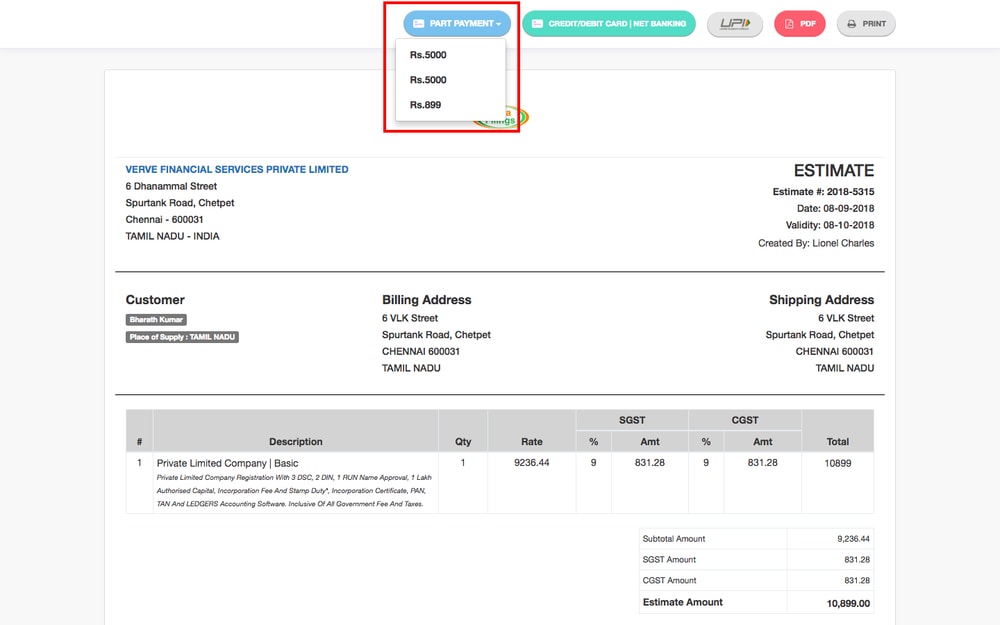 Step 3 - Split Payment
Step 4: Payment options
Once the customer(s) click on the relevant part payment link, they are provided with the payment mode options available to them. They can click on the relevant payment mode to complete the transaction.
Step 3 - Split Payment
Step 4: Payment options
Once the customer(s) click on the relevant part payment link, they are provided with the payment mode options available to them. They can click on the relevant payment mode to complete the transaction.
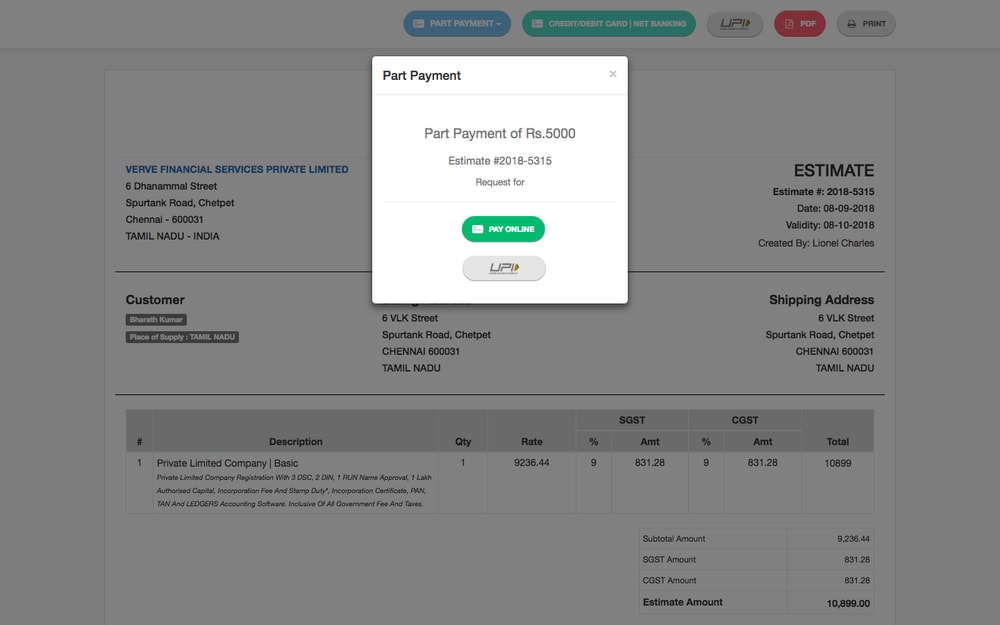 Step 4 - Split Payment