
IndiaFilings
Published on: Sep 17, 2026
How to Reset Your iCFO Password
If you've forgotten your iCFO password or are unable to log in to the iCFO platform, don't worry. Follow these detailed steps to reset your iCFO account password and regain access effortlessly.
IMPORTANT: Use your email ID in lowercase characters only. The email ID is case-sensitive, so be cautious.
Example of Correct Usage: kumar@gmail.com
Incorrect Usage: KUMAR@GMAIL.COM
If you're still encountering issues accessing the iCFO platform, consider resetting your password using the step-by-step process below:
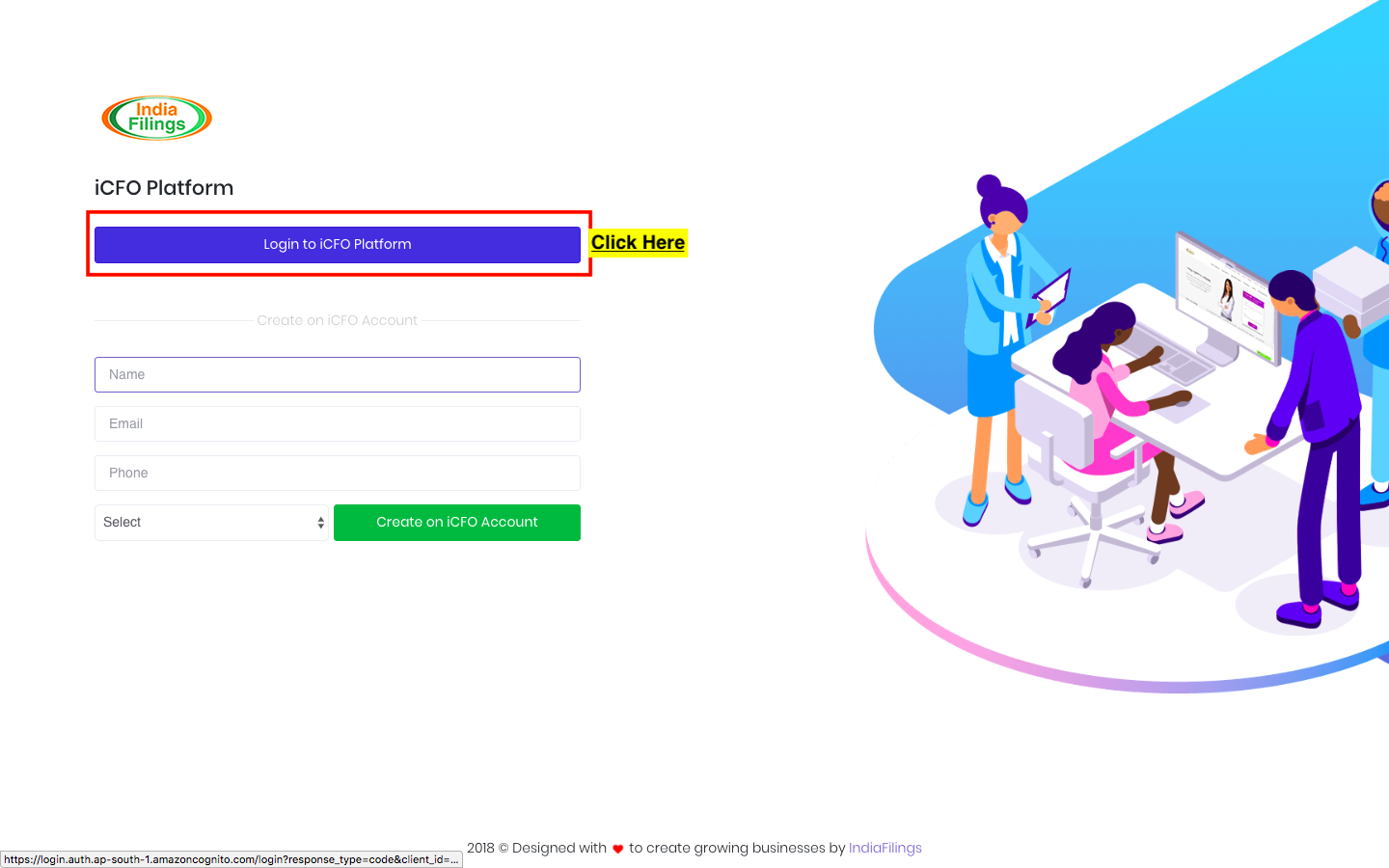
Step 1: Click on Login to iCFO Platform
You can initiate the process by going to the login page of the iCFO platform. This is your gateway to access all financial functionalities offered by your account.
Reset iCFO Password
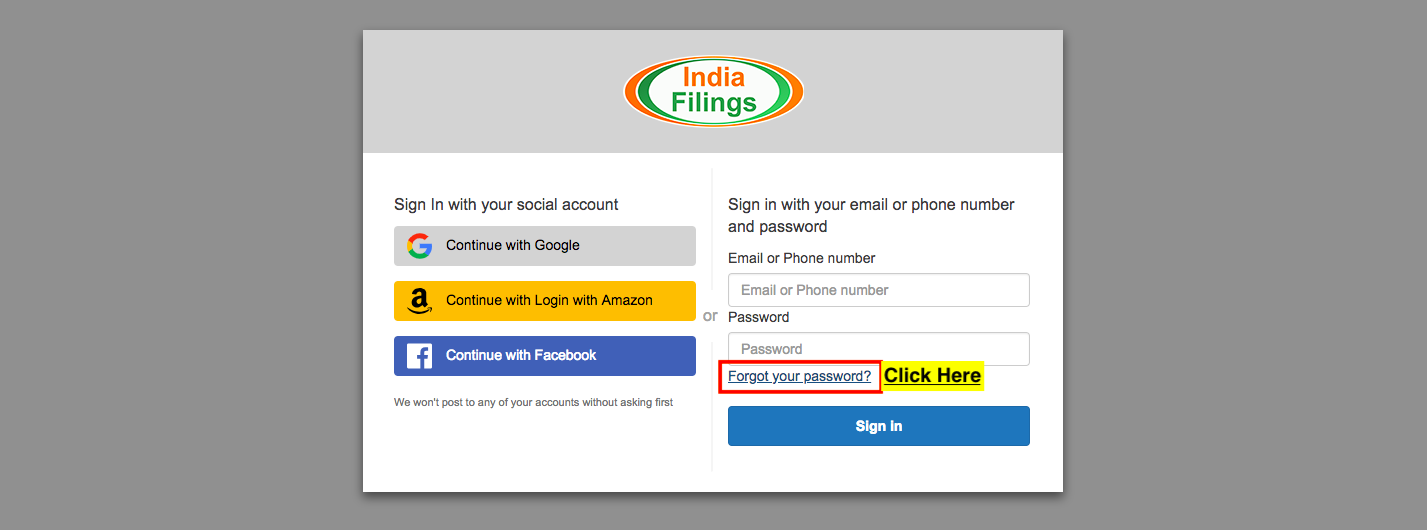
Step 2: Select "Forgot Password"
After clicking on the login option, locate and select the "Forgot Password" link. This is crucial for initiating the password recovery process.
Reset iCFO Password - Step 2
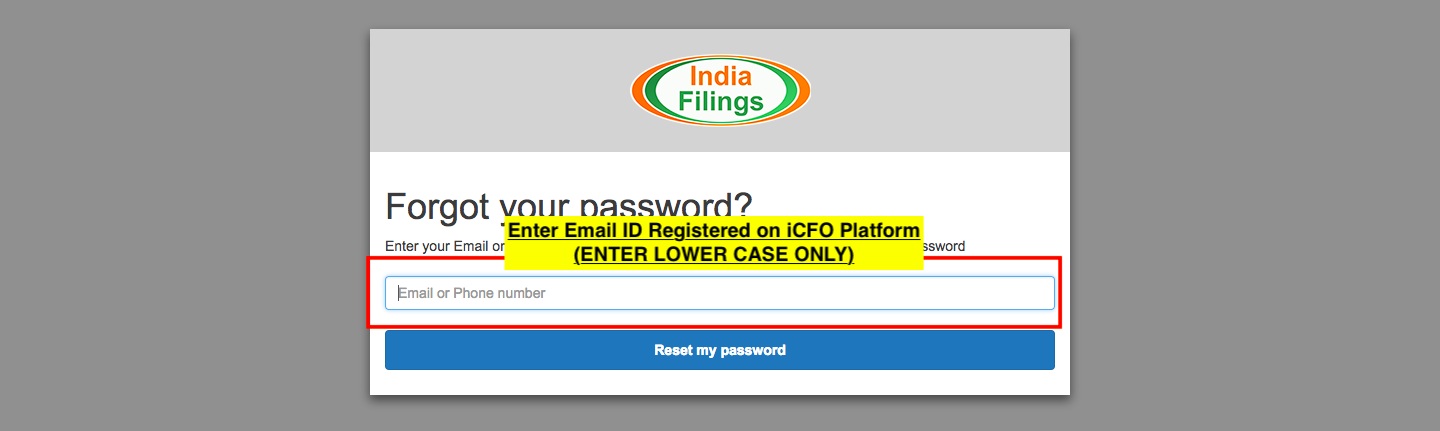
Step 3: Confirm Email
Enter your registered email ID in lowercase. Make sure it matches the email ID linked to your iCFO account to receive the verification code.
iCFO Password Reset - Step 3
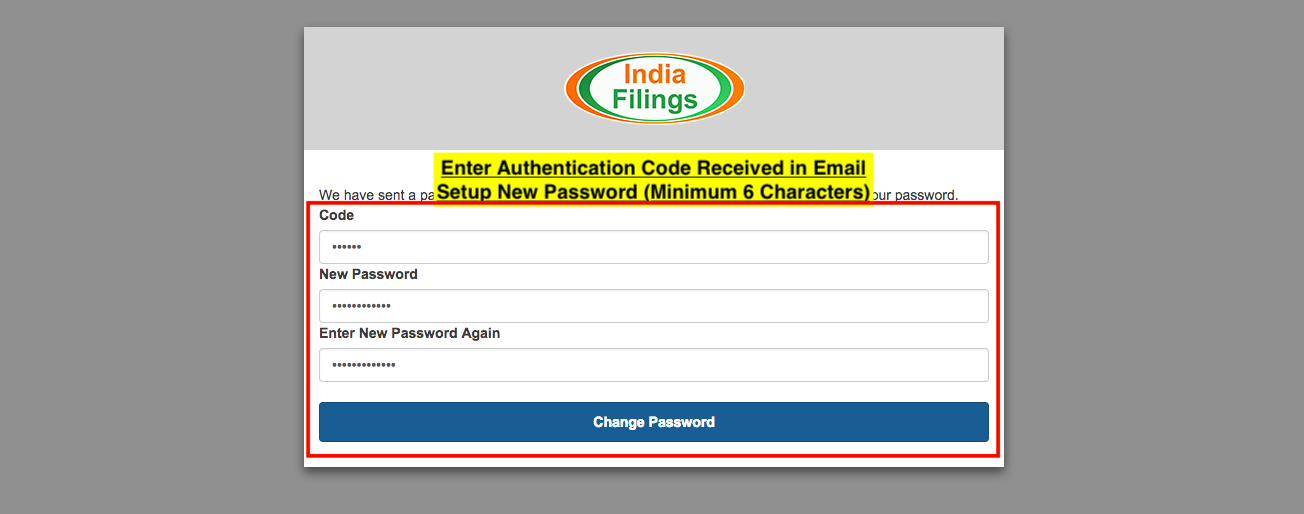
Step 4: Enter Code and New Password
You will receive a code sent to your email. Enter this code in the designated field, along with your new password. Ensure your password contains at least 6 characters for added security.
iCFO Password - Step 4
Step 5: Finalize Password Change
Click on the "Change Password" button to finalize the process. You are now ready to log in to the iCFO platform with your new password.
GST Online Filing | GSTR-3B Guide | GSTR-1 Filing | ITC Reconciliation | CA Assisted GST Filing | GSTR-9 Annual Return | Nil GST Filing