Renu Suresh
Expert
Published on: Sep 16, 2026
Digital Life Certificate (DLC) - Jeevan Pramaan
For many retired citizens in India, a pension is an indispensable source of income. These pension beneficiaries must annually submit a Life Certificate to their respective Pension Disbursing Authorities (PDAs) to continue receiving payments. The Jeevan Pramaan is an Aadhaar-based biometric Digital Life Certificate that simplifies this process by ensuring pensions are disbursed smoothly using digital authentication. In this article, we explore the Digital Life Certificate in-depth.
Understanding the Life Certificate
A Life Certificate, or a Certificate of Existence, is a document authenticated by a responsible person, confirming the pensioner is alive and entitled to receive the pension. This procedure helps government and pension disbursing agencies ensure continuous accurate annuity and pension payments.
The Jeevan Pramaan Initiative
Launched by Prime Minister Narendra Modi on November 10, 2014, the Jeevan Pramaan initiative aims to alleviate difficulties for pensioners, especially the elderly, by digitizing the process of generating life certificates. Typically, pensioners have to present themselves physically to submit a life certificate each November. Jeevan Pramaan eliminates the need for physical presence, allowing the digital generation of life certificates through secure Aadhaar-based biometric authentication. Read about similar digital transformations.
Advantages of the Digital Life Certificate (DLC)
- Generate DLCs from anywhere, even home, using devices equipped with an Internet connection and certified biometric devices.
- Automatic notifications via SMS to pensioners regarding the status of their DLC.
- Seamless transfer of DLCs to Pension Disbursing Agencies.
- Notification SMS from the agency after DLC processing.
Requirements for Generating a Digital Life Certificate
To generate a Digital Life Certificate, you will need:
- An Aadhaar number
- A valid mobile number
- Registration of Aadhaar with a PDA (bank, post office, etc.)
- A biometric device
- A PC with Windows 7.0 & above or an Android Mobile/Tablet 4.0 & above
- Internet connectivity
Businesses in related sectors like IT might benefit from understanding small business registration processes.
How to Generate a Digital Life Certificate
Pensioners can generate digital life certificates independently or by visiting nearby centers offering digital services, such as CSCs, government offices, and banks. Find out more about accessing government services by checking out government support schemes.
Generating a Digital Life Certificate through Service Centres
To generate your DLC online through service centers, follow these steps:
Step 1: Visit the nearest Citizen Service Centre, bank, or applicable government office equipped with digital facilities. Use the Jeevan Pramaan portal to locate centers near you.
Locating Centers
To identify your nearest CSC, visit the designated webpage.
Step 2: Select your location, state, and district from the drop-down menu. Types of locations available on this portal include CSCs, NIELIT Centres, and Government Offices.
- CSC
- NIELIT Centre
- Government offices
- Jammu & Kashmir Bank
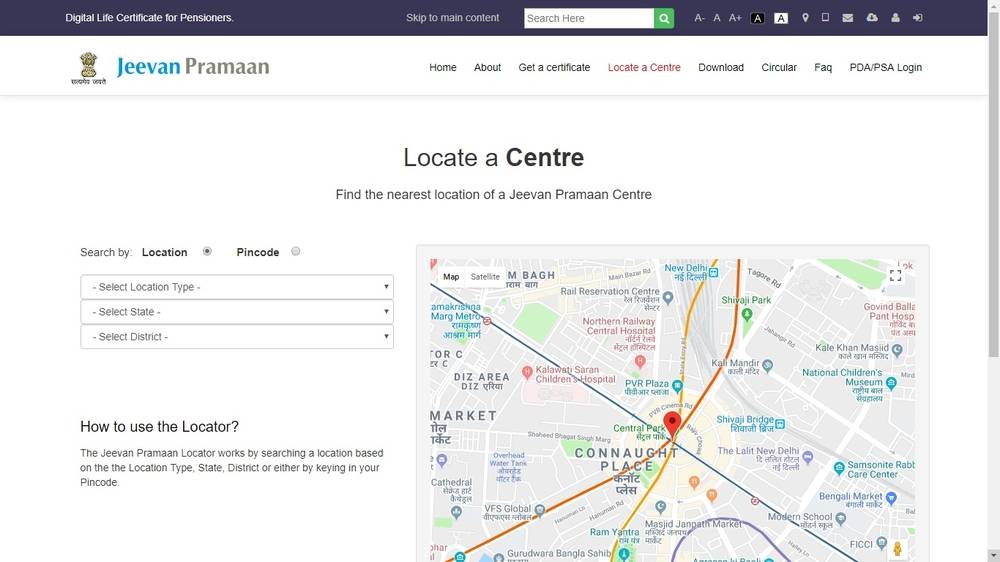
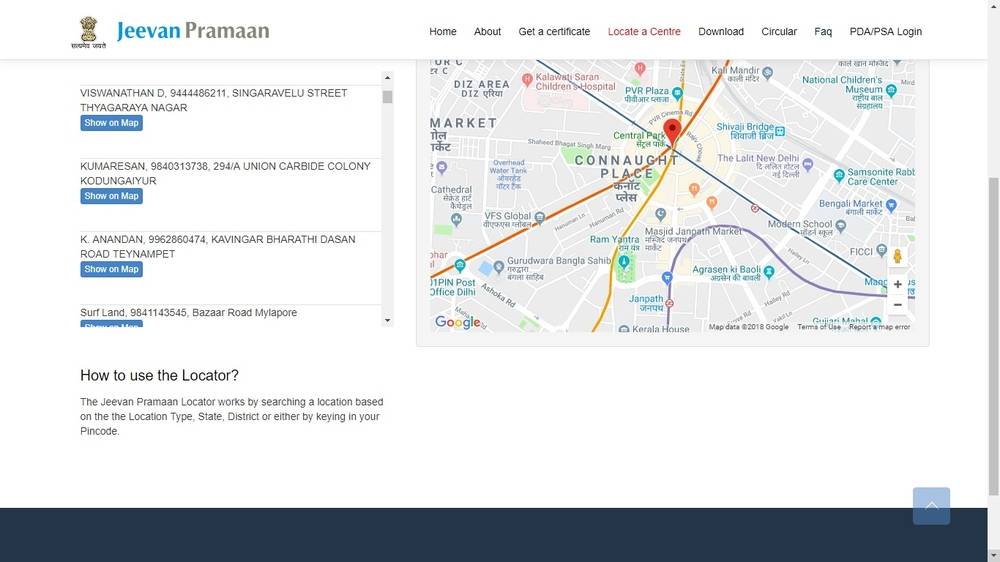
Step 4: Once all details are selected, a list of centers in the specified area will be displayed.
Generating a Digital Life Certificate Online
If you choose to generate the Digital Life Certificate online, follow these steps:
Step 1: Visit the Jeevan Pramaan homepage.
Step 2: Click on the Download option in the menu bar.
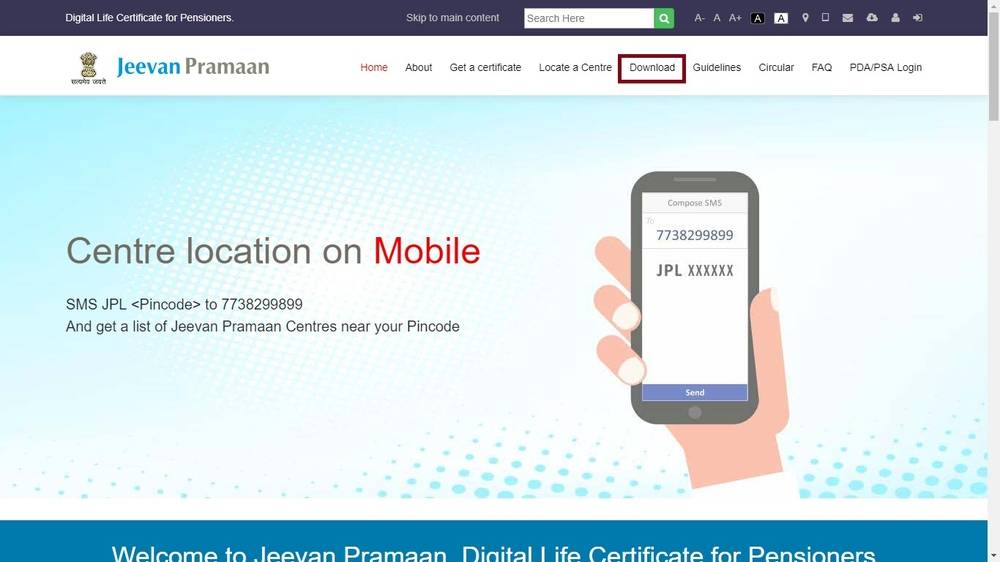
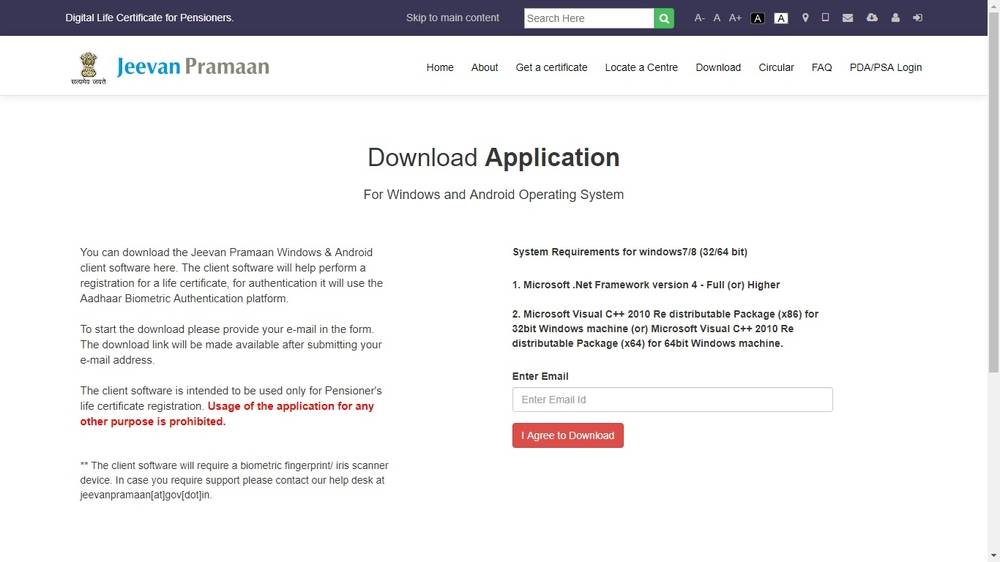
Step 3: Provide your e-mail ID, agree to the terms, and click to download. You'll receive a link to download the Jeevan Pramaan Windows & Android client software for PC/Mobile/Tablet.
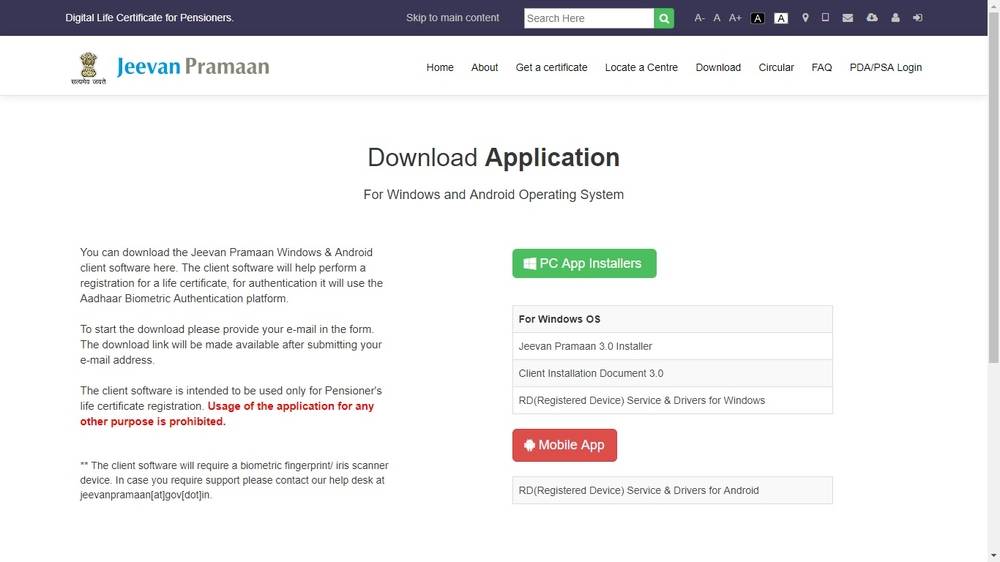
| Sl.No | PC App Installer | Mobile App |
| 1 | Jeevan Pramaan 3.0 Installer | RD (Registered Device) Service & Drivers for Android |
| 2 | Client Installation Document 3.0 | |
| 3 | RD (Registered Device) Service & Drivers for Windows |
Step 4: After successful installation of the client software in your PC/Mobile, complete two basic steps: User Registration and Certificate Authentication to obtain your Digital Life Certificate.
User Registration
Step 5: Authenticate your biometric device with your PC/mobile/tab. Note: Biometric registration is a one-time process.
Step 6: Provide your Aadhaar Number and Mobile Number and click on Generate OTP.
Step 7: You will receive an OTP on the registered mobile number.
Step 8: Enter the correct OTP to access the next screen. Here, provide your Name & Email ID and click on Scan Finger.
Step 9: Use the fingerprint scanner or iris scanner connected to your device.
Step 10: Upon successful authentication, a pop-up window will confirm 'Device Registration successful.' Click OK to proceed.
Certificate Generation
Step 11: Enter the Pensioner’s Aadhaar Number and Mobile Number, then click Generate OTP.
Step 12: The pensioner receives an OTP on their mobile. Enter it in the given space and click OK.
Step 13: Enter the following information:
- Pensioner Name
- PPO Number
- Type of pension
- Name of Sanctioning Authority
- Name of Disbursing Agency
- Agency Name
- Email ID
- Select Remarried options
- Select Re-Employed Options
Step 14: Choose the no objection option and proceed to scan a finger.
Step 15: After successful Finger Print/Iris Authentication, the life certificate displays on screen, and the pensioner receives an acknowledgement SMS with the Jeevan Pramaan Certificate ID.
Step 16: Click print to obtain a Digital Service Centre printout.
Downloading the Digital Life Certificate
Pension Disbursing Authorities can view and download the Digital Life Certificate anytime and anywhere using Jeevan Pramaan's online facility, accessible exclusively to sanctioned entities like banks and government offices. PDAs can verify a pensioner's identity by entering the registered mobile number, Aadhaar number, and OTP.