

Renu Suresh
Expert
Published on: Aug 11, 2026
Andhra Pradesh Possession Certificate
Possession certificate is an important property-related document held by every property owner. The legal possession of the property by the owner is valid only with a possession certificate. Possession certificate contains the details of the possession date of the property; hence it is used to claim one’s right to a particular property. Concerned Tahasildhar issues possession certificate in rural areas and Revenue Divisional Officer (RDO) in urban areas. Further, possession certificate is mandatory to secure a loan. In this article, we look at the procedure to obtain the Andhra Pradesh possession certificate in detail.Uses of Possession Certificate
The Andhra Pradesh Possession certificate can be used for any of the following purposes:- To obtain subsidy provided by statement Government
- For applying for housing loan
Time Frame
Andhra Pradesh possession certificate will be issued within 7 days from date of application.Documents Required
Documents necessary for obtaining possession certificate in Andhra Pradesh are as follows:- Application Form
- Ration Card
- Income Certificate
- Passport size photograph
Applying for Possession through MeeSeva Franchise
The following are the procedure to apply for possession certificate through the MeeSeva Franchise:Approach MeeSeva Franchise
Step 1: Before applying for possession, complete the registration process of property and get the sale deed from concerned authority. The applicant needs to approach the nearest MeeSeva Franchise.Submit an Application
Step 2: The applicant has to submit an application in the prescribed format for possession certificate at MeeSeva Franchise. Provide the following details in the application form:- Document details such as House number, Door Number, Address, Age, Extents
- Ration card and Aadhaar card number
- Informant details such as relation, mobile number and email ID
- Information related to house boundaries
Possession Certificate Processing
Step 4: The concerned authority, Tahasildhar or RDO, will process the possession certificate request online.Field visit by Tahasildhar or RDO
Step 6: After downloading all verification and Proceeding documents, Tahasildhar or RDO will conduct a field-level enquiry. After enquiry, Tahasildhar or RDO will take action for issuing possession certificate.Applying Online through MeeSeva Online Portal
The following are the guidelines for applying possession certificate through the MeeSeva online portal: Step 1: To get the AP possession certificate through online, go to the home page of MeeSeva Official portal. Step 2: In MeeSeva Home Page, select MeeSeva Online Portal.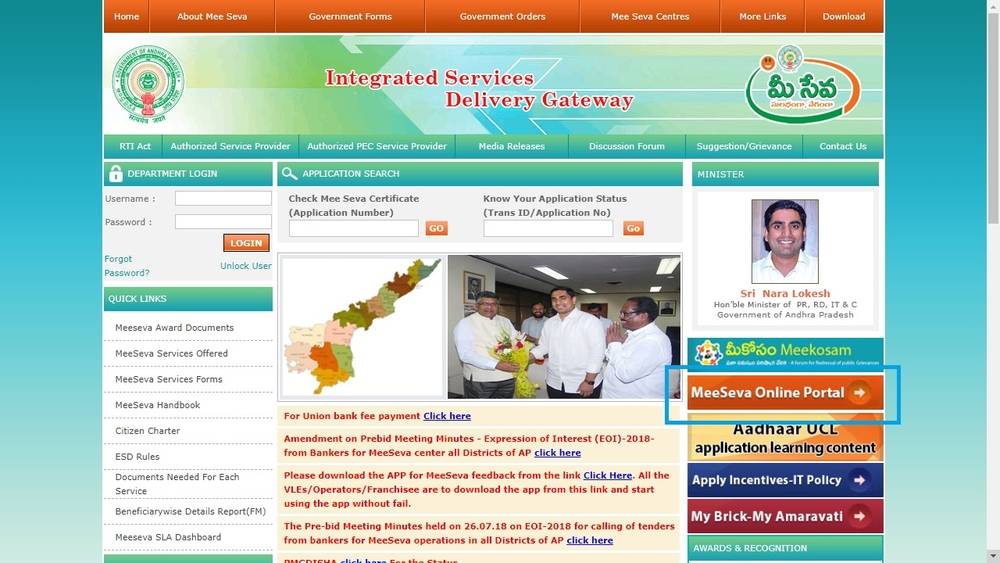 Homepage Andhra Pradesh Possession Certificate
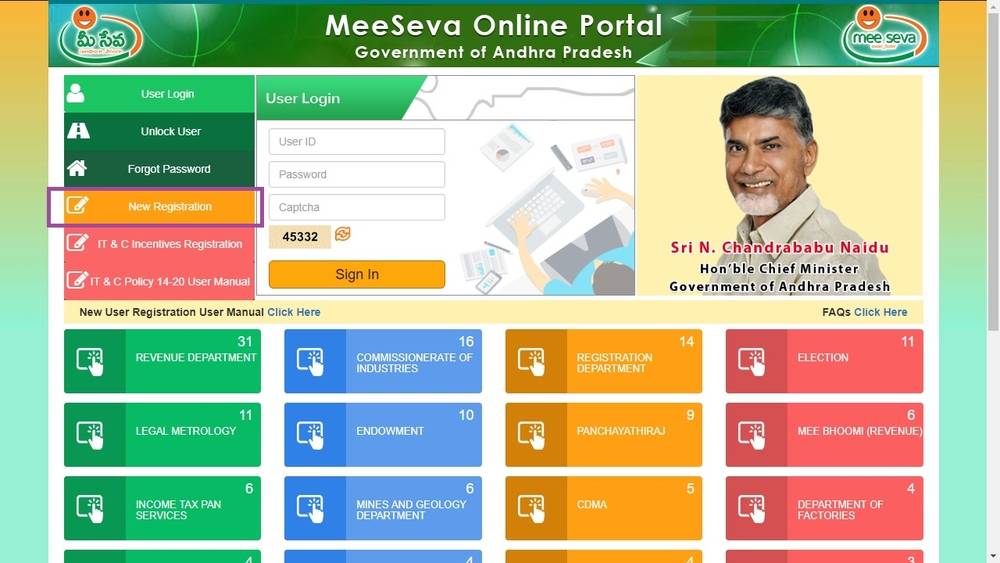
Step 3: The link will be redirected to the new page, register in the portal for availing certificate services provided by the Government. Click on new registration option.
Homepage Andhra Pradesh Possession Certificate
Step 3: The link will be redirected to the new page, register in the portal for availing certificate services provided by the Government. Click on new registration option.
 User Login Andhra Pradesh Possession Certificate
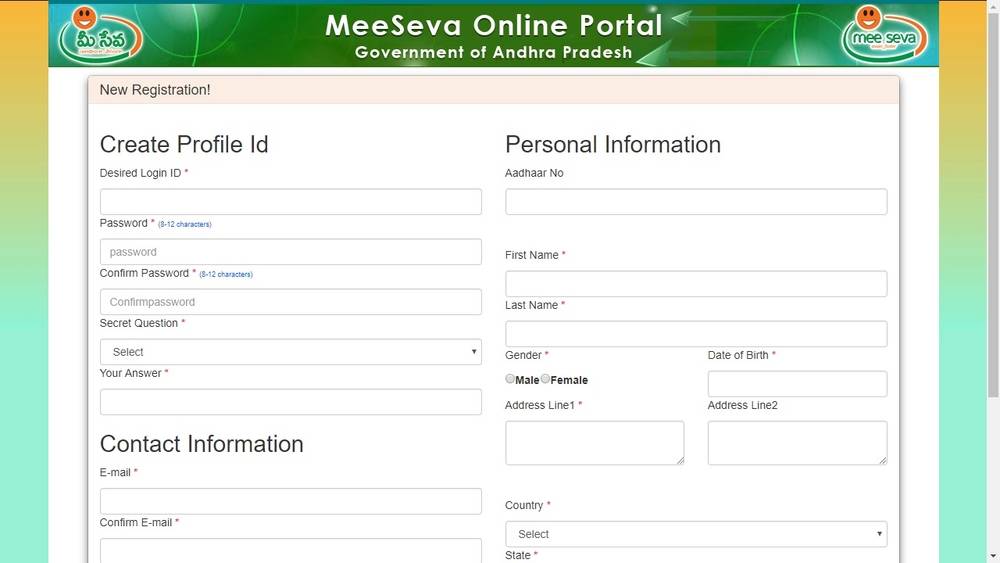
Step 4: After the selection of new user registration, the new user registration window will appear.
Step 5: Provide the following details for user registration in the MeeSeva Portal:
User Login Andhra Pradesh Possession Certificate
Step 4: After the selection of new user registration, the new user registration window will appear.
Step 5: Provide the following details for user registration in the MeeSeva Portal:
- Desired Login ID
- Password and Confirm Password
- Secret Question and the Answer
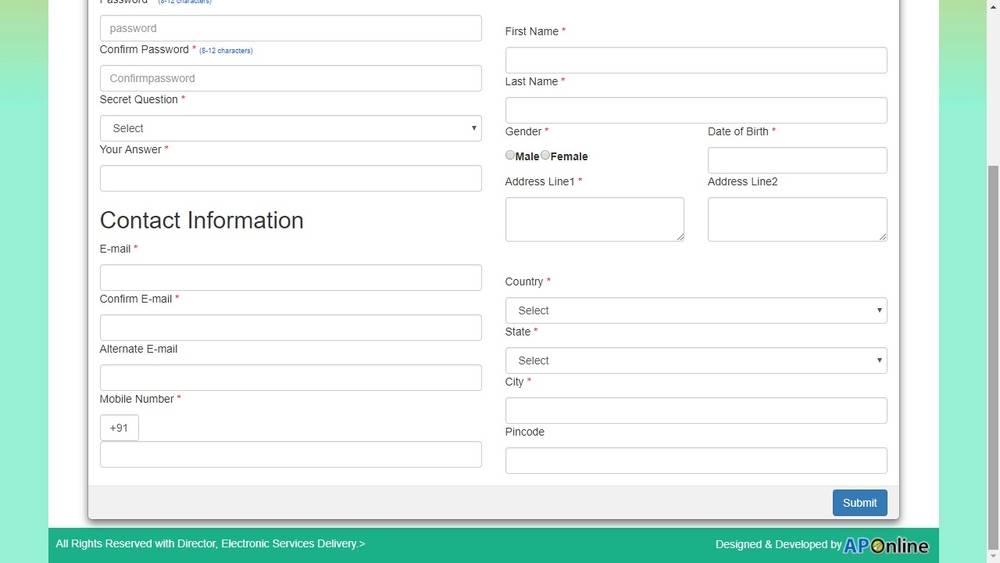
- Contact information such as Email and Mobile number
- Personal details such as Aadhaar Number, Name, Gender, Date of Birth and Address with pin code.
 New Registration Andhra Pradesh Possession Certificate
Step 6: Click the submit button for registration after submission one-time password will be sent to the registered mobile number, Provide the OTP in the panel given and click confirm button.
New Registration Andhra Pradesh Possession Certificate
Step 6: Click the submit button for registration after submission one-time password will be sent to the registered mobile number, Provide the OTP in the panel given and click confirm button.
 Contact information Andhra Pradesh Possession Certificate
Step 7: The applicant will receive a confirmation mail to the registered mail ID. Click on the Activation Link to activate the account.
Step 8: After activation, the applicant can log in to the portal using the user name and password.
Step 9: From the service option, select possession certificate, enter all mandatory details for possession certificate. Upload all supporting documents and click on submit button for Tahasildhar or RDO.
Step 10: After enquiry, the concerned authority will take action for issuing possession certificate.
Contact information Andhra Pradesh Possession Certificate
Step 7: The applicant will receive a confirmation mail to the registered mail ID. Click on the Activation Link to activate the account.
Step 8: After activation, the applicant can log in to the portal using the user name and password.
Step 9: From the service option, select possession certificate, enter all mandatory details for possession certificate. Upload all supporting documents and click on submit button for Tahasildhar or RDO.
Step 10: After enquiry, the concerned authority will take action for issuing possession certificate.
Application Status
The applicant will receive the possession certificate application status through an SMS. The applicant can also track application status from the MeeSeva home page. Enter the application number and click on the Go button; the application status will appear.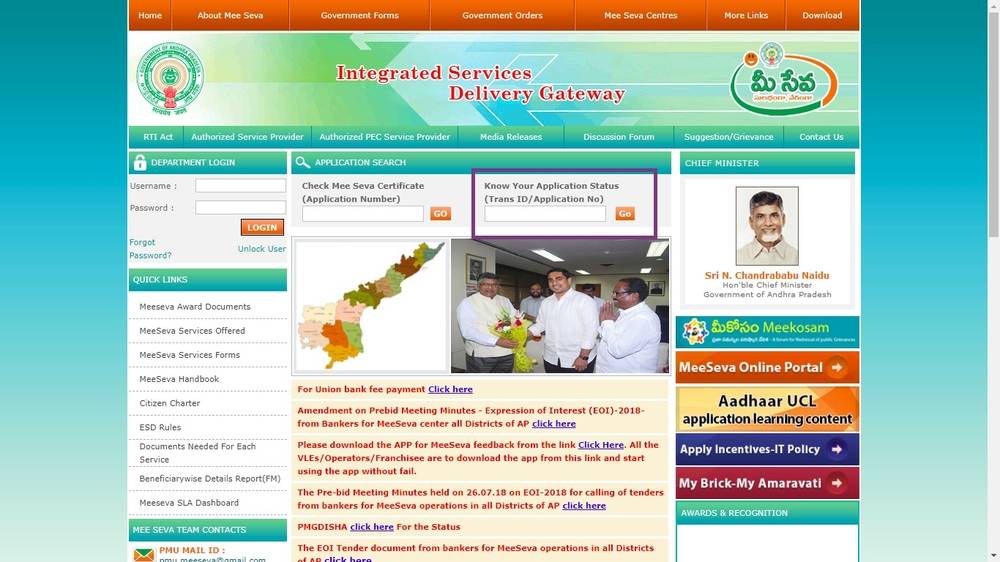 Application status Andhra Pradesh Possession Certificate
Verify Possession Document
Once the applicant’s possession request is accepted, an SMS will be sent to the registered mobile number as the application has been approved. Verify the possession document in MeeSeva portal by entering application number. In case any mistake found, contact MeeSeva franchise for correcting.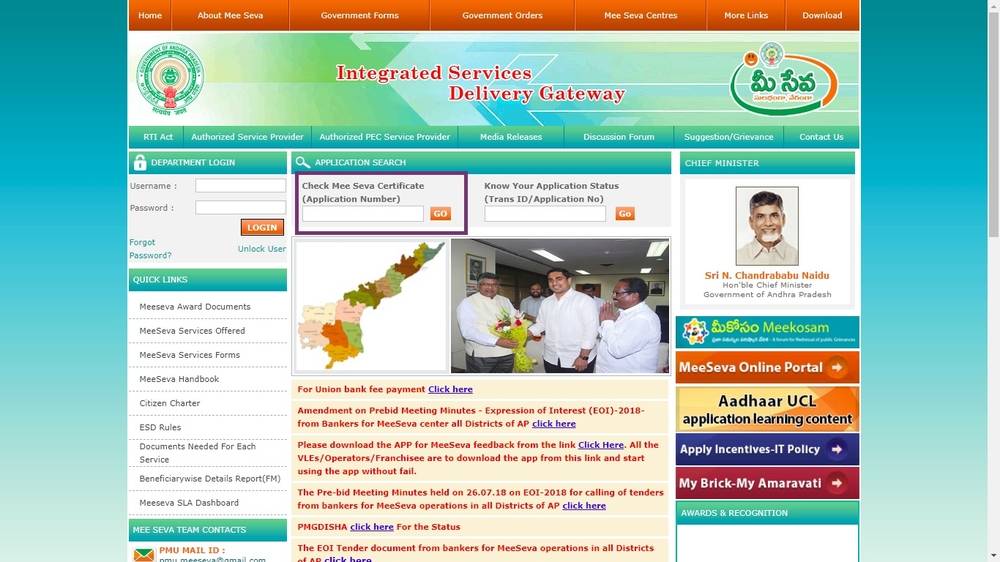 Check certificate Andhra Pradesh Possession Certificate