
Sreeram Viswanath
Published on: Aug 21, 2026
Viewing GSTR-4A Return
GSTR-4A is a system-generated form which contains information filed in other
GSTforms, namely Form GSTR-1 GSTR-5 and Form GSTR-7, where the composition dealer is the recipient. In this article, we look at the procedure for viewing form GSTR-4A in detail. Know more about
GSTR-4 form.Contents of the Form
GSTR-4A comprises of the following sections:
- 3A, 3B -B2B Invoices: This section depicts the particulars of inward supplies received from a registered suppliers.
- 4 - Credit/Debit notes: This section consists of particulars of the Debit/Credit notes added by the suppliers in their respective returns.
- 4 - Amendments to B2B Invoices: This section consists of particulars of invoices which the suppliers have amended in their returns.
- 4 (Amendments to Credit/Debit Notes) – this section provides a glimpse of the amendments to Credit/Debit notes performed by the suppliers in their respective returns.
Conditions Apply
GSTR 4A can be viewed by taxpayers if the total number of invoices are less than 500 for a particular tax period. In other cases, the invoices cannot be viewed but can be downloaded.
Viewing Procedure
GSTR-4A can be viewed by the taxpayers courtesy of the following steps:
Step 1- Official portalTaxpayers may initiate the proceedings by visiting the official GST portal.
Step 2- LoginFollowing the entry into the portal, the taxpayers are required to log in to the portal by specifying their user credentials.
Step 3: Returns DashboardFrom the services drop-down menu, the user needs to click on ‘Returns,’ and then opt for the ‘Returns dashboard’ command.
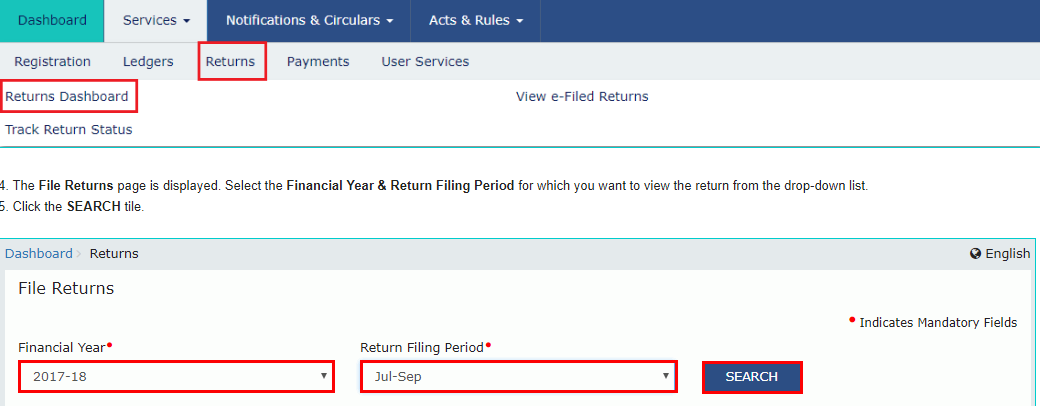
Returns Dashboard
Step 4: In the File Returns PageThe taxpayer may now select the respective ‘Financial Year and Return Filing Period’ from the drop-down list available on the 'File Returns' page.
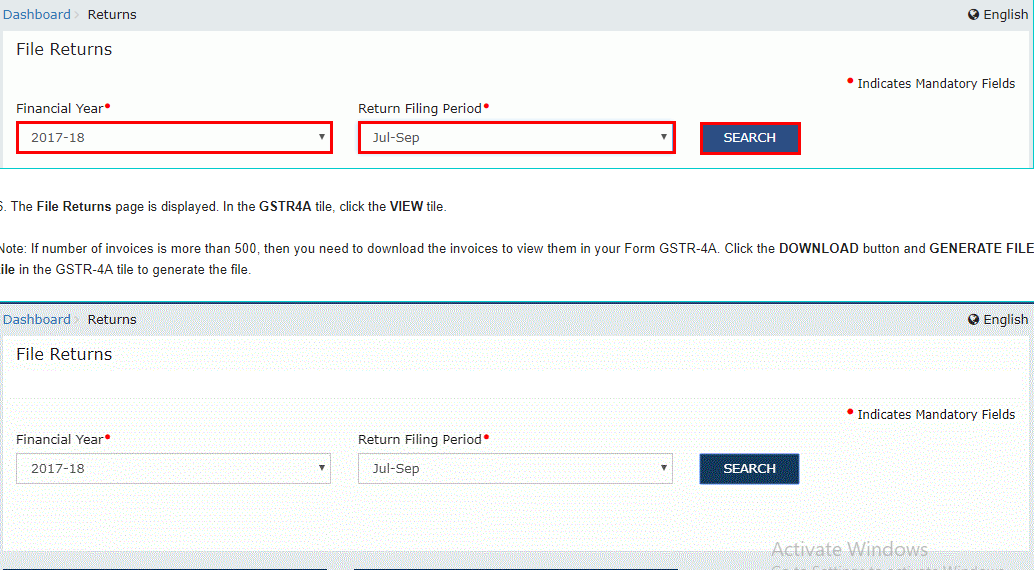
File Returns
Step 5: SearchClick on the ‘Search’ tile.
Step 6: ViewSelect the ‘View’ option from the ‘File Returns’ page. On the other hand, if the quantum of invoices number above 500, the files cannot be viewed but can be instead downloaded by clicking on the “Download” button and the ‘Generate File’ from the GSTR-4A tile. The GSTR-4A page is generated and displayed, depicting the auto-populated details of the registered person who have opted for the composition scheme.
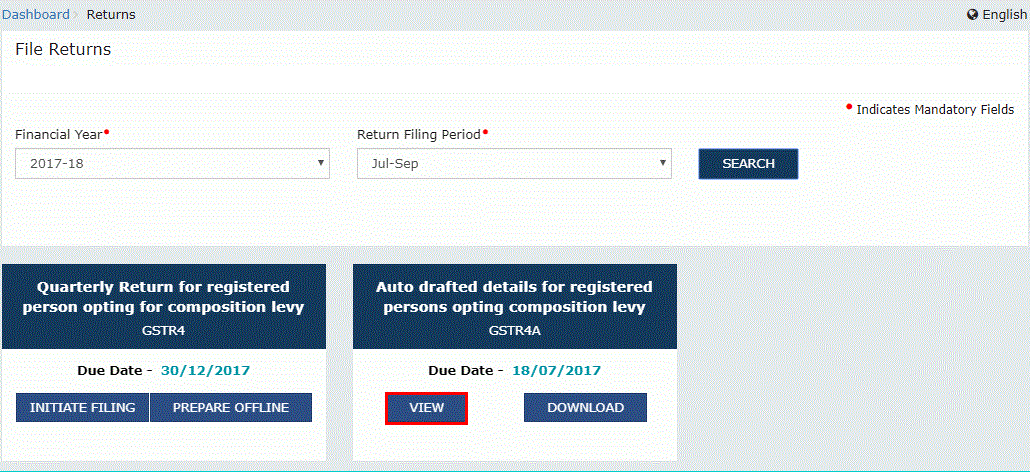
The View Option The rest of the article discusses the options which are displayed in the form and the procedures associated with its viewing.
3A,3B – B2B Invoices
This section consists of details connected with the particulars of inward supplies received from registered suppliers. Part A of the B2B section of this form is auto-populated when the supplier uploads or saves their invoices in their respective returns of GSTR-1 and GSTR-5.
- The suppliers may view their details by clicking on the ‘B2B Invoices’ tile.
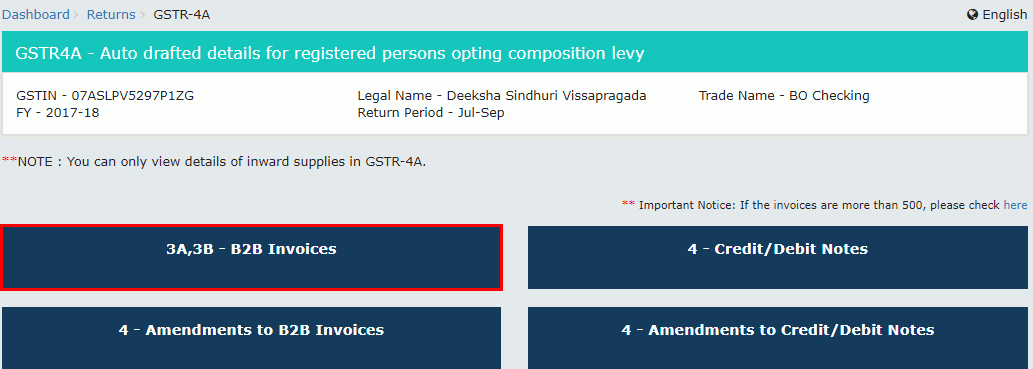
B2B Invoices Tile
- Invoices uploaded by the suppliers can be viewed by clicking on the ‘GSTIN’ hyperlink.
GSTIN Hyperlink
- The details of invoices can be viewed by clicking on the ‘Invoice No’ hyperlink.
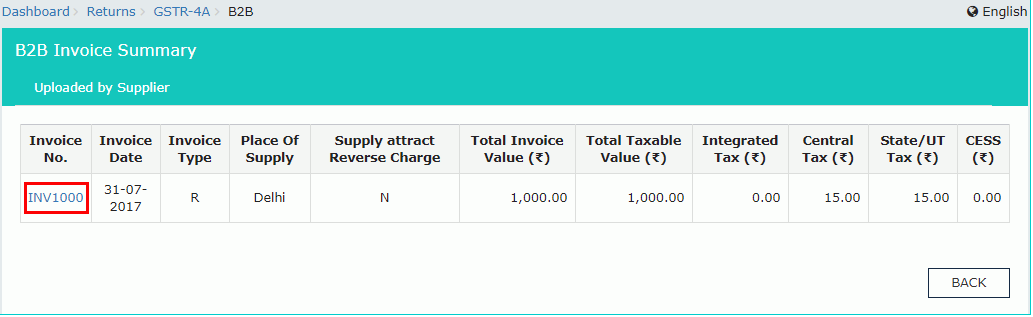
Invoice Number
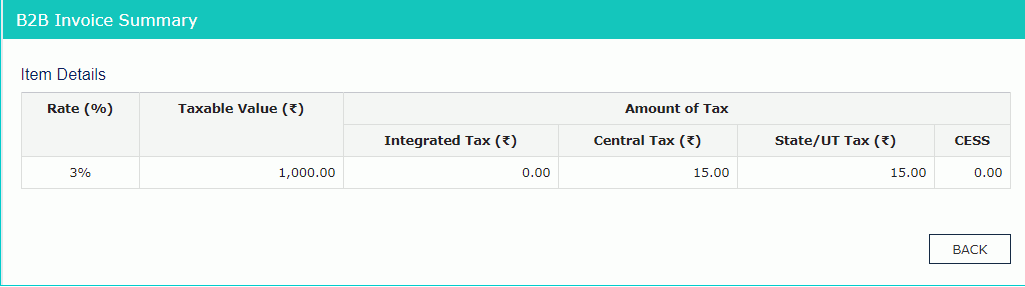
Invoice Summary
Credit/Debit Notes
This section depicts the Credit/Debit notes added by the suppliers in their respective GSTR-1/5 returns.
- The Credit/Debit particulars of the suppliers can be viewed by clicking on the “4 – Credit/Debit Notes” tile.
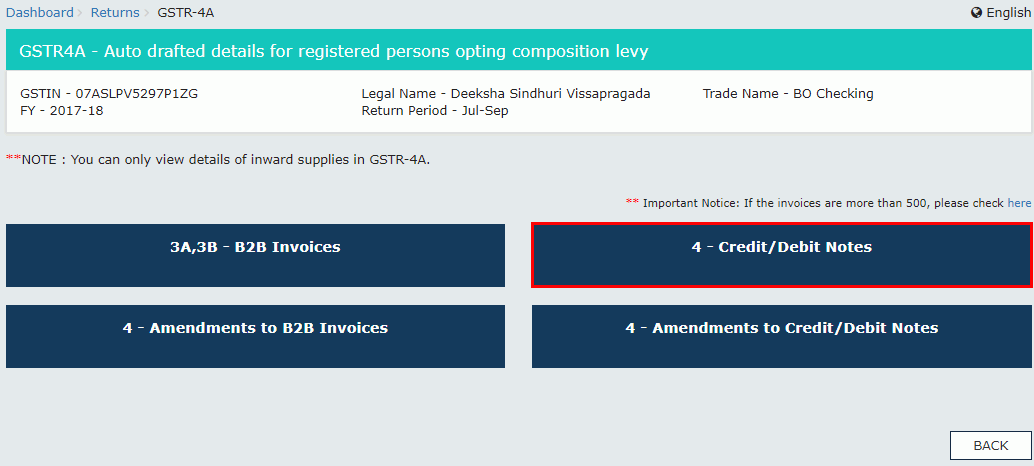
Credit or Debit Notes Tile
- The GSTIN hyperlink can be utilized to view the credit/debit notes added by the supplier.
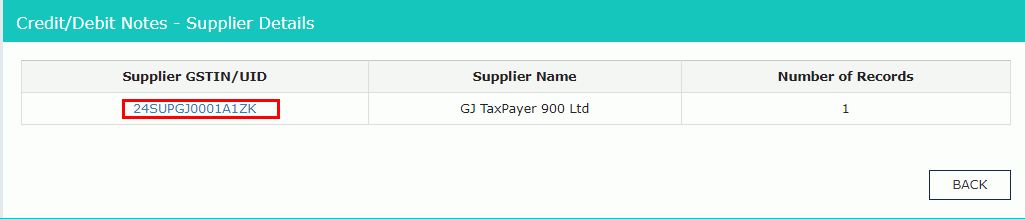
Credit or Debit Notes Added by the Supplier
- The “Credit/Debit Note No.” hyperlink will depict the credit/debit note details.
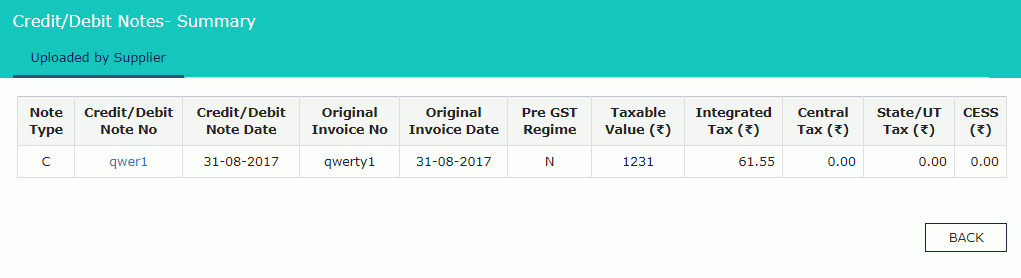
Credit or Debit Notes Number
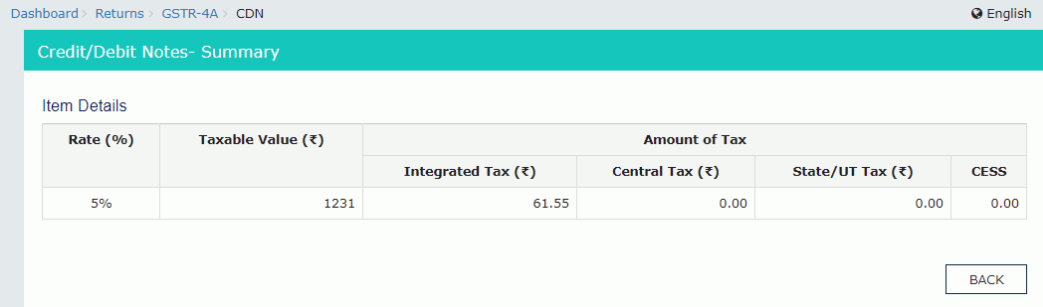
Credit or Debit Notes Summary
Amendments to B2B Invoices
This particular section covers the invoices amended by the suppliers in their GSTR-1/5 returns respectively.
- The amended B2B invoices can be viewed through the option of the “4-Amendments to B2B Invoices” tile, upon which the “Amend B2B Invoices - Supplier Details” page is displayed.
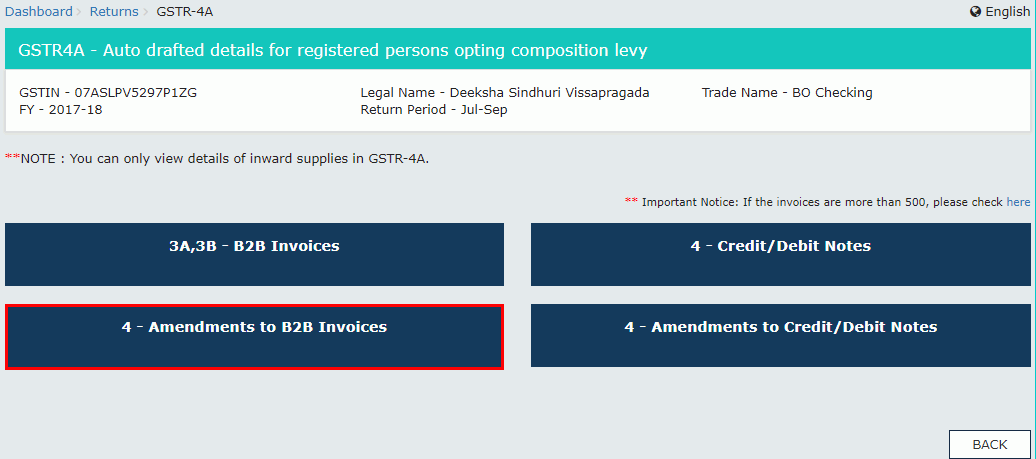
Amendments to B2B Invoices
- The amended invoices can be viewed by clicking on the “GSTIN” hyperlink.
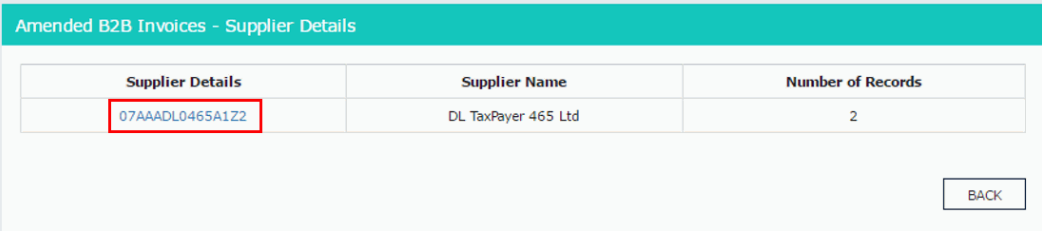
The GSTIN Hyperlink
- The details of invoices can be viewed by clicking on the “Invoice No” hyperlink.
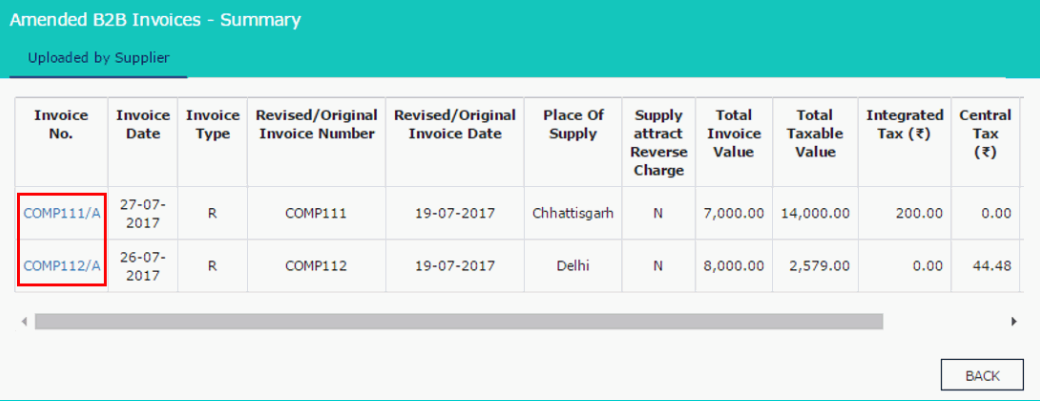
Invoice Number
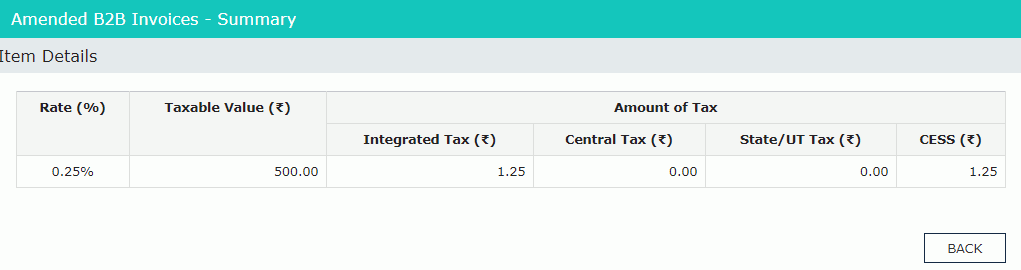
Amended B2B Invoices Summary
Amendments to Credit/Debit Notes
This section covers details pertaining to the amendments of debit/credit notes done by the supplier in GSTR-1/5 returns respectively.
- The option “4-amendments to credit/debit notes tile” helps the suppliers in viewing their amended credit/debit note details.
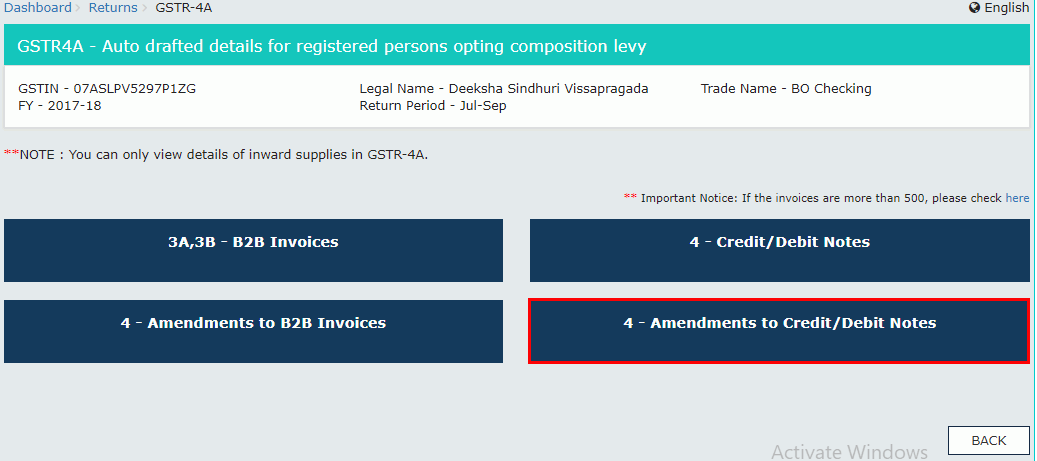
4- Amendments to Credit or Debit Notes Tile
- The amended credit/debit notes can be uploaded by the supplier by clicking on their respective GSTIN.
GSTIN Hyperlink
- The invoice details can be viewed by clicking on the “Credit/Debit Note No.”
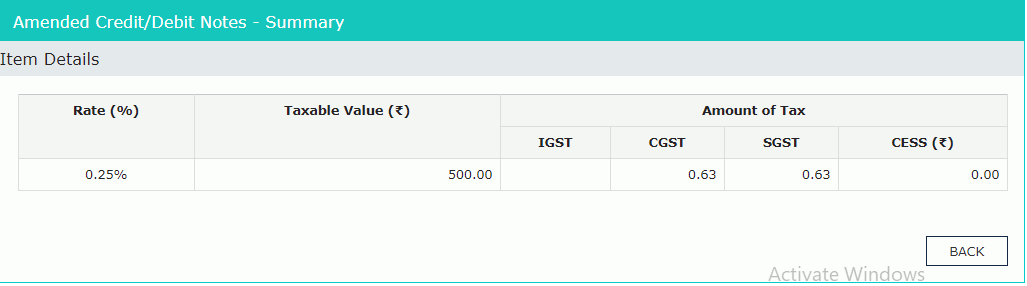
Credit or Debit Note Number
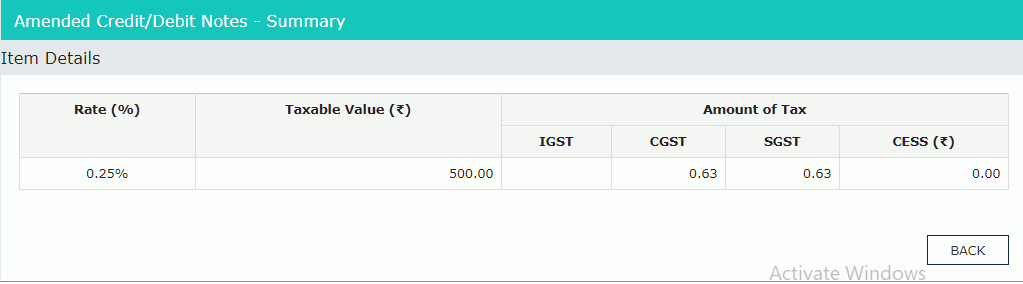
Amended Credit or Debit Notes Summary