
IndiaFilings
Expert
Published on: Aug 12, 2026
How to Upload Invoice to GSTN
To file GSTR-1 return, persons having
GST registration must upload details of all their invoices to the GSTN portal. In this article, we look at how to upload an invoice to GSTN through multiple modes.Invoice Details to Be Uploaded to GSTN
Every month to file GSTR-1 return, the taxpayer must upload details of all invoice issued during the last month on the GSTN portal. GSTN does NOT accept image copies of invoices in pdf or jpeg or gif format of any invoice. The taxpayer shall upload the information pertaining only to the invoice to GSTN in data format.
For B2B invoices, the following details must be uploaded on the GSTN:- Customers GSTIN
- Based on the Customer's GSTIN, the Customer Name as per GSTN will be completed automatically
- Invoice Number
- Invoice Date
- Place of Supply
- Total Invoice Value
- Supply Type (Inter-State or Intra-State)
- If supply is made through e-commerce operator
- GSTIN of E-Commerce Operator
- If the supply is an export
- If the supply attracts reverse charge
- If the supply was made to a SEZ unit
- GST rate applicable (0%, 0.25%, 3%, 5%, 12%, 18% and 28%). If the invoice has multiple items, then items can be consolidated rate wise.
- Taxable value for each of the GST rate slabs
- Amount of GST applicable (IGST, CGST and SGST)
The screenshot below shows the information to be uploaded for a B2B invoice.
For B2C large invoices, the following details must be uploaded on the GSTN. B2C large invoices are invoices wherein the taxable value is more than Rs.2.5 lakhs.- Invoice Number
- Invoice Date
- Place of Supply
- Total Invoice Value
- Supply Type (Inter-State or Intra-State)
- If supply is made through e-commerce operator
- GSTIN of E-Commerce Operator
- GST rate applicable (0%, 0.25%, 3%, 5%, 12%, 18% and 28%). If the invoice has multiple items, then items can be consolidated rate wise.
- Taxable value for each of the GST rate slabs
- Amount of GST applicable (IGST, CGST and SGST)
How to Upload Invoice to GSTN
There are multiple ways and tools available for uploading invoices to GSTN as follows:
LEDGERS GST Software
Businesses using LEDGERS GST Software for filing GST returns can upload invoice to GSTN directly from the software. Based on the invoices created on LEDGERS, GSTR-1 will be aut0-prepared. Further, in case other invoices were issued to a customer, they can be uploaded to LEDGERS using the excel upload tool. Once all the invoices for the month are uploaded on LEDGERS, the user can click on GST Filing - GSTR-1 - Overview, to view a summary of GSTR-1. The user can click on File GSTR-1 to directly file the GST Return on the GST Portal. However, to file directly, the user will have to allow LEDGERS access to the GST Account and verify the same using the OTP generated. Alternatively, the user can also download a JSON file from LEDGERS, containing all the details for filing GSTR-1 along with invoice upload. This file can be uploaded on the GSTN and digitally signed to complete the GST filing through LEDGERS.
 GST Software
Manual Online Upload of Invoice on GSTN
Users can also manually upload invoice to GSTN portal through their GST account. To manually upload invoice to GSTN, follow the steps below:
Step 1: Login to your GST account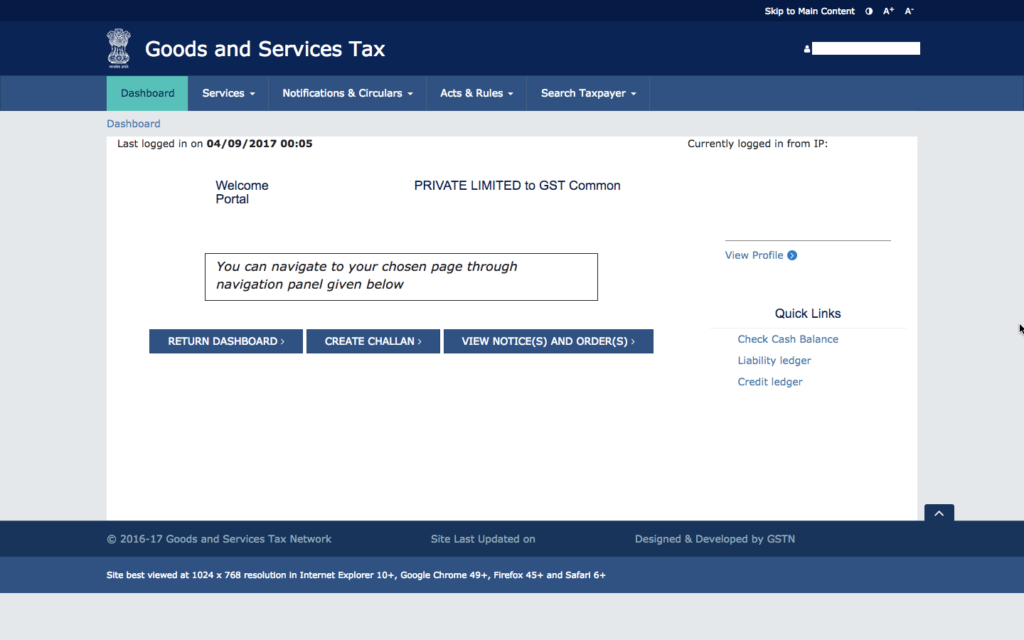 GST Login
Step 2: Select the month for which you wish to upload GST invoices
GST Login
Step 2: Select the month for which you wish to upload GST invoices
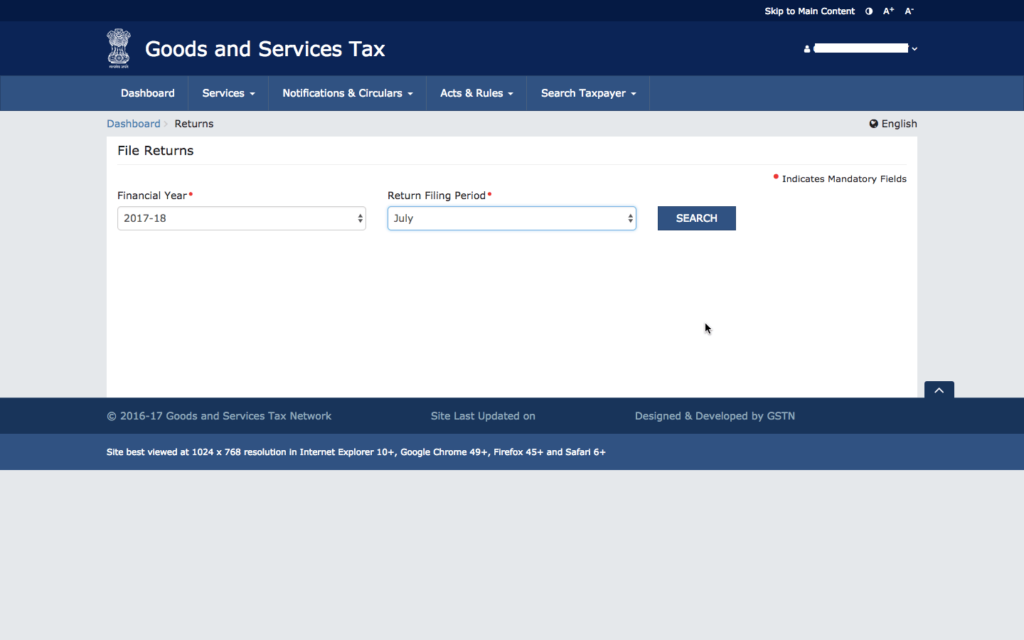 Select Filing Month
Step 3: Select GSTR-1 Return and Click on Prepare Online
Select Filing Month
Step 3: Select GSTR-1 Return and Click on Prepare Online
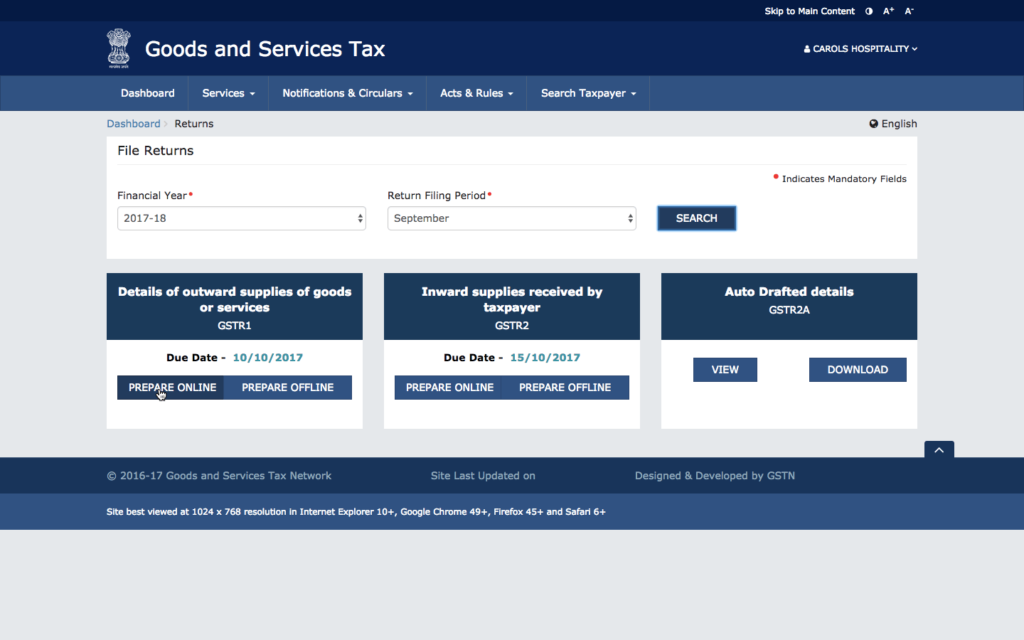 Select GSTR-1 Return Filing
Step 4: Upload B2B Invoice Details
Select B2B invoices. Enter details of the invoices one by one, until details of all issued invoices are loaded on the GSTN portal. This method would be suitable only for entities have a few invoices every month. Entities having multiple B2B invoices would find this option time-consuming, as every invoice details must be manually entered into the system.
Select GSTR-1 Return Filing
Step 4: Upload B2B Invoice Details
Select B2B invoices. Enter details of the invoices one by one, until details of all issued invoices are loaded on the GSTN portal. This method would be suitable only for entities have a few invoices every month. Entities having multiple B2B invoices would find this option time-consuming, as every invoice details must be manually entered into the system.
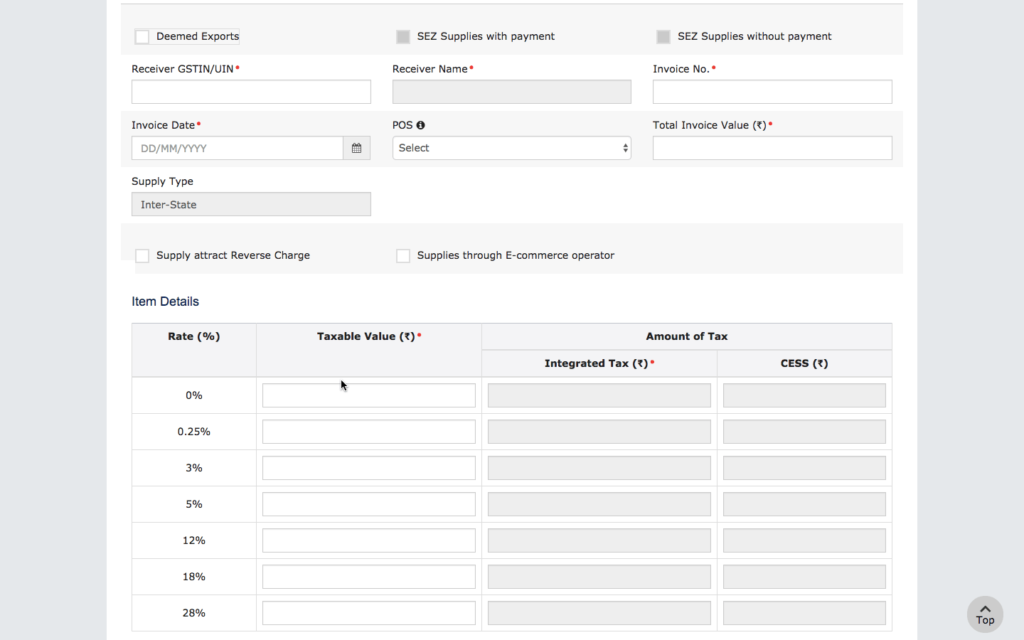 Upload B2B invoices to GSTN
Step 5: Upload B2C Large Invoice Details
After uploading all the B2B invoices, the user can the provide all the details related to B2C large invoice. The user shall find the procedure for uploading B2C large invoices relatively simpler, as the process requires only very few details.
Upload B2B invoices to GSTN
Step 5: Upload B2C Large Invoice Details
After uploading all the B2B invoices, the user can the provide all the details related to B2C large invoice. The user shall find the procedure for uploading B2C large invoices relatively simpler, as the process requires only very few details.
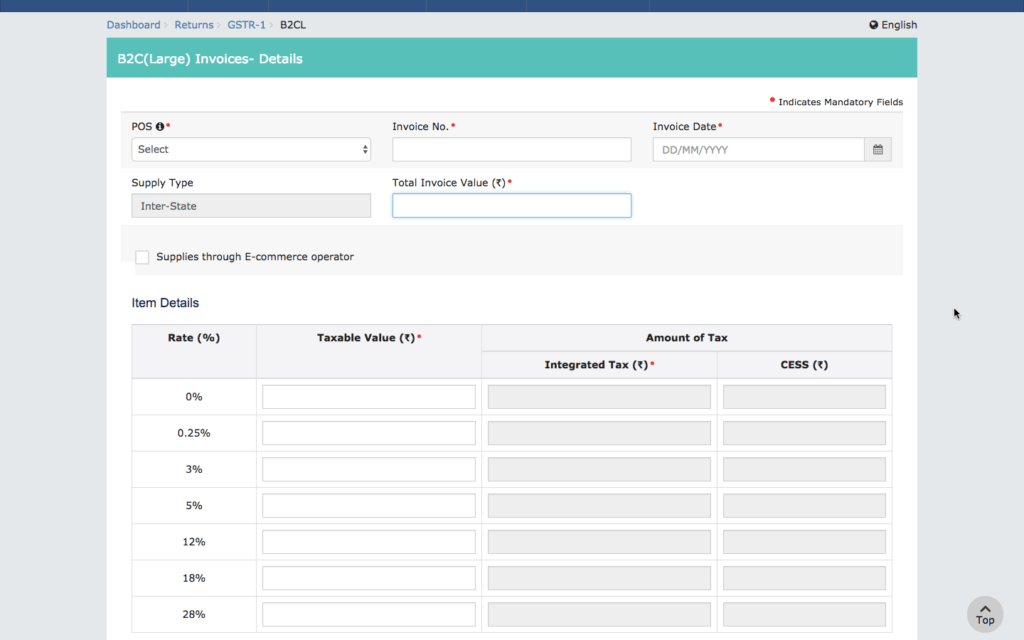 GSTR-1 B2C Large Invoice Manual Upload
On uploading the B2B invoices and B2C large invoices, the taxpayer should provide other consolidated information such as B2C small invoice, credit or debit notes, advances received, etc., Hence, the taxpayer should upload only B2B invoice and B2C large invoice data on the GSTN.
GSTR-1 B2C Large Invoice Manual Upload
On uploading the B2B invoices and B2C large invoices, the taxpayer should provide other consolidated information such as B2C small invoice, credit or debit notes, advances received, etc., Hence, the taxpayer should upload only B2B invoice and B2C large invoice data on the GSTN.
Manual Offline Preparation of GST Return
In case you would like to prepare GSTR-1 return manually, you can use the provided on the GST portal. The GST offline return tool is a
.EXE file and works on Windows-based computers. In the offline GST return tool, the taxpayer can avail all the required information along with the uploaded invoice offline for GSTR-1. After preparing all the details, the user can click on the download JSON button to get a JSON file with all the B2B invoice data and GSTR-1 return data. Thereafter, the user can upload the file directly into the GST portal to complete the GST return filing.