

Renu Suresh
Expert
Published on: Aug 13, 2026
SSMMS - Sand Sale Management and Monitoring System (Ssmms)
SSMMS is a part of the initiation taken by TSMDC (Telangana state Minerals Development Corporation). Ssmms enables the Telangana Government to make sand available at affordable prices to all the concerned stakeholders, plug leakages of revenue, enhance the income of the government and prevent damages to rivers, streams and environment. In this article, we look at the Ssmms portal in detail and the procedure for online sand booking in Telangana.Ssmms Portal
Telangana Sand Sale Management and Monitoring System or Ssmms portal provides various services to the public involving sand sale and management. The following are some of the important services provided by the portal.- Online sand booking
- Facility for tracking the order
- Facility for tracking the order with mobile number or vehicle
- Interstate sand transportation booking
- Facility for Interstate sand order tracking
Ssmms Customer Registration
Before ordering sand online through the Ssmms portal, the customer must first be registered on the portal. The applicant can follow the steps below to register on the portal.
Step 1: To become a customer of the online sand buying portal, click here. Step 2: Enter the mobile number and verify the OTP.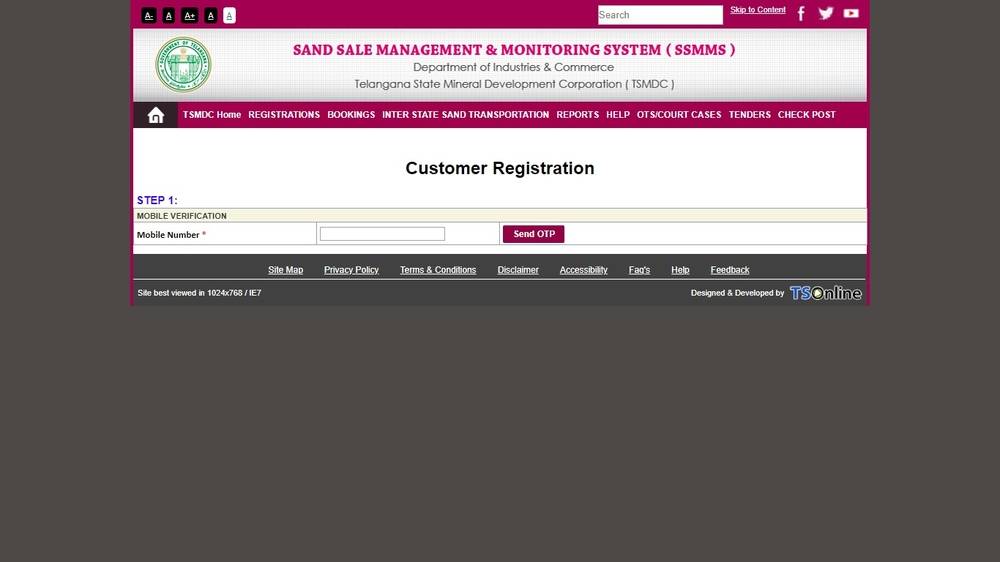 After completing the steps above, the applicant can check here to ensure that they have been successfully registered on the sands Portal.
Step 1: Customer Registration
After completing the steps above, the applicant can check here to ensure that they have been successfully registered on the sands Portal.
Step 1: Customer Registration
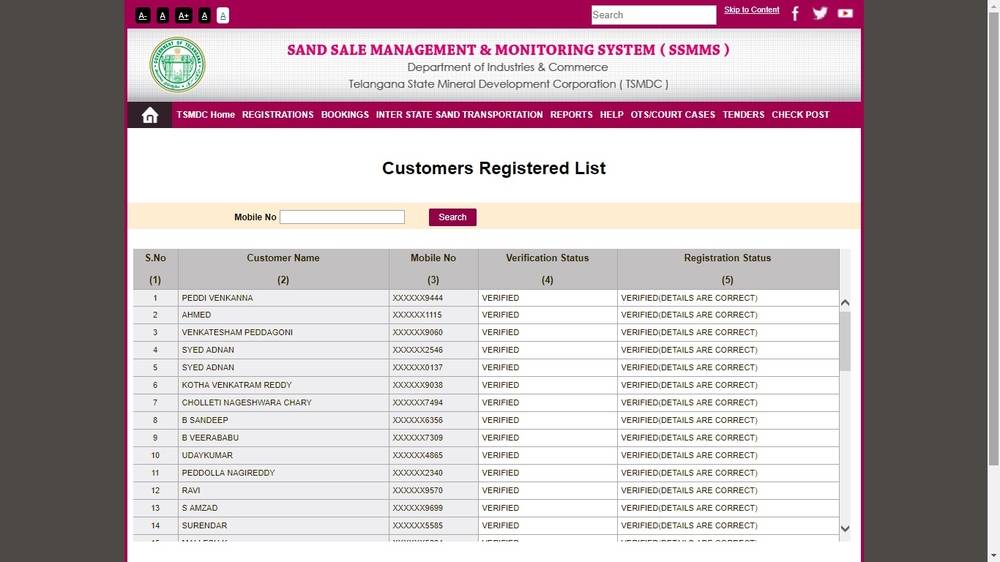 Step 2: Sand Portal Customers
Book Sand Online
The applicant can follow the steps below to begin the process of online sand booking:
Step 1: They have to visit the online portal to book sand in Telangana. Step 2: Enter valid User Name, Password and click on Login button as shown in the below screen.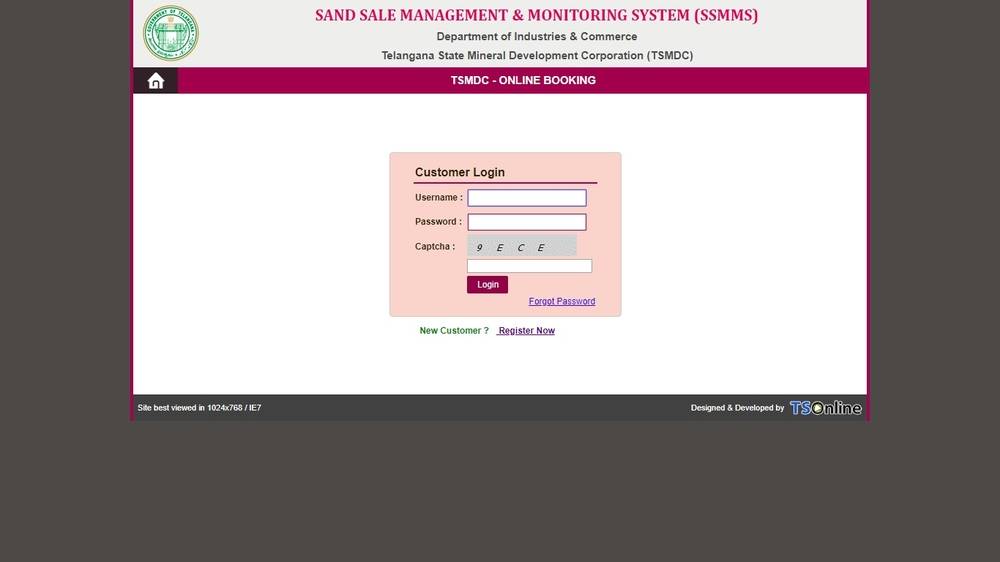 Image 3 Ssmms
Step 3: Select District from the drop-down list.
Step 4: After selecting the “District”, select Stock Yard radio button.
Step 5: In the next screen enter all the mandatory details and click on the Register button.
Step 6: Confirmation window will appear to Click OK to proceed.
Note: Next window will be displayed if the sand booking is done successfully. Please note the booking number for future purpose.
Step 7: Click on Get Receipt button for taking the receipt.
Image 3 Ssmms
Step 3: Select District from the drop-down list.
Step 4: After selecting the “District”, select Stock Yard radio button.
Step 5: In the next screen enter all the mandatory details and click on the Register button.
Step 6: Confirmation window will appear to Click OK to proceed.
Note: Next window will be displayed if the sand booking is done successfully. Please note the booking number for future purpose.
Step 7: Click on Get Receipt button for taking the receipt.
Track the Sand Order
After booking the sand through the Ssmms portal, the applicant can check the status of the order by following the steps below:
Step 1: Visit order tracking page to track the order. Step 2: Enter the order ID in the given box. Step 3: Click on Get Status, the status of the order will be displayed. The applicant can also check the status of the order with a mobile number as follows Step 1: Visit this page to track the order using a mobile or vehicle number. Step 2: Enter the registered mobile number to track the order. Status of the order will be displayed as shown here.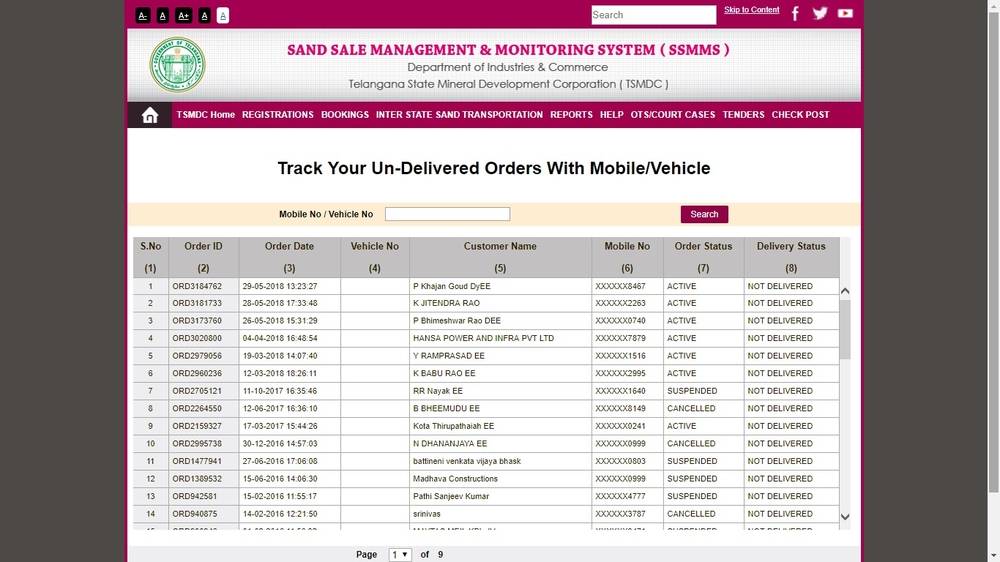 Image 4 Ssmms