IndiaFilings

Expert

Published on: Jul 30, 2026

Sms Payment Link - LEDGERS

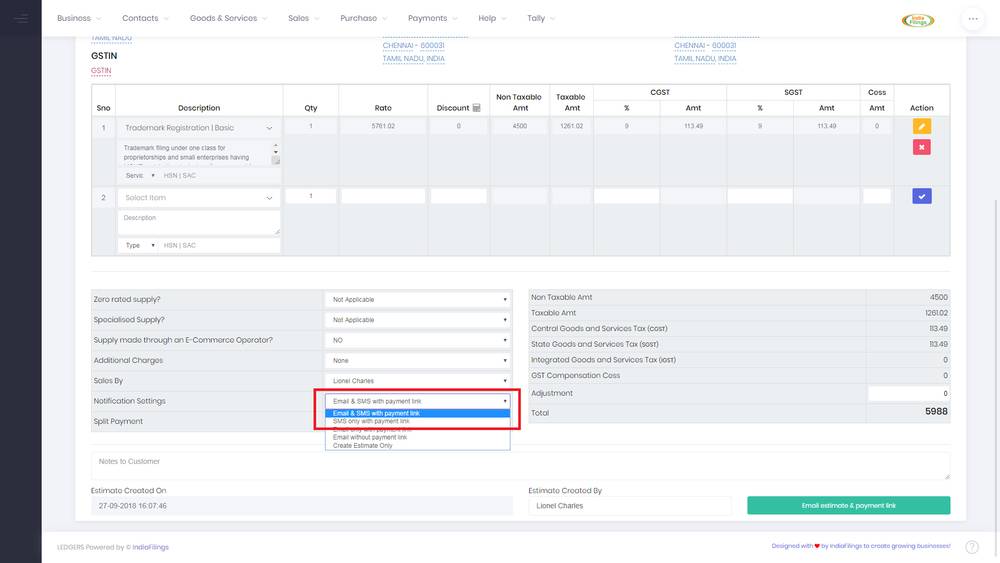
Using LEDGERS, you can collect payment by sending SMS with a payment link to the customers. While creating an invoice or an estimate, select the Send Email with Sms Payment Link option under Notification Settings.

SMS Payment Example SMS Payment Example When the estimate or invoice is created, a short-code payment link will be generated automatically and inserted into the SMS as follows: [Company Name] has sent you an [Estimate/Invoice] for Rs.[Amount]. Make payment using icfo.in/[link]. When customers click on the link provided, they will be taken to the payment page for the concerned Estimate on LEDGERS to complete the transaction.

Mobile SMS Flow

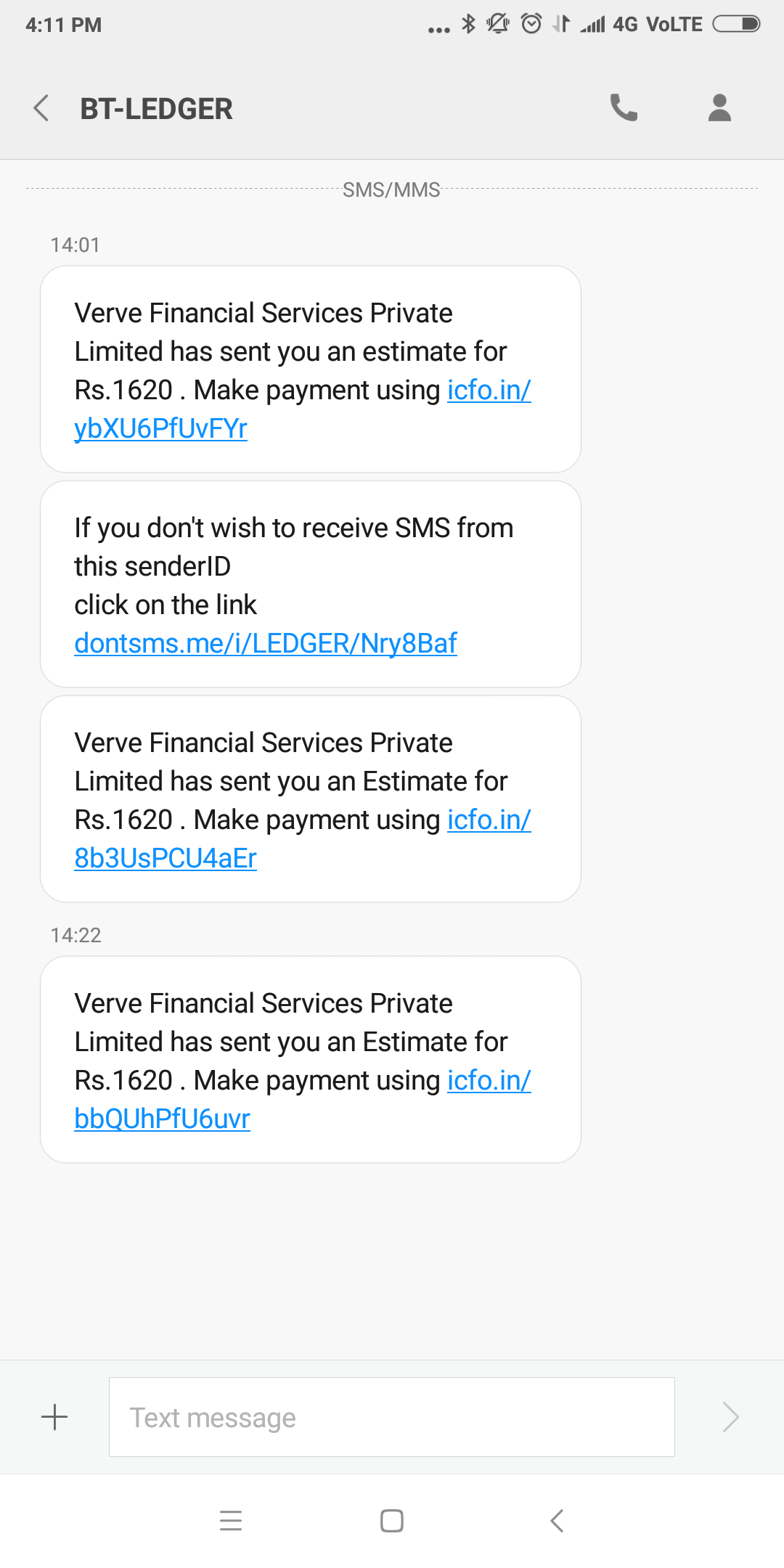
When the estimate/invoice is created with SMS link enabled, the customer will receive the following type of SMS in their phone.

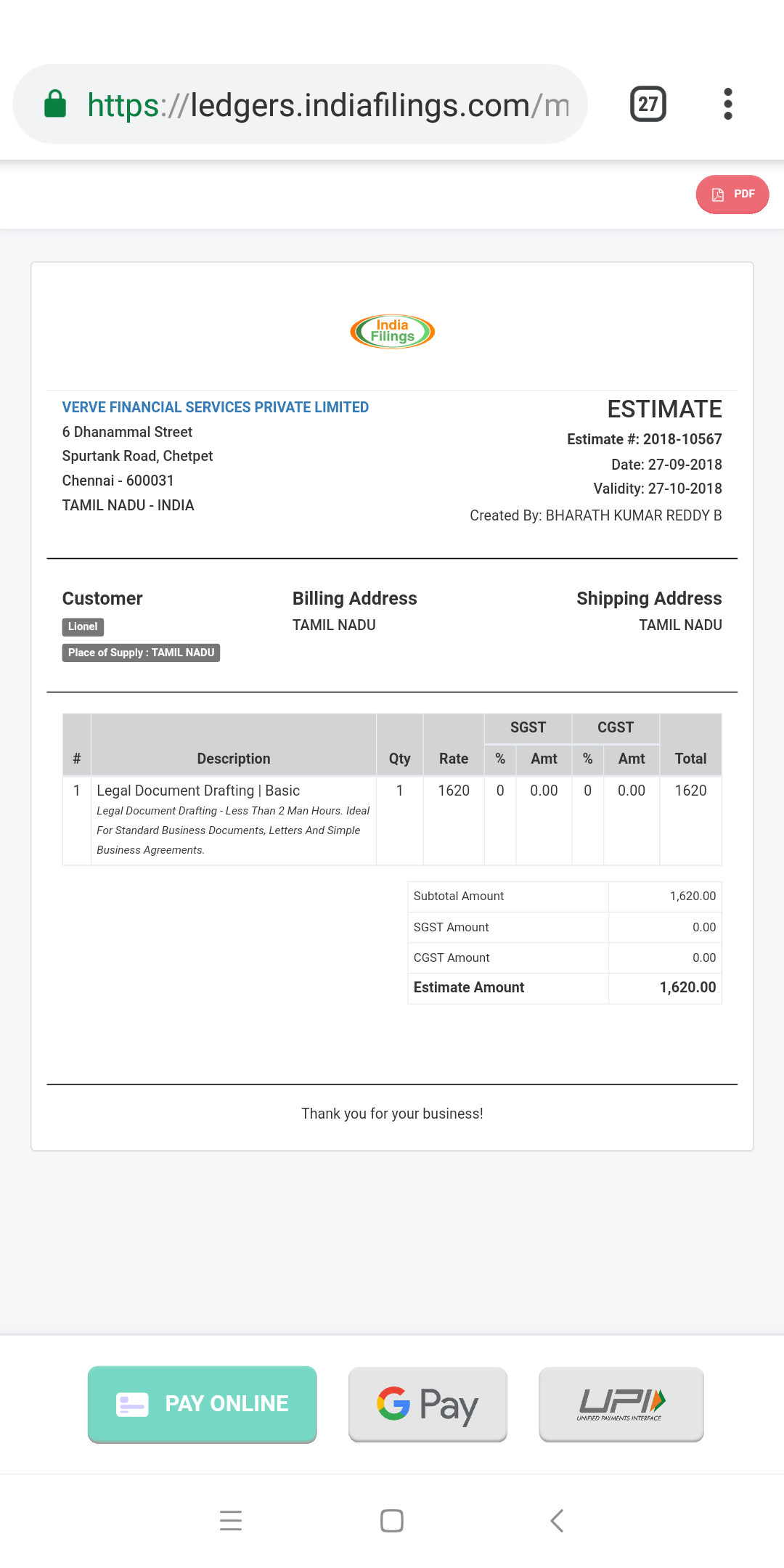
SMS Message SMS Message On clicking the link provided, the customer will be redirected to a payment page with all the online payment options to complete the transaction. Mobile Payment Screen - LEDGERS Mobile Payment Screen - LEDGERS
Back to Learn

Frequently Asked Questions

Common questions about SMS Payment Link via LEDGERS for Efficient Transactions.

The SMS Payment Link feature on LEDGERS allows you to send a payment link to customers via SMS when creating an invoice or estimate. The link directs customers to a payment page where they can complete the transaction using online payment options.
The SMS sent to customers includes the company name, whether it's an estimate or invoice, the amount due, and a short payment link (e.g., icfo.in/[link]) that redirects customers to the payment page.
The article doesn't mention the ability to customize the SMS message content. However, it's likely that LEDGERS provides some level of customization for the company name and other details included in the SMS.
Customers can access the payment page by clicking on the short payment link (e.g., icfo.in/[link]) provided in the SMS. This link will redirect them to the payment page for the specific estimate or invoice.
The article states that customers will have access to "all the online payment options" on the payment page to complete the transaction, but it doesn't specify the exact payment methods available.
Yes, the article mentions that the SMS Payment Link option can be selected when creating an invoice or estimate within LEDGERS.
According to the article, when an estimate or invoice is created with the "Send Email with SMS Payment Link" option enabled, a short-code payment link is automatically generated and inserted into the SMS.
The article doesn't provide information on tracking or reporting capabilities for the SMS Payment Link feature. However, it's likely that LEDGERS offers some way to monitor link clicks and completed payments.
The article doesn't specify a character limit for the SMS message containing the payment link. However, most SMS platforms have a standard limit of 160 characters per message.
The article doesn't mention the ability to send the SMS Payment Link to multiple customers simultaneously. It focuses on sending the link individually for each invoice or estimate.