
IndiaFilings
Published on: Jul 30, 2026
Self Assessment Tax Online Payment
Self-Assessment tax means the tax obligation of a taxpayer after considering tax deducted at source and
advance tax. Self-assessment tax is paid during the assessment year before the
income tax returnsare filed by submitting
Challan 280. E-payment facility of self-assessment tax facilitates a taxpayer to make the payment online. In order to make the payment online, the taxpayer must have a net-banking facility on his bank account. Further, the taxpayer must possess a valid PAN card number and a TAN number. In this article, we look at the procedure for online remittance of self-assessment tax. The amount of self-assessment tax payable is finalised after considering the TDS and advance tax credits available to the taxpayer. These credits can be checked by scrutinising Form 26AS. Form 26AS (Tax Credit Statement) is a statement maintained in the records of the Income Tax Department every financial year, in which the details of the tax credit available to an assessee are maintained as per the TDS and advance tax credit available to the taxpayer. Form 26AS shows the tax credit available against the PAN of the taxpayer.
Computation of Self-Assessment
Total taxable income (Add) Interest as per section 234A / 234B / 234C (
In case of a delayed filing of returns or remittance of advance tax) (Less) Relief under Section 90/90A/91 (Less) MAT Credit under Section 115JAA (Less) TDS/TCS (Less) Advance Tax
Total Self-Assessment Tax to be paid = A+B+C-D-E-FOnline Payment of Self-Assessment Tax
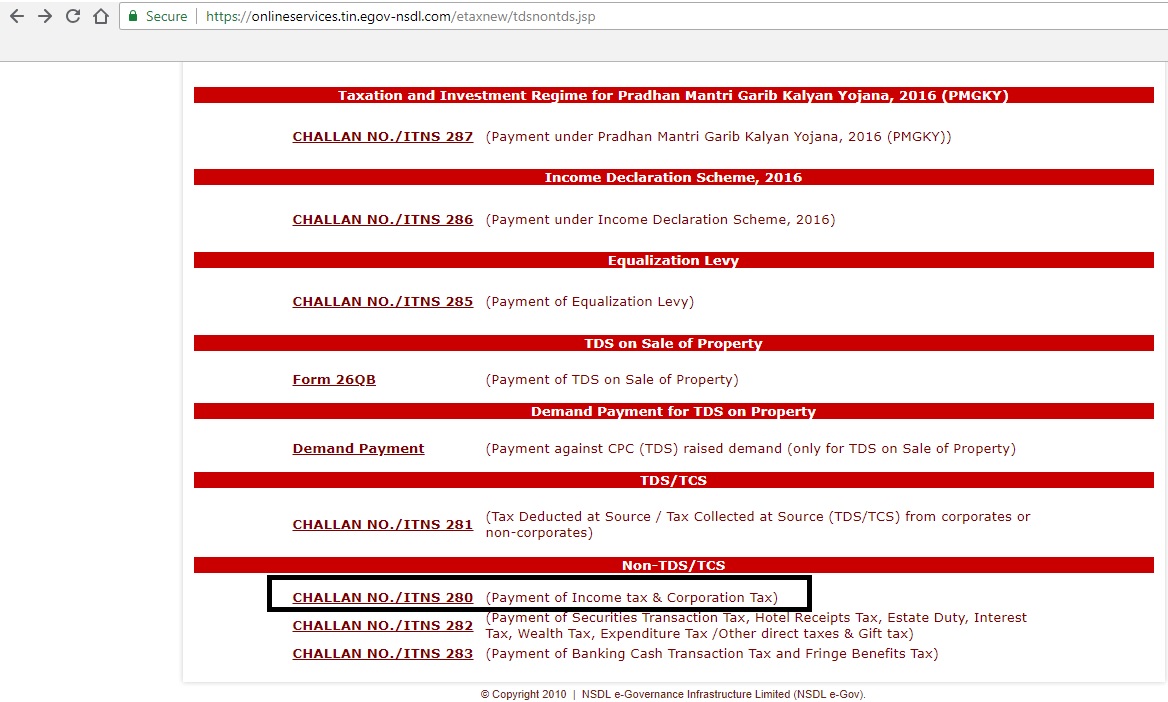
Step: 1 – Visit URL
The user must visit the website TIN e-Services and must choose the challan number (ITNS 280)
Step: 2 – Tax Applicable Screen
The taxpayer must choose Tax Applicable (0021) Income-Tax (Other Than Companies) and fill in the following information
- Pan and address details.
- Assessment Year
- (300) Self-Assessment Tax
- The bank through which the payment is completed.
- Captcha code
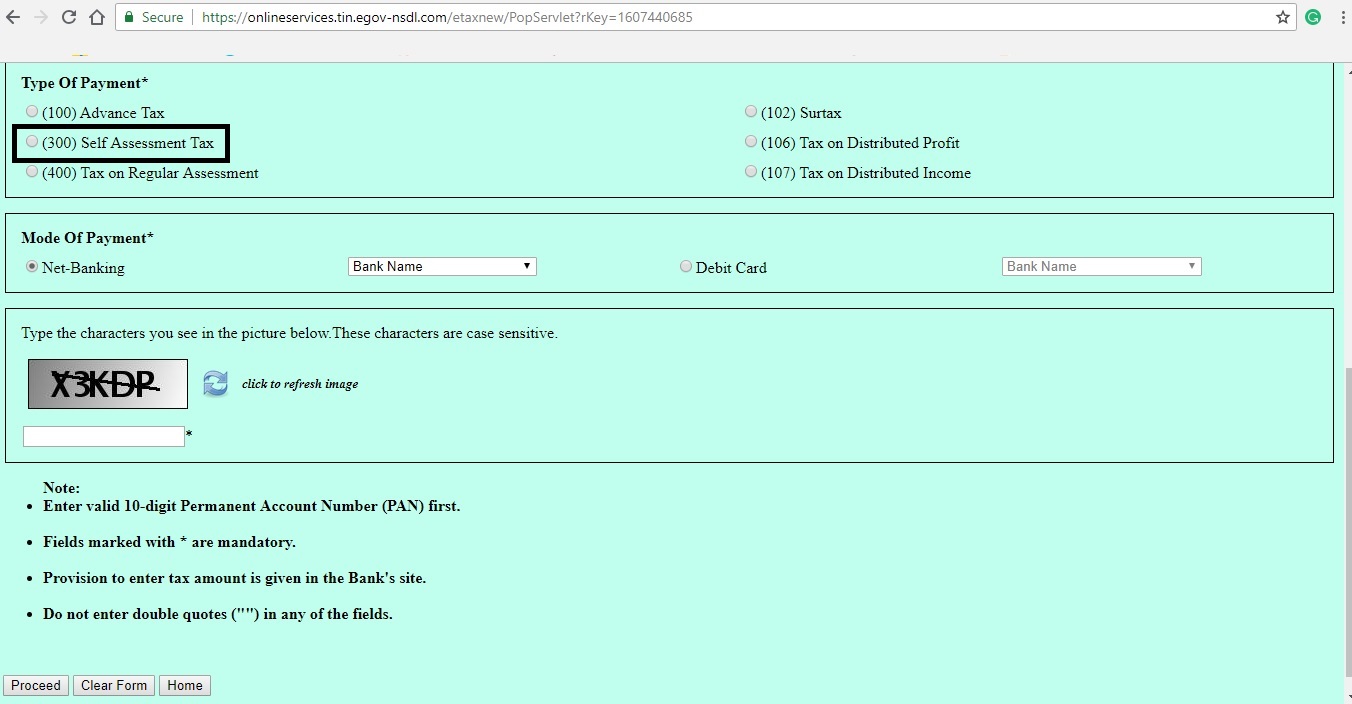
After filling in the necessary details on this form, the taxpayer must click on proceed option.
Step: 3 – Confirmation Screen
The taxpayer would be taken to the confirmation screen where the details entered in the previous form would be displayed for us to confirm.
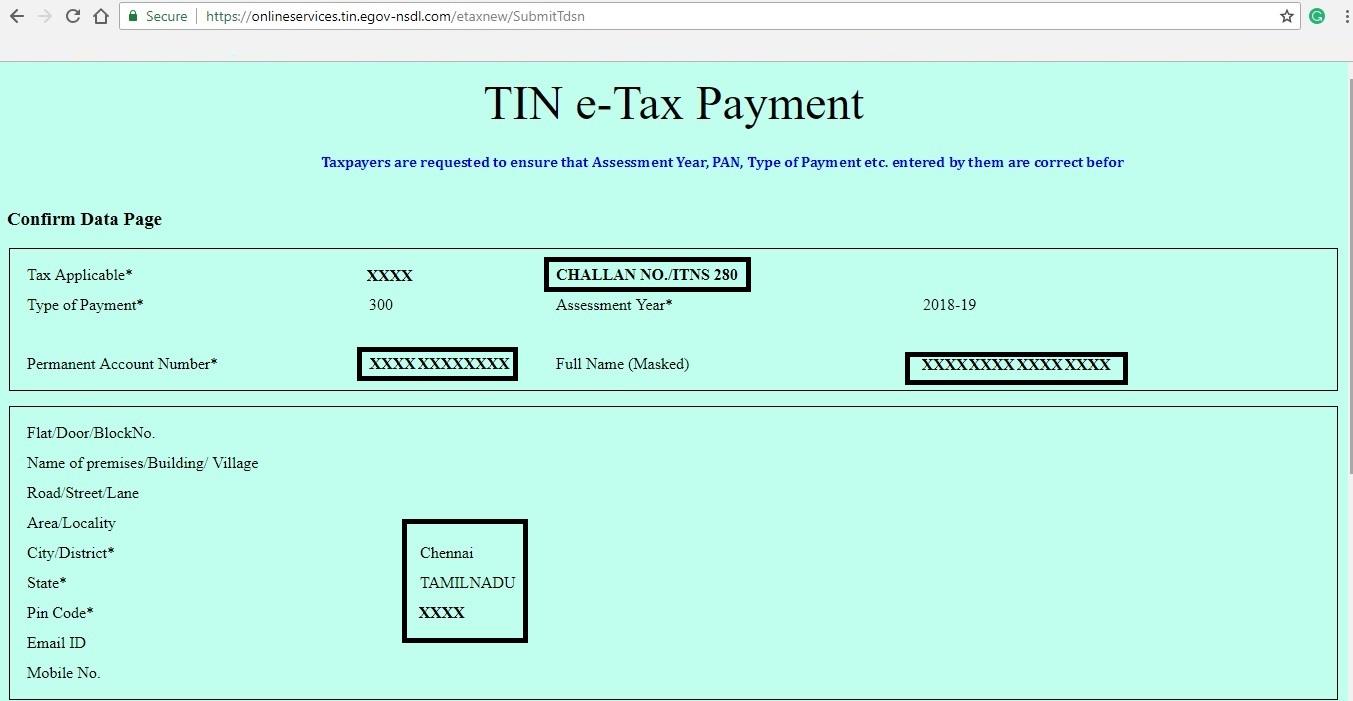

Step-3 BThe Taxpayer must then choose the option “Submit to the bank” in order to Verify the details entered.
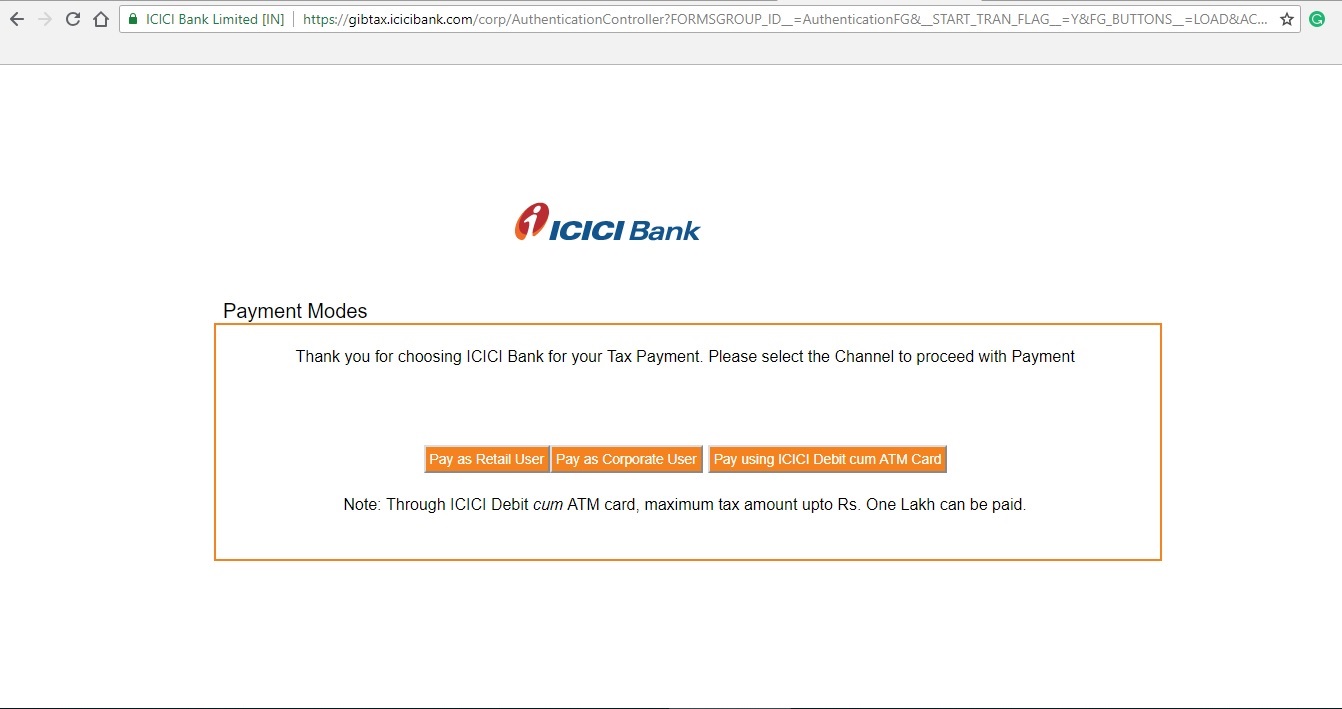
Step: 4 – Payment Mode Selection
The taxpayer would be prompted to choose the payment method as mentioned below. He could choose his or her option.
Step: 5 – Payment Confirmation
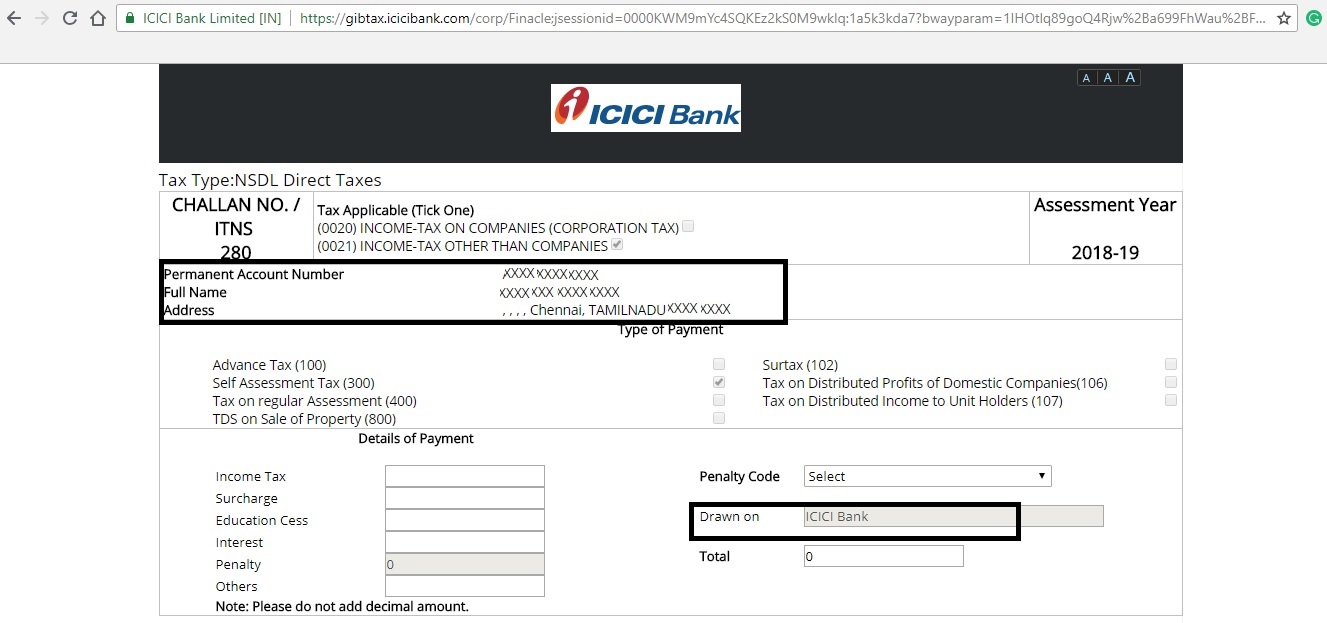
The next screen would prompt for the exact payment amount to be entered in the fields shown in the screenshot below

Step: 6 – Confirmation of Payment
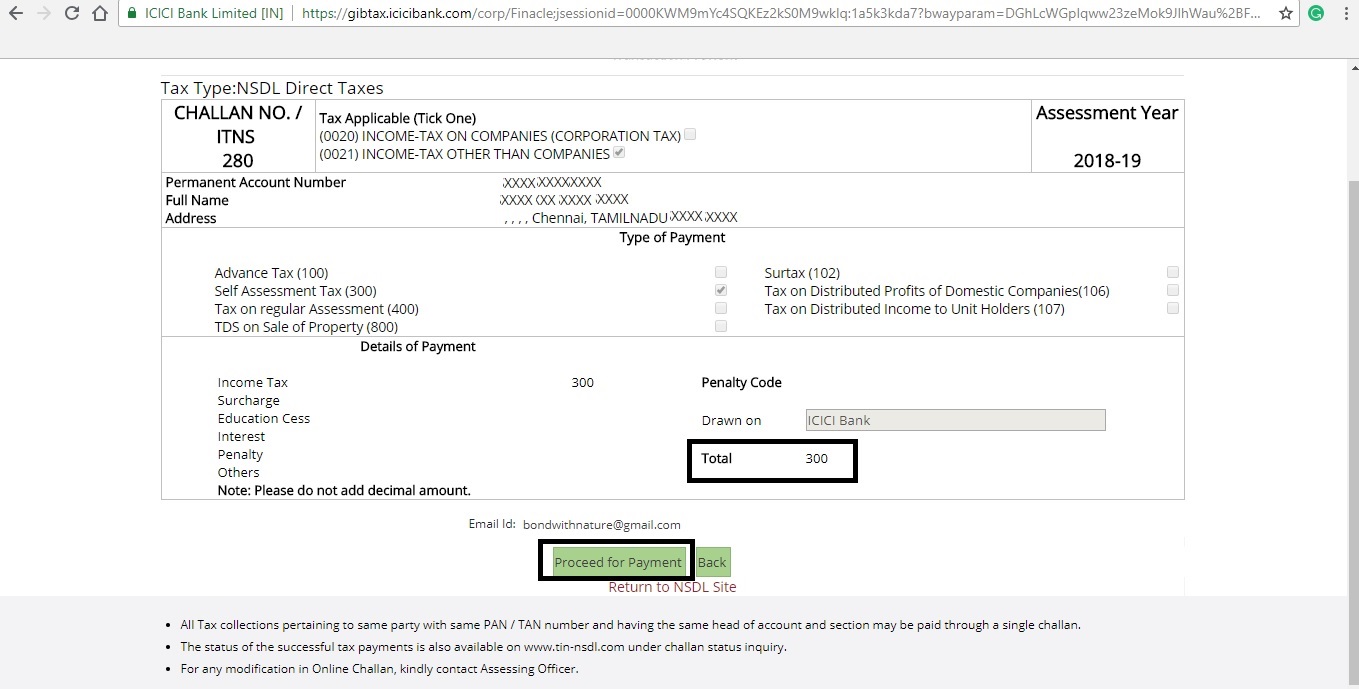
The next screen confirms the exact amount once again and prompts to confirm the same. The taxpayer must choose the option Proceed for payment.
Step: 7 – Confirmation of Payment
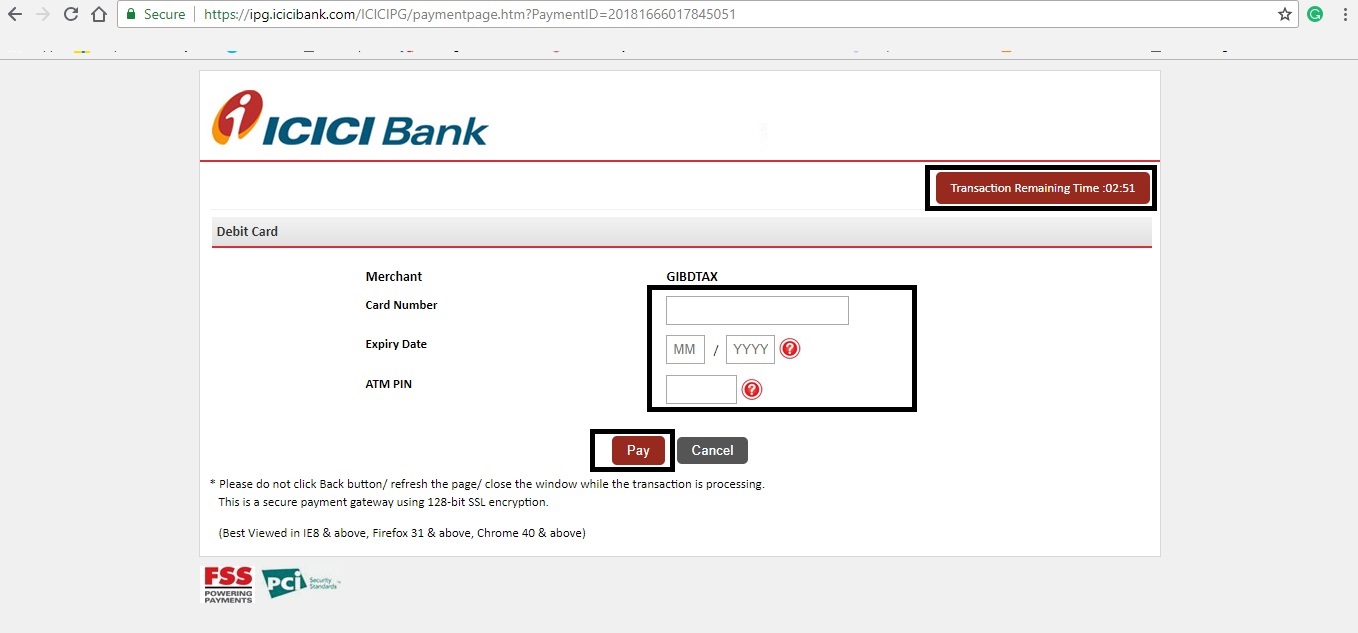
Once the taxpayer enters his bank credentials, the payment would be processed.
Step: 8 – Payment Confirmation
Once logged in, the taxpayer must enter the exact tax to be remitted and choose the option to make payment. This would redirect the taxpayer to a payment gateway. He or she must make sure that they wait on the gateway until the payment is being processed. After the payment process is complete, the taxpayer receives an acknowledgement with details such as CIN, payment details and bank name through which e-payment has been made. This challan must be stored safely for future references. With this step, the taxpayer has completed the process of e-payment of self-assessment tax.