

Renu Suresh
Expert
Published on: Aug 18, 2026
Revamped Search HSN Code Functionality
The Goods and Service Tax Networks (GSTN) observed that finding the corresponding HSN codes vis a vis a common description on the
GST portal was a bit challenging for the taxpayers. To ameliorate this challenge and to make the functionality user-friendly, ‘Search HSN’ functionality has been revamped by linking it with an e-invoice database and Artificial Intelligence tools. In this regard, GSTN has issued an advisory on Revamped Search HSN Code Functionality deployed on the GST portal.1
HSN code
HSN code stands for “Harmonized System of Nomenclature”. This system has been introduced for the systematic classification of goods all over the world. HSN code is a 6-digit uniform code that classifies 5000+ products and is accepted worldwide. HSN codes apply to Customs and GST. The codes prescribed in the Customs tariff are used for GST purposes too. It is mandatory for both
B2B and B2C tax invoices on the supplies of Goods and Services. HSN codes remove the need to upload details about the goods which makes filing of GST returns easier.Search HSN Functionality
The Search HSN functionality was earlier provided as a measure of facilitation to the taxpayer to search the Technical Description of any particular HSN code of any goods or service used in the Trade, vis-a-vis HSN description in the Customs Tariff Act, 1975. However, there are many instances of goods and services where descriptions commonly used in Trade in common parlance i.e. Trade descriptions differ from the Technical descriptions otherwise provided in the HSN descriptions of the Customs Tariff Act, 1975 and the above-said functionality.
The Benefit of Revamped Search HSN Code Functionality
The Search HSN Code functionality has been enhanced, where the taxpayers can search the HSN code and the applicable Technical description through common parlance/trade description of the goods/ services as they are known in the Trade. It helps the taxpayers to search HSN Code by providing a description/ part of a description.
Procedure to Use Revamped Search HSN Code Functionality
The facility is available at both pre-login and post-login. Taxpayers/users can access the same by the following navigation:
- Access the homepage of Goods and Service Tax Networks, and then click on the Services options.
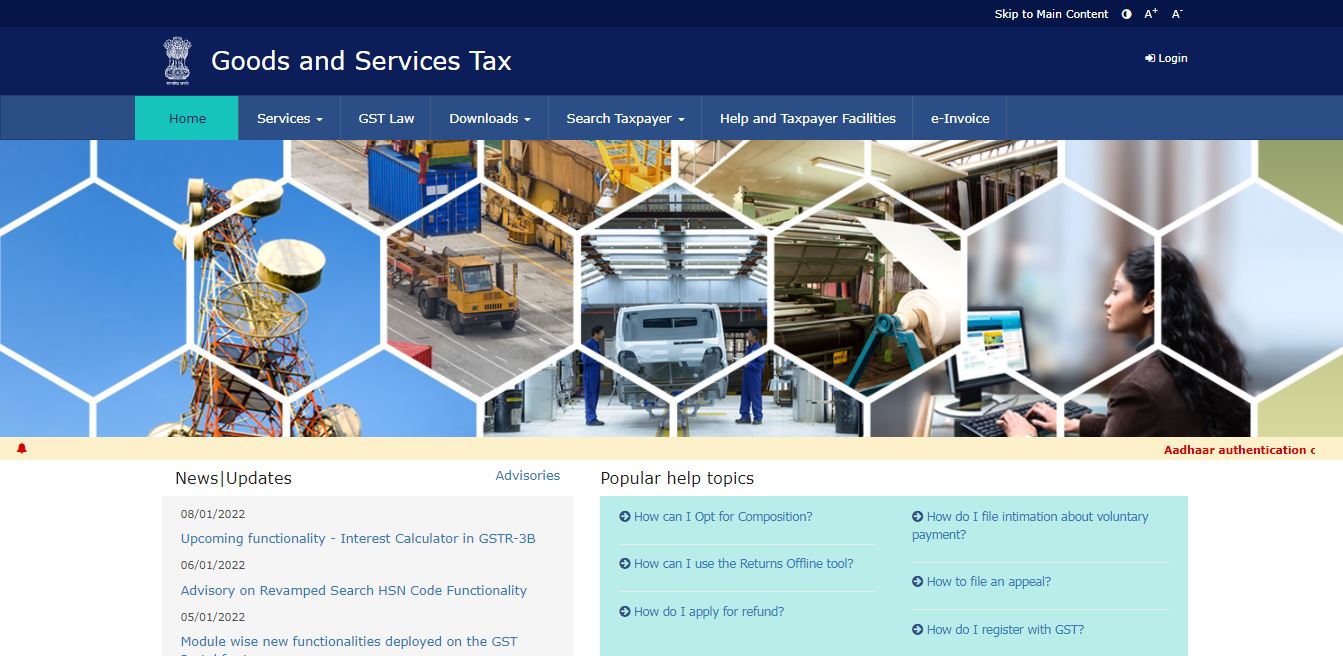 Revamped Search HSN Code Functionality - GST Homepage
- By clicking on the user services, the options will be listed, and click on the “Search HSN Code” option.
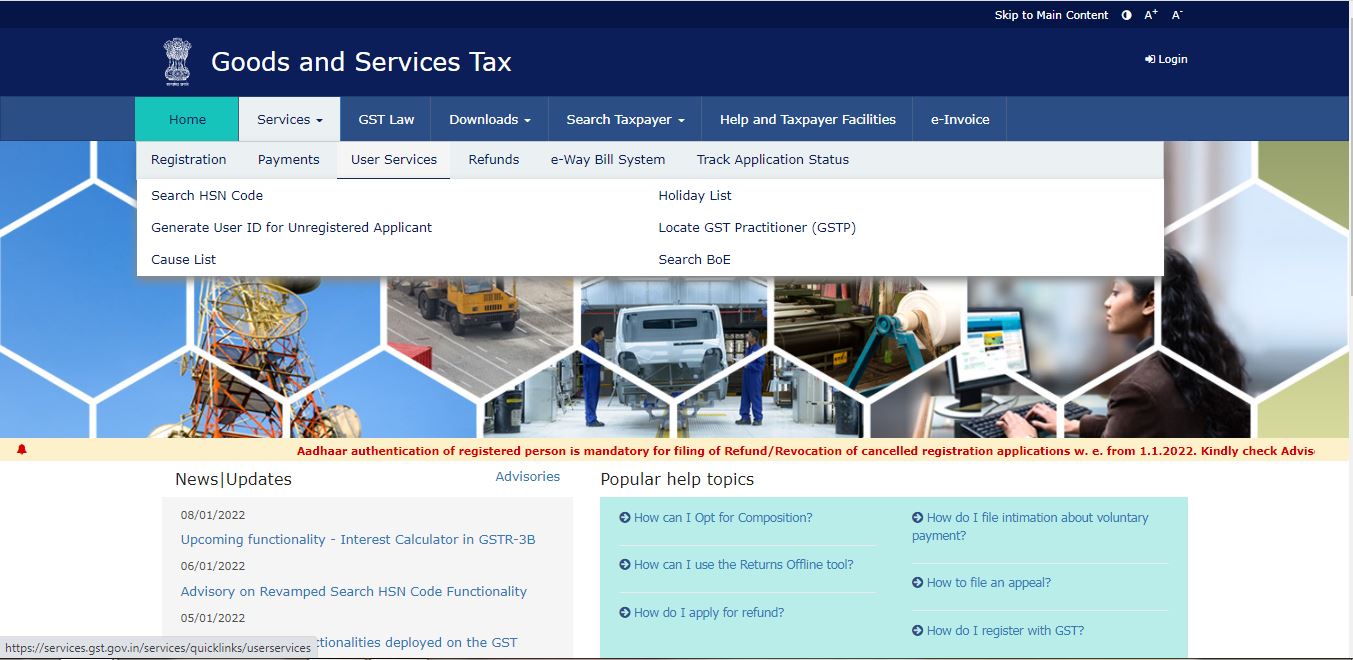 Revamped Search HSN Code Functionality - GST Homepage2
- Taxpayers can search HSN/ Description using either of the two options which are provided as radio buttons either of which can be selected as per the requirement:
- HSN
- Description
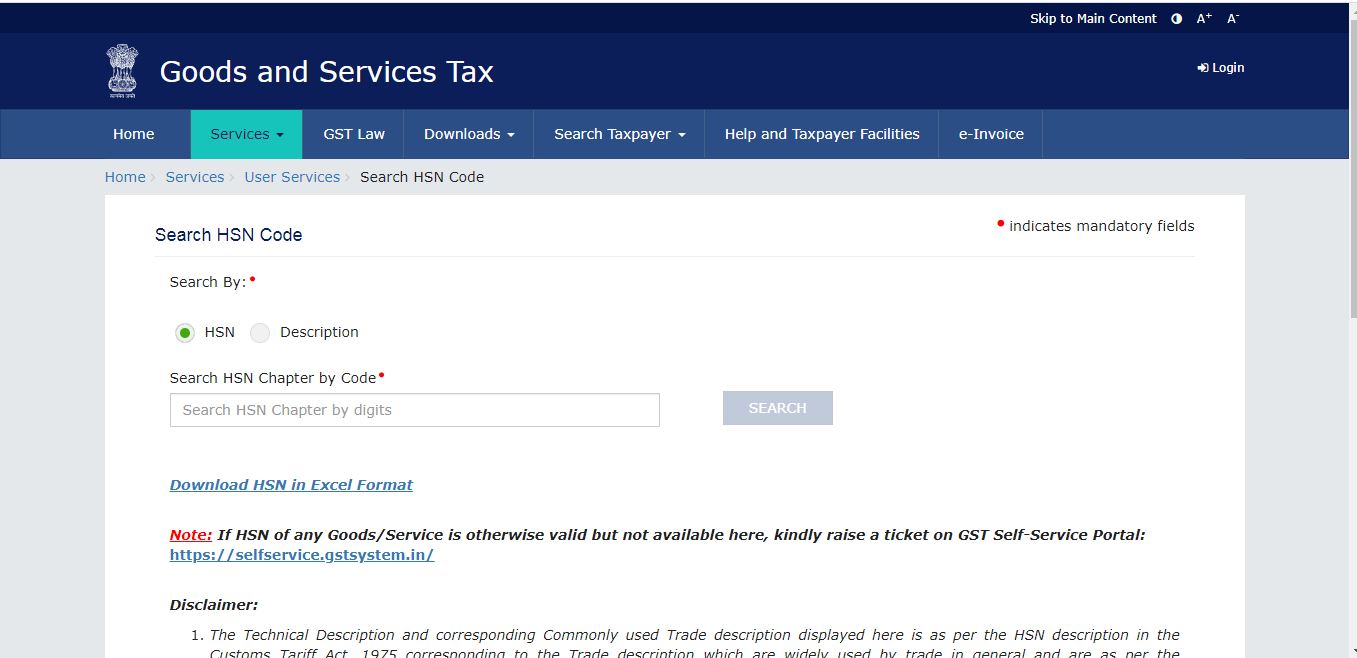 Revamped Search HSN Code Functionality - GST 2
A search of descriptions based on HSN
Taxpayers can search for any HSN Code about any goods and/or services.
- Only numbers are allowed to be entered in the search box if the search is based on HSN.
- On entering HSN in the search box, five nearest possible descriptions would be shown in the auto-suggested dropdown relating to the said HSN.
The taxpayers can then select the suggestion that may be most relevant to their case. Note:
- It may be noted that the dropdown will be shown only when a minimum of three characters are entered in the search box
- The maximum number of characters allowed in the search box is eight
A search of HSN based on Trade/ Commercial/ Technical Description:
- Taxpayers can search by entering both technical or trade descriptions of the requisite goods in the search box
- Once taxpayers select the ‘Description’ option, they are then required to select whether they want to search for goods or services
- On entering of description in the search box, five nearest possible HSN codes with descriptions will be shown in the auto-suggested dropdown relating to the said description.
- The taxpayer can then select the relevant HSN and description pair.
Note:
- The drop-down will be shown only when a minimum of three characters are entered in the search box.
- The maximum number of characters allowed in the search box is 40.
- Only Alphanumeric characters are allowed (0-9, A-Z)
- Special characters are NOT allowed in the search box.
- Taxpayers can also use a combination of words to search for the relevant goods or services.
In the search results, the taxpayer will be able to view the top three most commonly used trade descriptions of the goods or services in the database along with their respective technical descriptions. Taxpayers can also view other HSN Codes related to the search. For instance, in case a 4-digit HSN code is searched, the related 6-digit and 8-digit HSN code will also be shown under “Other related HSN code” in the resultant table.
- Similarly, in case a 6-digit HSN code is searched, the related 8- digit HSN code will also be shown.
- However, in case an 8-digit HSN code is searched, related HSN will not be shown in the table as 8-digit code in itself is the most accurate.
- The related HSN Codes displayed in the resultant table are hyperlinked and the taxpayer can click on the same to view further details of the said HSN.