Marlin Priya

Expert

Published on: Sep 17, 2026

Parivahan - Online Tax Payment

The Ministry of Road Transport and Highways (MoRTH) has been revolutionizing citizen services by offering various online options, thereby eliminating the hassle of queuing. Parivahan is a comprehensive e-governance application that provides services for vehicle registration, driving licenses, and other e-services across various Indian states. This digital initiative is part of the government's effort to streamline processes and improve user convenience.

The Transport Department of the Rajasthan Government has established an online portal enabling citizens to access several essential services. Numerous check posts are located at inter-state borders to collect taxes on different vehicles, including those from other states. To enhance system efficiency, the Transport Department of Rajasthan has implemented a 24x7 online tax-payment facility for vehicles registered outside of Rajasthan.

This online service allows commercial and passenger vehicles from other states to conveniently pay their taxes. However, taxpayers must have an Internet banking facility in an authorized bank to utilize this service. Income tax filing is another important aspect of financial management for individuals and businesses.

Process for Tax Deposition:

  1. Step 1: Log into the website, and input the vehicle details for tax calculation.
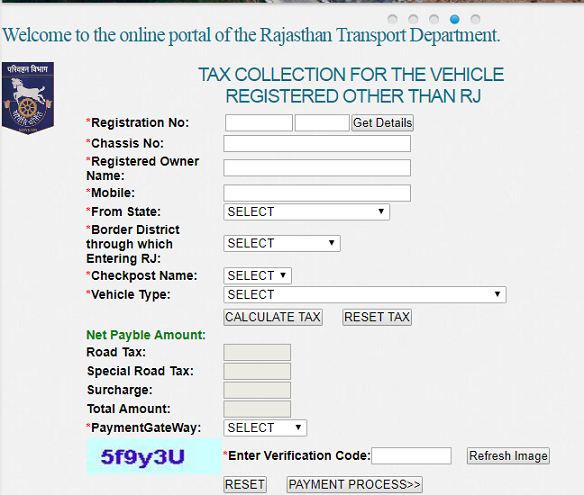
  2. parivahan tax for vehicles from other state portal
  3. Step 2: As per prescribed rates, the software calculates the due tax amount.
  4. Step 3: Once the payment is accepted, users are redirected to the Internet Banking site of the chosen bank.
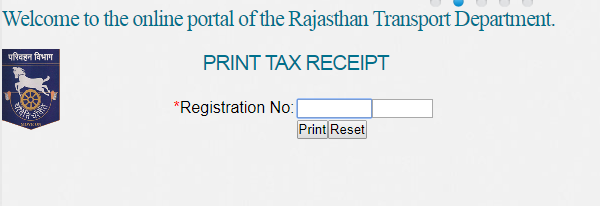
  5. Step 4: Upon successful payment, a receipt is generated for printing. Users can print it immediately or later via the 'print tax receipt' tab.print tax receipt parivahan raj
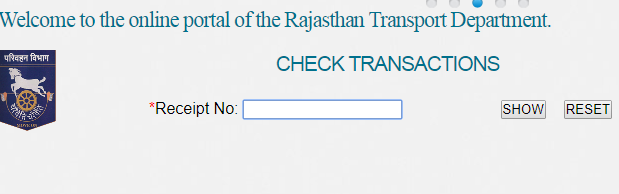
  6. Step 5: The authenticity of the receipt can be verified by transport department officials and users can check transactions through the 'check transaction' option.check transaction parivahan rajasthan

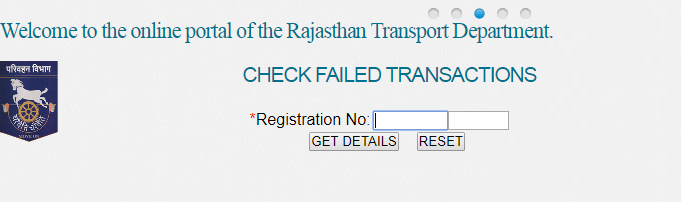
In the event of a failed transaction, users must attempt the payment again.failed transaction parivahan rajasthan
Recent updates to this facility include the ability to obtain refunds for overpaid taxes. A copy of the application form for refund is available for download.

Note: The tax paid is valid for a specific period. If the next journey is within that timeframe, there is no need to repay the tax. However, keeping the payment receipt safe is mandatory.

If a vehicle is found not to have paid the required tax, a penalty amounting to four times the due tax will be imposed.

For more related services, you can explore GSTR-3B Filing, Online Import-Export Code Registration, and the benefits of ICEGATE Registration.

Additionally, consider understanding the Trademark Rectification Process and exploring your options for BIS Certification. These services can help safeguard your business interests. They are part of the broader ecosystem of compliance and regulatory processes that any business or individual must navigate effectively.

Back to Learn

Frequently Asked Questions

Common questions about Online Tax Payment for Vehicles via Parivahan Rajasthan.

To pay the online tax, you first need to log in to the Parivahan website and enter the details of your vehicle. The software will then calculate the tax amount based on the prescribed rates. Once you accept to make the payment, you will be redirected to your bank's internet banking portal to complete the transaction. After successful payment, you can print the receipt immediately or later using the 'print tax receipt' option.
Yes, having an internet banking facility with an authorized bank is a prerequisite to take advantage of the 24x7 online tax payment facility provided by the Parivahan website. This is because the payment gateway is integrated with internet banking portals of various banks for secure transactions.
The authenticity of the tax payment receipt can be verified by the transport department officials by checking the payment details of the vehicle on the internet using the web-based Parivahan software. Additionally, you can also check the transaction details yourself by selecting the 'check transaction' option on the website.
In case you accidentally pay the tax more than once for the same journey, the recent update in the Parivahan system allows you to apply for a refund of the extra amount paid. You can submit the application for refund using the prescribed form provided on the website.
No, it is not necessary to pay the tax again if your next journey is within the validity period of the previous tax payment. However, it is mandatory to keep the payment receipt safe as proof of tax payment, in case it is required by the transport department officials.
If a vehicle is found without paying the required tax, the vehicle owner will be charged the tax amount along with a penalty. The penalty amount is four times the actual tax amount, making it a hefty fine for non-payment of tax.
The article does not specifically mention if it is possible to pay the tax in advance for multiple journeys. However, since the tax is valid for a specific period, it is likely that you can pay the tax for the duration covering your planned journeys.
The article mentions that the 24x7 online tax payment facility provided by the Parivahan website is specifically for commercial and passenger vehicles registered in states other than Rajasthan. It does not provide information about online tax payment for vehicles registered within Rajasthan.
The article does not provide specific details about the prescribed tax rates for different types of vehicles. However, since the software calculates the tax amount based on these rates, it is likely that the rates are available on the Parivahan website or can be obtained from the transport department.
The article does not mention any specific time limit for printing the tax payment receipt after making the online payment. It states that you can either print the receipt immediately after the payment or later by entering the registration number in the 'print tax receipt' tab.