

Renu Suresh
Expert
Published on: Aug 27, 2026
Odisha Land Conversion
Agricultural land cannot be utilised for residential or commercial purposes except for conversion of the same into non-agricultural land. The process of converting agricultural land into non-agricultural land is known as land conversion. As per the provision contained in Odisha Land Reforms (Amendment) Act, 1960, agricultural land can be converted for non-agriculture purposes only by obtaining prior permission from the competent authorities, i.e. Tahasildhar or Sub-collector in the state. In this article, we look at the procedure for Odisha land conversion in detail.Odisha Land Reforms Act – OLR Act
As stated above, Section 8-A of Odisha Land Reforms Act regulates the process of conversion of agricultural land to non-agriculture land in Odisha. The process of conversion will be completed on payment of a conversion fee. The authorised officer will allow the conversion of the use of agricultural land for non-agricultural purposes if such conversions are not violating any of the following Government Schemes or Plans:- Master Plan
- Improvement Scheme
- Development Plan
- Town Planning
Lands Covered Under OLR Act
As per the provision of this act, the following types of land can be converted for non-agricultural purposes in Odisha:- Class I – Irrigated land with two or more crops
- Class II – Irrigated land with not more than one crop
- Class III – Land, other than irrigated land such as Paddy, tanks, coconut gardens and orchards (except orchards growing banana)
Prescribed Authority for Land Conversion
Prescribed Authority for the conversion of agriculture land into non-agriculture purpose in Odisha is in detail here:|
S.No |
Land Measurement |
Authorised Officers |
|
1 |
Land Measuring one-fourth of an acre or more | Sub-Collectors is the Authorised Officer, Tahasildhar will initiate the process and allow conversion with due approval of sub-collector |
|
2 |
Land measuring less than one-fourth of an acre | Authorised Officer is Tahasildhar |
Fee for Land Conversion
The rate at which the conversion fees payable per acre of agricultural land situated at different places of Odisha for the conversion are:| S.No | Land Location | Fee |
| 1 | Land situated within any Municipal area | Rs.3,00,000 |
| 2 | Land situated in the area within one-half kilometre on either side of National Highways | Rs.3,00,000 |
| 3 | Land situated in areas within one-fourth kilometre on either side of State Highways | Rs.1,00,000 |
| 4 | Land situated in a Municipal area | Rs.75,000 |
| 5 | Land situated in any area notified as to the Urban area under the Odisha Government | Rs.75,000 |
| 6 | Land situated in the developing regions as notified by the Government | Rs.30,000 |
| 7 | Land situated in any area not covered by OLR Act (Refer above mentioned clauses of land) | 5% of the market value of land or Rs.10,000 (whichever is more) |
Documents Required
Documents required for converting agriculture land into non-agriculture in Odisha is as follows:- Road Identification on Map
- Valid Address Proof
- Government-issued ID Proof
- Sanctioned Building Plan
- Tax Payment Certificate Receipt (last year)
- Plan and Layout Drawing
Land Conversion Application Form
The offline procedure for converting agriculture land into non-agriculture land is in detail below: Step 1: A Raiyat (farmer), who seeking permission for conversion of agricultural land for any non-agricultural purpose needs to submit an application form along with the all required documents to the Tahasildhar. Step 2: After the acceptance of the application, there will be an issuance of the land conversion order. Step 3: On receipt of the application, concern ROR will be verified from the Record Room. Step 4: The concerned authority will conduct an enquiry and report whether the land schedule as applied can be allowed for conversion, and a letter will be issued to the Sub Registrar to supply a valuation of the land for realization of the premium. Step 5: If it is found that the suit land can be allowed for conversion, then the necessary order will be passed for correction of ROR after the realization of the premium. Step 6: Once the Raiyat pays the premium, the necessary correction will be made in the ROR.Applying for Land Conversion through the GO SWIFT Portal
The following are the guidelines for applying agricultural land into non-agriculture purposes in a step-by-step procedure: Step 1: Raiyat or Applicants need to visit the Odisha Single Window Portal Step 2: Click on ‘Investor Login’ to sign-in into the Single Window Portal (SWP).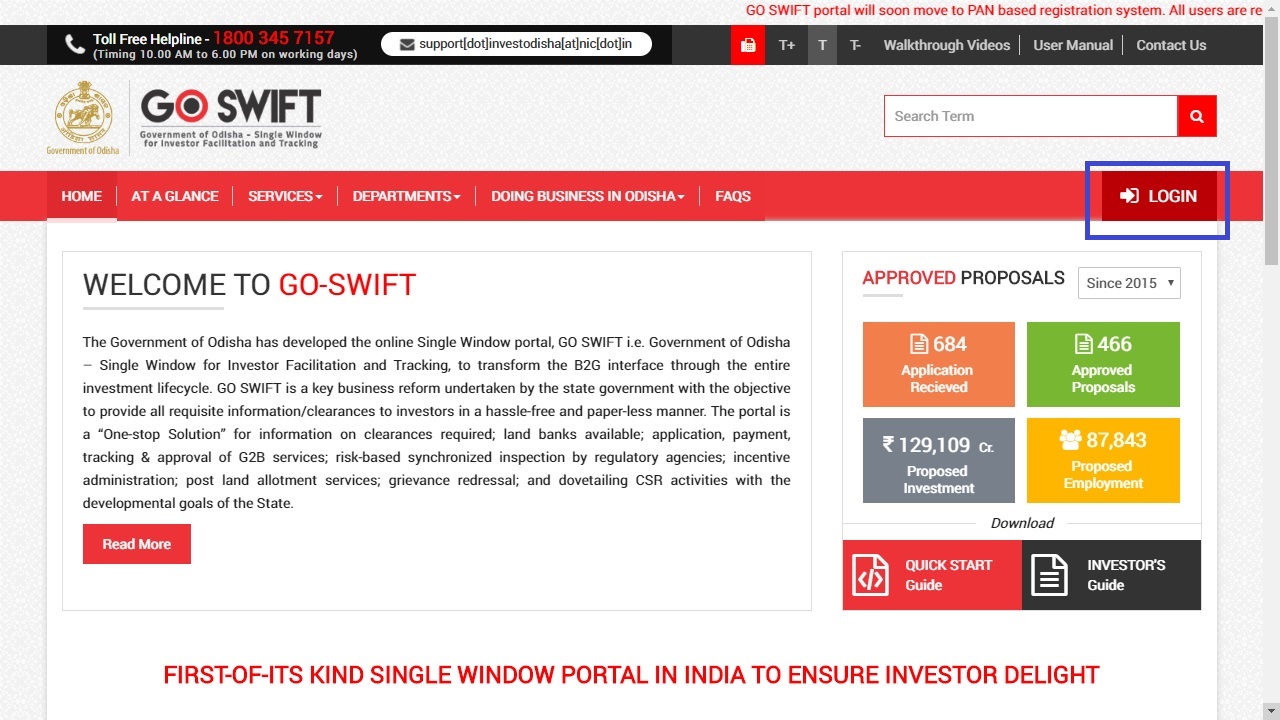 Homepage Odisha Land Conversion
Note: Existing users of APAA/CIF/GO-iPLUS/CSR Portal/eSuvishaa can log into the Single Window Portal using the same credentials
Homepage Odisha Land Conversion
Note: Existing users of APAA/CIF/GO-iPLUS/CSR Portal/eSuvishaa can log into the Single Window Portal using the same credentials
User Registration
Step 3: New applicants can register themselves on the portal by clicking on the ‘Register Now’ button. The link will redirect to the new page.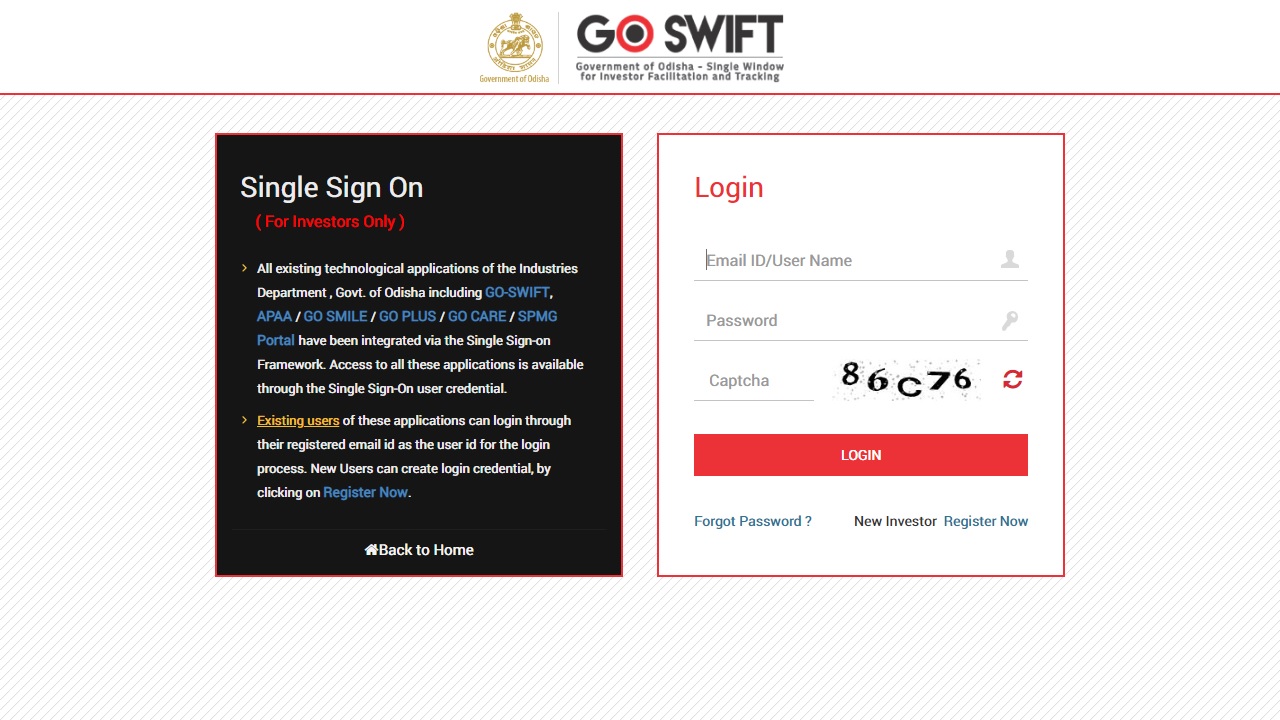 Login Odisha Land Conversion
Step 4: Provide the following Details for new user registration and verify by entering the OTP sent to the mobile number.
Login Odisha Land Conversion
Step 4: Provide the following Details for new user registration and verify by entering the OTP sent to the mobile number.
- PAN details
- Investor details
- Unit details
- Login details
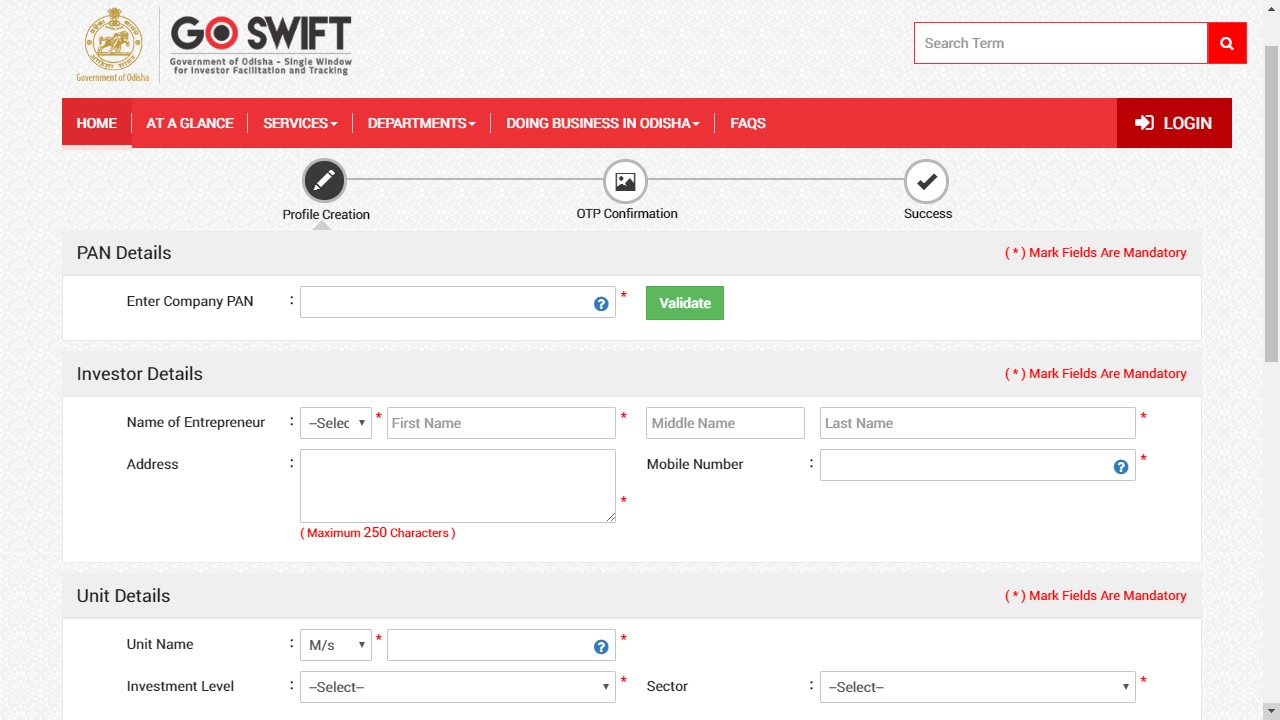 Profile creation Odisha Land Conversion
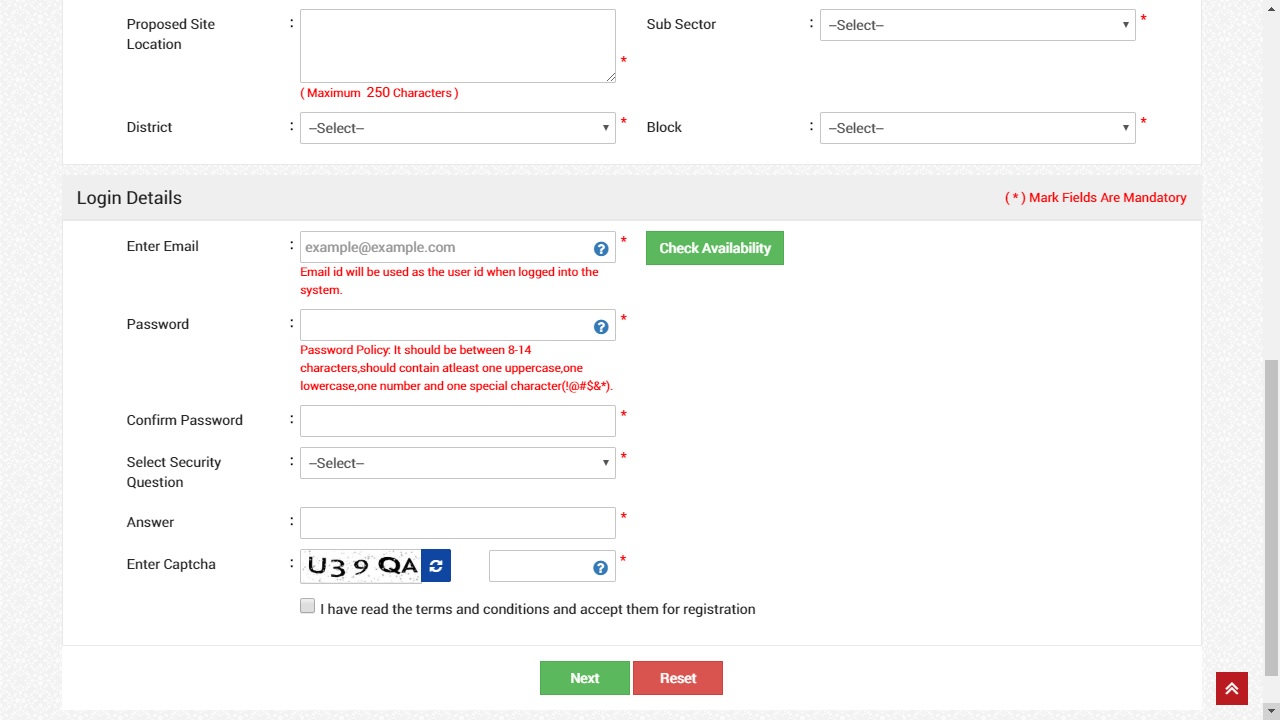 Login details Odisha Land Conversion
Login to the portal
Step 5: Upon registration, log in to the portal using user name and password. Step 6: In the ‘Services’ section, the applicant can view the list of services offered by the Single Window Portal. From the list of services, select “Application for conversion of agricultural land for non-agricultural purposes.Provide details for application
Step 7: Provide the following details in the application form for land conversion:- Name
- Mobile number
- Address
- Tahasildhar
- Details of ROR
- Source of ownership
- Khasra Number
Check Status
Step 9: Go to the Services button on the Menu bar and click on “Application Details” to check the status of their application.Queries Section
Step 10: Departments may raise queries on the application within 7 days of its submission. As and when queries are raised, the ‘Query Status’ column gets updated. Step 11: The applicant can view and reply to the queries on an application by clicking on “Query Raised”. They are notified via email or SMS about the query raised at this stage. Step 12: The applicant can submit additional information or documents sought by the department. After uploading the required documents, the query can be resolved by clicking on the “Submit” button. Step 13: Once the query is resolved, the Query Status changes to ‘Query Reverted’. Note: SMS and email will be sent notifying that all queries have been resolved and the department is processing the application.Generate Demand Note
Step 14: Once the application is processed and inspection is done, the status of the application will read “Generate Demand Note”. The applicant needs to generate the demand note and proceed to pay for converting by clicking on the ‘Pay Now’ button. Step 15: After confirming that the amount displayed on the page is correct, select the mode of payment from the available options.- Net Banking
- Debit Card
- Credit Card
- Over the Counter