
Vinoth C
Published on: Jul 30, 2026
MSME Loan in 59 Minutes
MSME Loan in 59 Minutes was introduced by the Indian Government on November 2, 2018, for supporting Micro, Small and Medium Enterprises (MSME’s). Under the scheme, fast loans of up to Rs.1 crore is provided in less than 1 hour. For this Scheme the government has also launched a website, namely psbloansin59minutes.com, to cater to the prospective beneficiaries of the scheme.
Know more about Udyog AadhaarFeatures of the Scheme
- The scheme is designed to grant a sum of upto Rs.One crore as a loan in fifty-nine minutes, i.e. less than an hour.
- There will be a 2% rebate for MSMEs availing a loan of up to Rs.One crore, provided the particular establishment is registered with GST.
- Loans are provided between the range of Rs. 1o lakhs to Rs. 1 crore with varied interest rates. The minimum interest rate is fixed at 8%.
- Under the initiative, the MSMEs can also avail their loans from Small Industries Development Bank of India (SIDBI).
- A portal has been opened solely for the disbursal of loans, which facilitates the completion of formalities pertaining to the loan application.
- No need of original documents need, scanned document copy will get uploaded in the provided website.
Documents Required
- Details of the Director or Owner like ownership details, personal details, education details.
- Last six-months bank statement.
- Tax returns statement in XML format.
- GST number.
Approving Banks
The following banks are providing loan under the scheme to MSMEs:
- Bank of Maharastra
- Oriental Bank of Commerce
- Punjab & Sind Bank
- Bank of Boroda
- Punjab national bank
- Indian Bank
- Andhra Bank
- Vijaya Bank
- Bank of India
- Canara Bank
- State Bank of India
- Corporation Bank
- IDBI Bank
- Indian Overseas Bank
- Syndicate Bank
- UCO Bank
- Union Bank
- Allahabad Bank
- United Bank of India.
Application procedure
Step: 1 Visit and register.
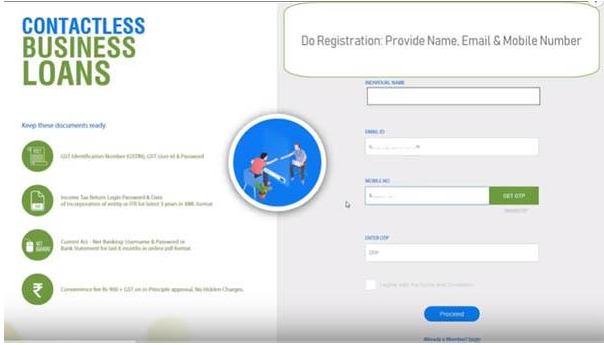
Login Page Step: 2 In the particular page, enter the name, mobile number, email ID and click on the "Get OTP" button to generate OTP.
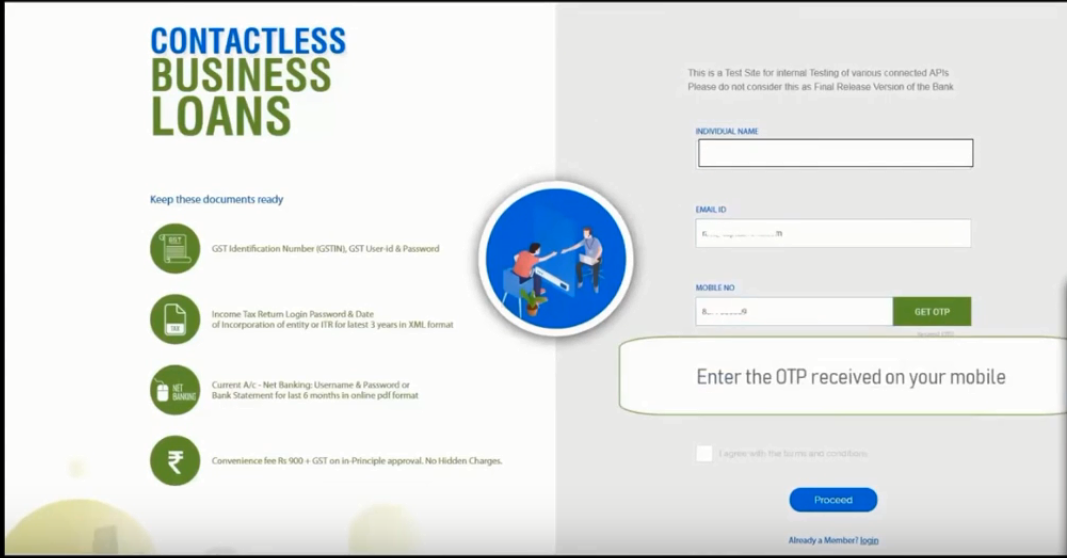
OTP Step: 3 After getting the OTP, the page will be redirected to password set up page by doing the needful, click Proceed.
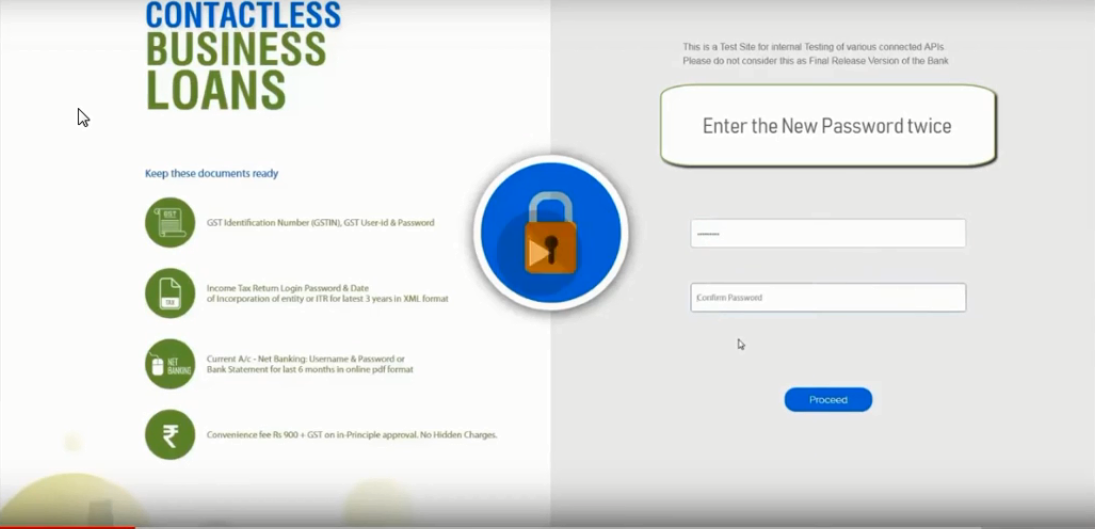
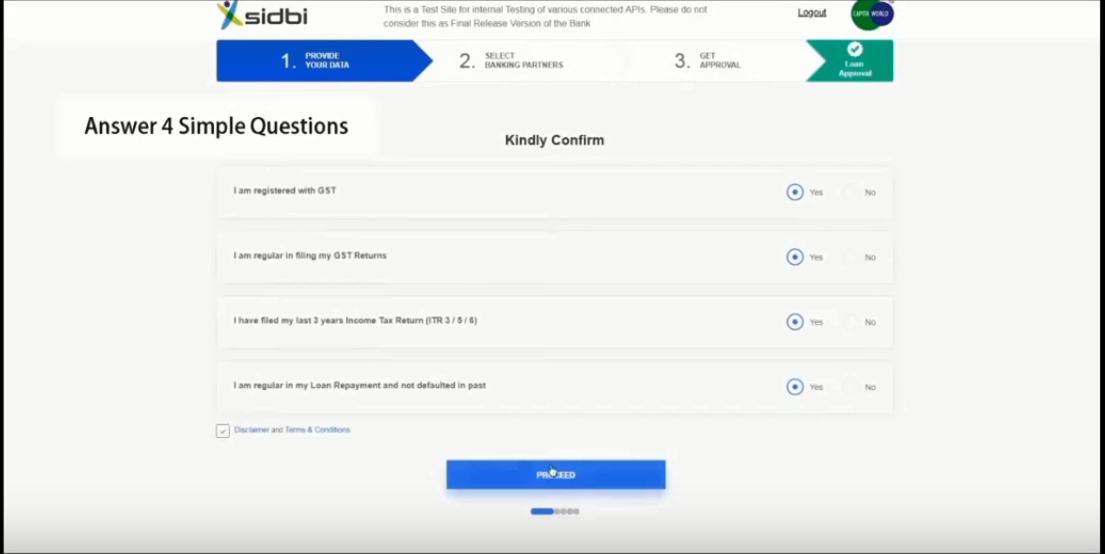
Password Step: 4 Answer (4 Questions) at the end, and the click on the "Proceed" option.
Provide your Data Step: 5 Enter the GST details and submit.
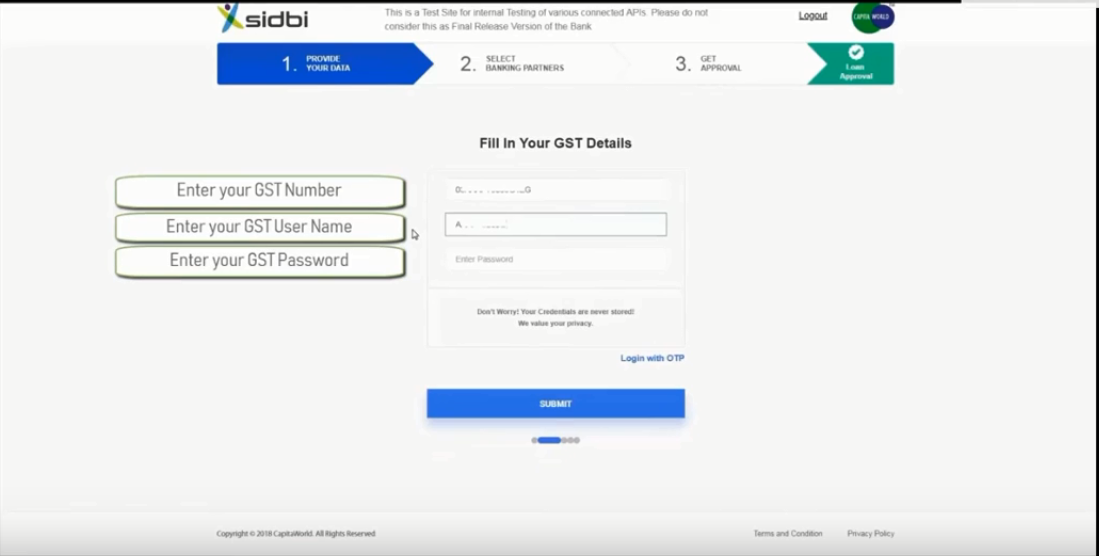
GST details Step: 6 Either upload the ITR Documents in XML format or Log in with the user credentials and upload the required bank statements and click on "Proceed."
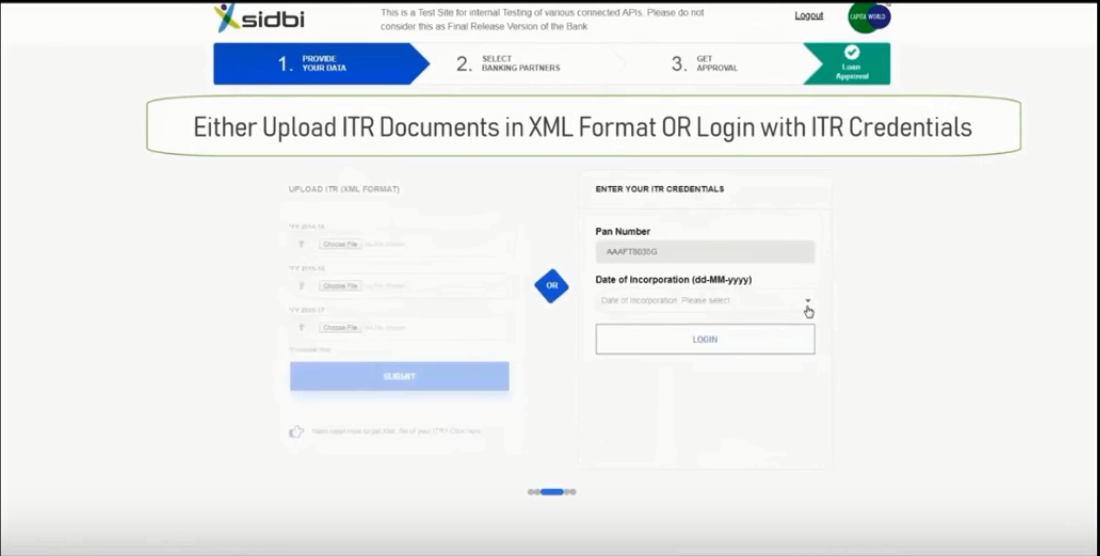
ITR documents Step: 7 Enter the income-tax login in the password as shown below.
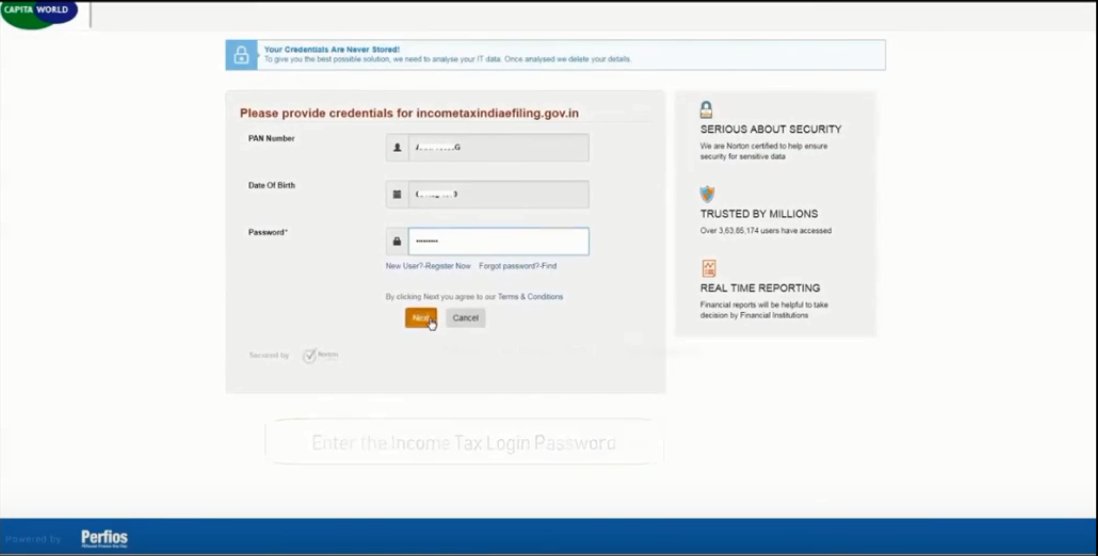
Income tax login in password Step: 8 Upload six-month bank statement by selecting the preferred bank along with the type of loan or log in with the net-banking details.
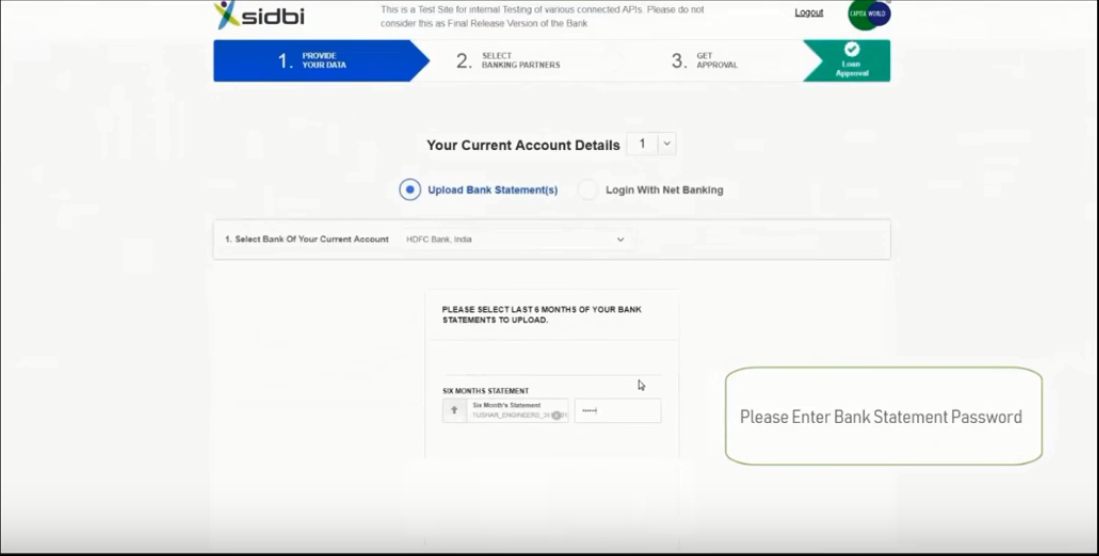
Upload Bank statements Step: 9 Provide the details of directors as shown below and click "Submit."
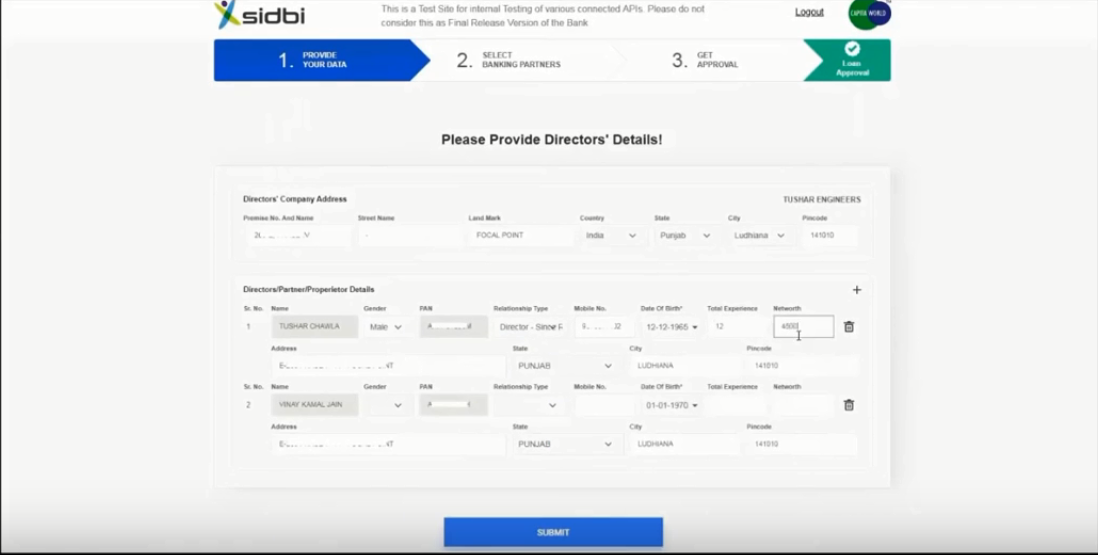
Directors Details Step: 10 Fill up the required loan related requirements.
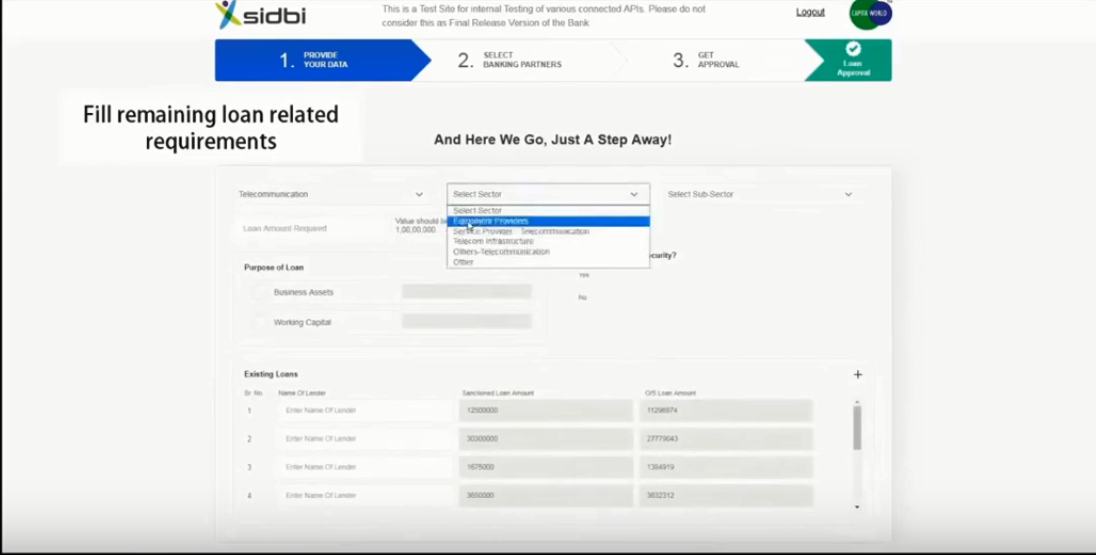
Loan details Step: 11 Select among the proposed banks listed on the page.
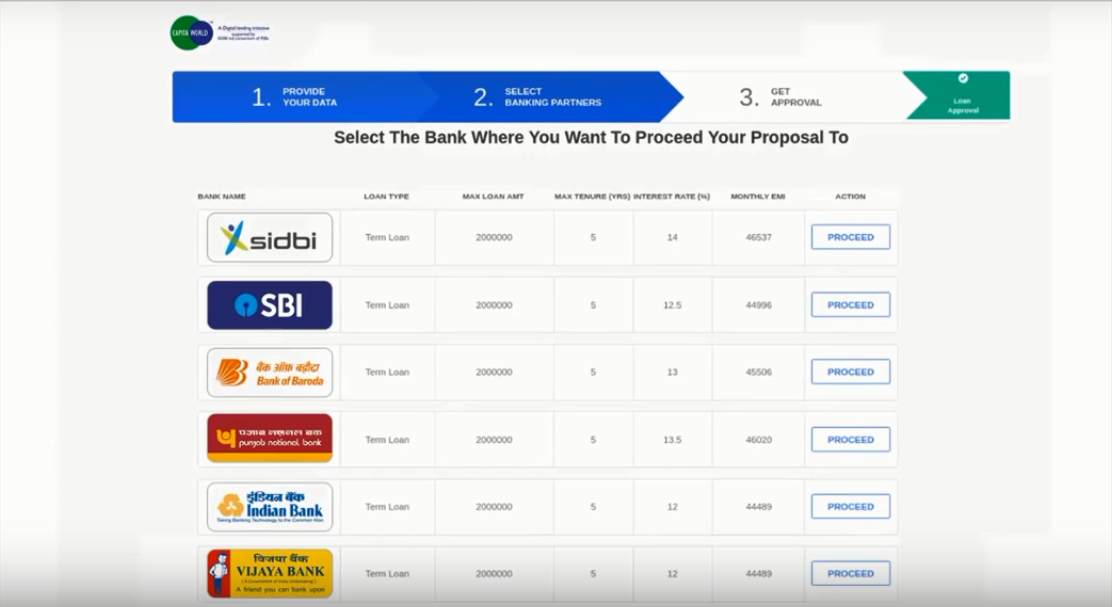
Bank Step: 12 Pay the one-time application fees to get the principle letter on the registered mail Id.
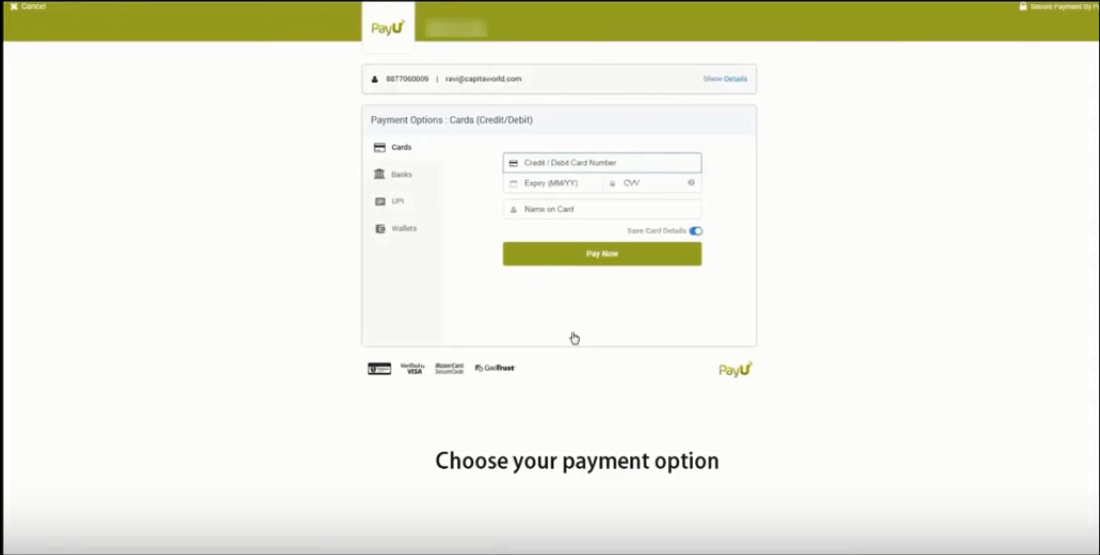
Payment page Step: 13 A confirmation message will pop out, click on the "Download" option to download the confirmation letter.

Confirmation message Step: 14 An in-principle sample letter will be displayed on the page, confirming the approval of the grant of loans.
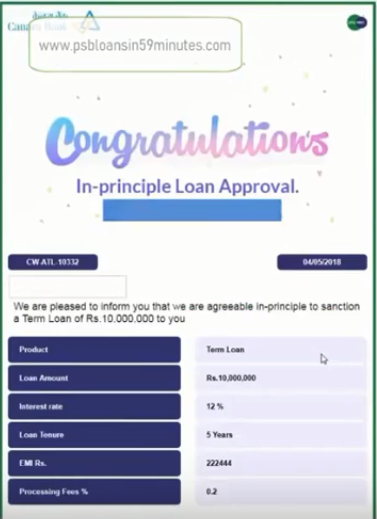
Principle letter sample