

Renu Suresh
Expert
Published on: Sep 25, 2026
Haryana Property Registration
All transactions involving the sale of immovable property must be registered in India to ensure the transfer of a clean title to the owner. The registration process includes the preparation of documents and paying applicable stamp duty and registration charges, enabling the sale deed to be legally recorded at the Sub-registrar’s office. In this article, we examine the Haryana property registration procedure, including stamp duty charges.
Purpose of Property Registration (Deed Registration)
Registration is essential for the transfer of immovable property, providing several advantages:
- Creating a permanent public record of the transfer
- Allowing public inspection and certified copies from the Sub-Registrar's office
- Notification to the public regarding the ownership transfer
- Facilitating verification of the last registered deed at the Sub-Registrar’s office for prospective buyers
Documents Required for Property Registration
The following documents must be presented to the Registrar for property registration:
- Proof of ownership
- Certified copy of the original sale deed or assessment of MC or Mutation
- Proof of identification
- Ration Card, Voter ID, Driving License, Aadhaar Card, PAN Card, or Identity Card
- Verification of GPA for out-of-state registrations
- No Objection Certificate (NOC)
- ID Proof of two witnesses
- Map plan and description of the property
- Digital photograph of the property (building or plot)
- For release deed: Mutation of virasat for ancestral property identification
Stamp Duty in Haryana
Stamp duty is a mandatory legal tax that serves as evidence for any property sale or purchase. The stamp duty rates for various transactions in Haryana are outlined below:
Transaction | Rate of Stamp Duty | |
| Rural Area | Urban Area | |
Conveyance Deed, Sale Deed or Certificate of Sale. | 5% | 7% (including 2% of Municipality duty, 2% exemption for women in rural or urban areas) |
Calculate Stamp Duty on Jamabandi
To calculate stamp duty for a property transaction, visit the Jamabandi website and follow these steps:
- Step 1: Access the Jamabandi stamp duty page.
- Step 2: Enter the transaction value in rupees.
- Step 3: Select municipality and gender.
- Step 4: Click calculate to see the stamp duty and registration fee.
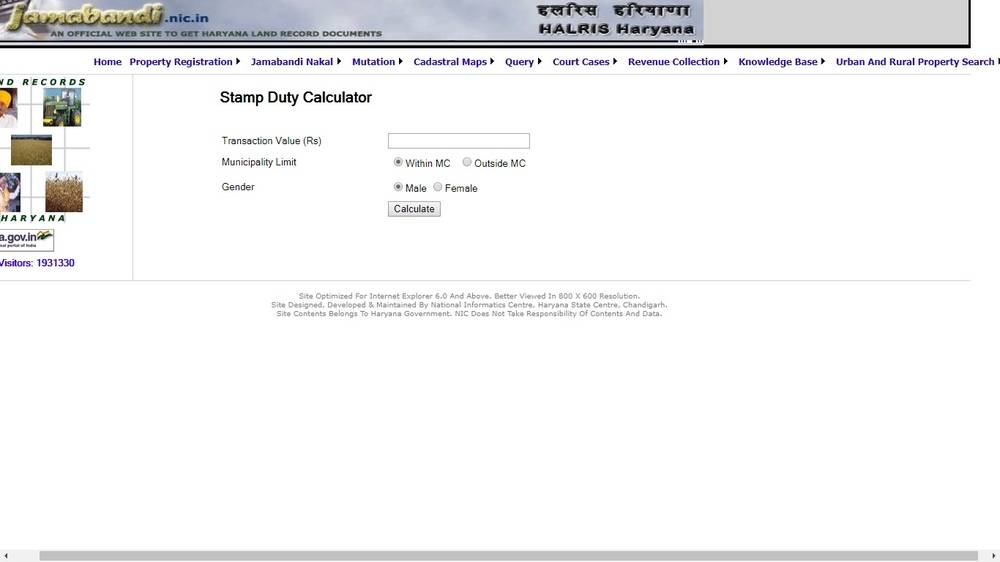 Image 1 Haryana Property Registration
Procure E-Stamp Online
To procure an E-Stamp online for registration, visit the e-Gras web portal. Log in and follow the necessary steps to obtain the E-Stamp.
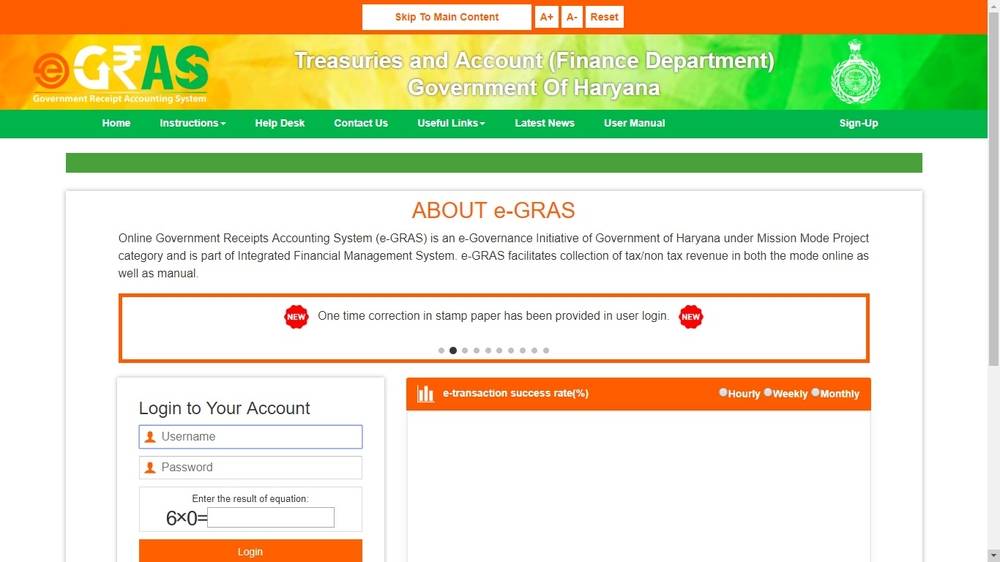 Image 3 Haryana Property Registration
Deed Registration Appointment Slots Availability Checking
To book an e-appointment for property registration:
- Step 1: Visit the Jamabandi portal to check available slots.
- Step 2: Select the district name, Tehsil, and enter the date.
- Step 3: Available slots will be displayed.
- Step 4: Proceed to make an e-appointment for registration. Bring E-Stamp details during the appointment.
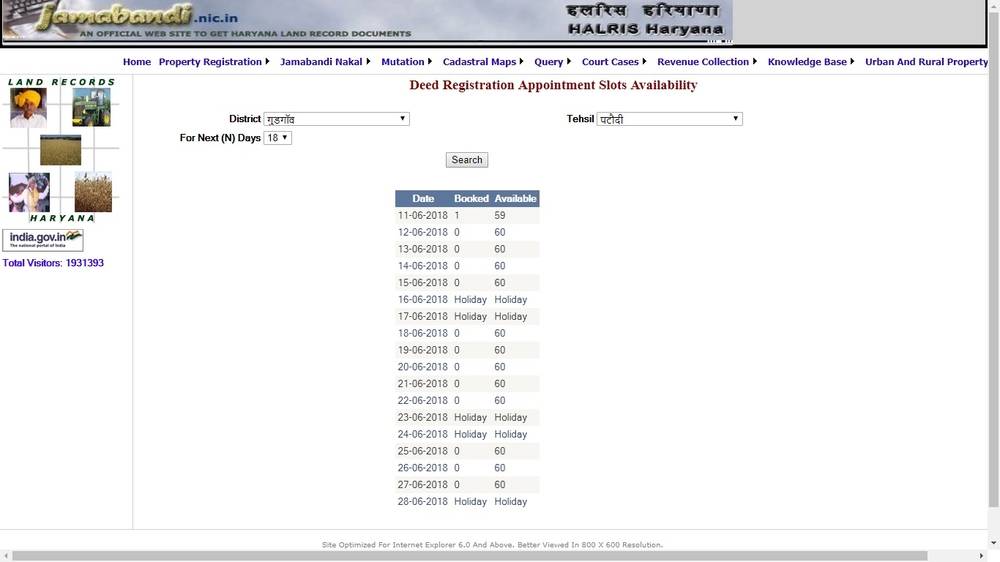 Image 5 Haryana Property Registration
Procedure for Registering a Deed
Follow these steps to register your property deed in Haryana:
- Step 1: Visit the Jamabandi website to download the desired deed format.
- Step 2: Fill out the deed details as needed.
- Step 3: Visit the Sub Registrar office at the appointed date and time. Clerks forward deeds to the Sub-Registrar.
- Step 4: Once the Sub-Registrar marks it, your deed gets entered into HARIS for record keeping.
- Step 5: The desk officer at HARIS updates transaction information, including the E-Stamp number.
- Step 6: Biometrics of buyer and seller are obtained to complete the registration.
- Step 7: After finalizing, a registry copy featuring images and signatures of related parties is printed.
- Step 8: The registered deed copy is provided to the parties and uploaded on the Jamabandi web portal.
View Registered Deed
To view the registered deed online, follow these steps:
- Step 9: Visit the Jamabandi website and select the “view registered deed” option.
- Step 10: Provide details such as Tehsil, Registry number, Registry date, and Deed name.
- Step 11: Submit the captcha and click on search to view the registered deed details.