

RENU SURESH
Expert
Published on: Aug 12, 2026
Hard Locking of Auto-Populated Data in GSTR-3B
Starting with the July 2025 tax period, the Government will implement hard-locking of auto-populated liability fields in GSTR-3B, making them completely non-editable. This major compliance shift means businesses can no longer manually adjust data drawn from GSTR-1 and GSTR-2B in their GSTR-3B return. Any corrections must now be made through GSTR-1 or the newly introduced GSTR-1A before submission. In this article, we explain what hard-locking means, which fields are impacted, the timeline, and the crucial steps your business must take to stay compliant and avoid costly mismatches.
What is GSTR-3B?
GSTR-3B is a monthly self-declared summary return that every registered GST taxpayer (except composition dealers, non-resident taxable persons, and a few others) must file. It captures summary data on:
- Outward supplies (sales)
- Input Tax Credit (ITC)
- Tax liabilities
- Payments made
Until now, taxpayers could edit the auto-populated values in GSTR-3B that were drawn from GSTR-1 (sales data) and GSTR-2B (ITC data). This flexibility allowed adjustments before final submission. However, this also led to discrepancies and reconciliation issues between GSTR-1, GSTR-2B, and GSTR-3B, raising concerns with tax authorities.
What is Hard-Locking in GSTR-3B?
Hard-locking refers to the process where certain fields in GSTR-3B, especially the liability section, become non-editable once auto-populated from GSTR-1 and GSTR-2B. Taxpayers can no longer manually change these auto-filled values in GSTR-3B. Instead, any corrections must be routed through:
- GSTR-1 (for outward supply corrections)
- GSTR-1A (a new form for amending invoices or credit notes rejected by recipients)
This change marks a shift toward greater reliance on source documents and aims to eliminate mismatches between returns filed by suppliers and recipients.
Why Hard-Locking of Auto-Populated Fields in GSTR 3B?
The core objective behind hard-locking is to ensure that:
- Outward liability in GSTR-3B exactly matches GSTR-1.
- Input Tax Credit claimed matches the eligible credit in GSTR-2B.
This eliminates the scope for arbitrary editing and forces businesses to maintain clean, reconciled records from the start. It also aligns with the government's vision of a single source of truth for tax reporting.
Which Fields Are Hard-Locked in GSTR-3B?
Under the new system, hard-locking applies specifically to the outward tax liability fields in GSTR-3B that are auto-populated from GSTR-1. These include:
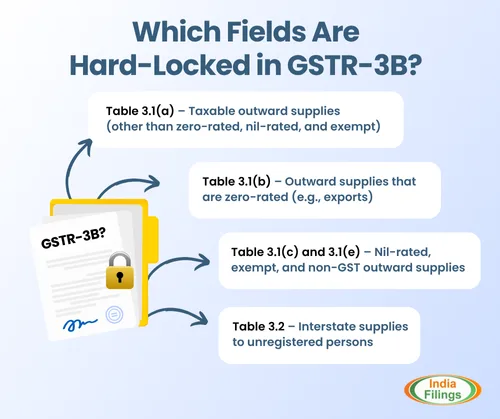
- Table 3.1(a) – Taxable outward supplies (other than zero-rated, nil-rated, and exempt)
- Table 3.1(b) – Outward supplies that are zero-rated (e.g., exports)
- Table 3.1(c) and 3.1(e) – Nil-rated, exempt, and non-GST outward supplies
- Table 3.2 – Interstate supplies to unregistered persons
Once these fields are auto-populated based on GSTR-1, they cannot be manually edited in GSTR-3B. Any correction or change must be made through GSTR-1 or the new amendment form GSTR-1A before filing GSTR-3B.
Click here to know more about the Auto population of details in Form GSTR-3B from Form GSTR 1 & 2B
Latest Update – Table 3.2 in GSTR-3B Now Made Non-Editable
According to the latest GSTN advisory dated July 19, 2025, the values auto-populated in Table 3.2 of GSTR-3B—which captures inter-state supplies made to unregistered persons, composition taxpayers, and UIN holders—will become completely non-editable starting from the July 2025 tax period.
Previously, this table was editable, allowing taxpayers to manually update the values during GSTR-3B filing. However, starting from July 2025, this is no longer permitted.
The system will auto-populate values from GSTR-1 or IFF, and GSTR-3B must be filed without altering these entries. If any correction is needed, it must be done either through Form GSTR-1A (before filing GSTR-3B) or via amendments in future GSTR-1 filings.
Businesses must now be extra careful while reporting outward inter-State supplies in GSTR-1/IFF to avoid errors that cannot be fixed later in GSTR-3B.
Implementation Date for GSTR-3B Hard-Locking
- Effective from: July 2025 tax period
- First Impacted Return: GSTR-3B to be filed in August 2025
The official GST advisory regarding the non-editability of auto-populated liability fields in GSTR-3B is attached here for your reference.
Date | Update |
17th October 2024 | The government announced the introduction of hard-locking of auto-populated liability fields in GSTR-3B. This was aimed at preventing mismatch issues and reinforcing return accuracy. |
27th January 2025 | In response to feedback from businesses and tax professionals, the government postponed the implementation, initially planned for January 2025 tax filings. |
7th June 2025 | GSTN confirmed that hard-locking will be enforced starting from the July 2025 tax period (returns to be filed in August 2025). This makes auto-populated liability fields in GSTR-3B completely non-editable. |
What Businesses Need to Do Now
With GSTR-3B becoming non-editable for auto-populated fields, businesses must proactively update and manage their invoice and credit note data through the Invoice Management System (IMS). Here are the key steps:
Review and Reconcile GSTR-1 Data Thoroughly
- Ensure all e-invoices and manual invoices are accurately reported in GSTR-1.
- Validate GSTINs, invoice values, tax rates, and HSN/SAC codes.
- Monitor Buyer Actions Through IMS
- Track invoice acceptances or rejections by recipients in real-time.
- Address rejected invoices/credit notes quickly to avoid mismatches.
Note: Amendments in GSTR-1 can be made up to 30th November of the subsequent financial year or before filing the annual return, whichever is earlier.
Use GSTR-1A for Corrections
GSTR-1A is your only chance to correct outward supply data before GSTR-3B filing.
- It can be filed only once per tax period, so precision is essential.
- File GSTR-3B Only After All Reconciliations Are Complete
- Once GSTR-1A is filed and accepted, verify the auto-filled GSTR-3B.
If everything aligns, proceed to file. Remember, no edits are allowed now.
Train Teams and Update ERP Systems
- Ensure your accounting and tax teams are trained on the new process.
- Modify internal workflows and systems to integrate invoice-level checks
How to Handle Errors in Auto-Populated GSTR-3B Data
As GSTR-1 and GSTR-1A are now the sole sources for outward tax liability, GSTR-3B becomes a non-editable summary return used purely to discharge liability. This makes accurate and timely data entry in GSTR-1/IFF absolutely critical.
Here’s how businesses should manage and correct errors to avoid penalties or inflated tax dues:
1. Reconcile Before You Report
Thoroughly match your e-invoice data with your GSTR-1/IFF filings before submission. Discrepancies at this stage will flow directly into GSTR-3B and become locked.
2. Actively Monitor IMS Actions
Regularly log in to the GST portal and review recipient responses on the Invoice Management System (IMS). A rejected invoice or credit note must be corrected promptly.
3. Use GSTR-1A with Precision
If a correction is needed, amend it within the same tax period using GSTR-1A.
Note: GSTR-1A can only be filed once per tax period. Ensure 100% accuracy—there’s no second chance for that month.
4. File GSTR-3B Only After Finalizing GSTR-1A
Once GSTR-1A is submitted, it’s locked for that tax cycle. Only then should GSTR-3B be filed, as no manual changes will be allowed.
Key Takeaways
- GSTR-1 is now the sole source of truth for outward supplies.
- GSTR-2B remains the base document for claiming ITC.
- GSTR-1A is mandatory for resolving buyer-side rejections before GSTR-3B.
System-generated GSTR-3B PDF summaries are available to help cross-check values.
Examples:
Scenario 1: Mismatch in June 2025 Invoices
If any errors or omissions are discovered in GSTR-1 for June 2025 after filing but before submitting the June 2025 GSTR-3B, the taxpayer must use GSTR-1A for June 2025 to amend or add the missing invoices. These corrections will be reflected in the auto-populated and hard-locked fields of the June 2025 GSTR-3B.
Scenario 2: Recipient Rejects Credit Note for May 2025 in IMS
Suppose a credit note issued for May 2025 is rejected by the recipient in IMS during June 2025:
- The increased tax liability (due to the rejected credit note) will auto-populate in the July 2025 GSTR-3B.
- The supplier must reconcile the rejection and make the necessary amendments before filing the July 2025 GSTR-1.
- This adjustment cannot be made using the July 2025 GSTR-1A, as it only applies to July invoices.
- Instead, the supplier must utilise the amendment section of the July 2025 GSTR-1 to address the discrepancy.
Scenario 3: Disagreement Between Supplier and Recipient
If a supplier maintains that the original invoice or credit note is accurate, but the recipient rejects it via IMS and files their return accordingly:
- The supplier must amend GSTR-1 in subsequent periods to match the recipient’s accepted data, failing which they risk denial of ITC or scrutiny notices.
- Timely coordination and communication with the recipient is crucial to resolve disputes and maintain accurate records under the hard-locking regime.
Need Help Navigating the New Hard-Locking Rules?
With the latest changes to GSTR-3B filing, precision and timeliness are more critical than ever. IndiaFilings is here to help your business stay fully compliant and stress-free. From accurate GSTR-1 filing and managing IMS workflows to ensuring error-free GSTR-3B validations, our expert team and smart automation tools simplify your GST journey. Don’t wait until it’s too late—let IndiaFilings handle your GST needs.
Frequently Asked Questions
1. What has changed in Table 3.2 of GSTR-3B?
Starting from the July 2025 tax period, the details in Table 3.2 of GSTR-3B—covering inter-State supplies to unregistered persons, composition taxpayers, and UIN holders—will now be auto-filled based on your GSTR-1 data and will be non-editable. This means you can no longer manually change these values in GSTR-3B. You must file GSTR-3B exactly as it is auto-populated.
2. What if the values auto-filled in Table 3.2 are incorrect?
If the system fills in incorrect details in Table 3.2 due to mistakes in GSTR-1, you cannot change them in GSTR-3B. Instead, you'll need to:
- Make corrections using Form GSTR-1A (if the return is still pending), or file amendments in your next GSTR-1/IFF for the upcoming tax periods.
3. How can I make sure Table 3.2 is filled correctly?
To avoid mistakes in Table 3.2:
- Double-check your inter-state supply details while filing GSTR-1.
- Use GSTR-1A to make corrections before GSTR-3B filing, if needed.
- Be extra cautious with invoice data, GSTINs, tax amounts, and state-wise breakdowns.
4. Until when can I file GSTR-1A for making corrections
There’s no fixed deadline before GSTR-3B for filing GSTR-1A. You can file it:
- After filing your GSTR-1, and any time before filing GSTR-3B for that month. This gives you a final chance to fix errors before they get locked into GSTR-3B.
5. What is Hard-Locking in GSTR-3B?
Hard-locking refers to the system-enforced restriction where auto-populated fields in GSTR-3B (especially outward liability and ITC) become non-editable and must exactly match data from GSTR-1 and GSTR-2B.
6. From when is Hard-Locking applicable?
Hard-locking will be effective for the July 2025 tax period, meaning GSTR-3B filed in August 2025 will be the first return under this system.
7. Can I make corrections directly in GSTR-3B after Hard-Locking?
No. Once hard-locking is implemented, manual edits will not be allowed in auto-populated fields. Corrections must be done via GSTR-1 or GSTR-1A.
8. What is GSTR-1A, and how does it help?
GSTR-1A is a new form introduced to correct or amend invoices/credit notes that are rejected by recipients in the Invoice Management System (IMS). It must be filed before GSTR-3B.
9. How often can GSTR-1A be filed?
GSTR-1A can be filed only once per tax period, so accuracy and timing are critical.
10. What happens if there's a mismatch after filing GSTR-1A?
If the mismatch is not resolved before GSTR-3B is auto-populated, the incorrect data may become locked, and tax liability may be inflated or incorrect.
11. Will ITC also be hard-locked?
Currently, only outward supply liability is hard-locked. However, the government has hinted that ITC hard-locking may be implemented in the next phase.
12. What should businesses do to prepare for hard-locking?
Businesses should:
- Ensure accurate GSTR-1 filing
- Monitor buyer responses in IMS
- Use GSTR-1A for corrections
- Finalize returns before GSTR-3B filing
13. Are there penalties for mismatches after hard-locking?
Yes, discrepancies due to mismatches or incorrect reporting can lead to interest, penalties, or denial of ITC by tax authorities.
14. How can IndiaFilings help with GSTR-3B Hard-Locking?
IndiaFilings offers end-to-end GST compliance support, including GSTR-1 filing, IMS management, GSTR-1A corrections, and error-free GSTR-3B submissions using smart automation and expert guidance.