
Peter
Published on: Aug 20, 2026
Cardless Withdrawal - YONO App
The State Bank of India (SBI) initiated a digital banking platform YONO (You Only Need One) to withdraw cash from ATMs without ATM cards. It also provides other services like cash service, business transactions, and purchasing products through e-commerce platforms for SBI customers. The YONO is built on Android and iOS platform to provide a simple solution for a variety of financial services.
Objectives of YONO
- The primary goal of YONO is to provide cardless transactions at ATM centres
- To encourage users towards digital transaction platform
- Eliminate the possible risks associated with withdrawals from ATM
- To reduce time and acts as a primary source during emergencies if ATM card is not available
- To reduces the risk of fraudulent activities like cloning and skimming
Features of YONO
- Any savings account holder can withdraw cash at the ATMs of the bank without using a debit card
- It is a digital banking platform for SBI customers and can be used on smartphones to make transactions and payments
- The cashless withdrawal service is available across 16,500 SBI ATMs across the country
- It is also possible to perform banking transactions like opening Fixed Deposit, applying for credit cards, insurance, investments and loans
- Provides option to purchase products through other e-commerce web portals
- Increase investments and manage funds from other SBI accounts
- Provision to book air, train and bus tickets
Steps to Withdraw Cash from an ATM Without a Debit Card using Phone
To use the YONO application, the SBI user should have registered with the SBI internet web portal.
Step 1: At the first step, log into the Yono app using the login ID and password of the bank
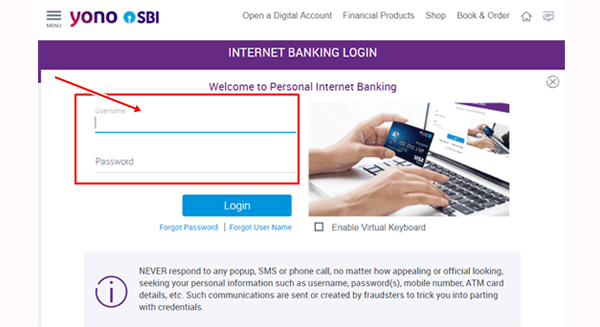
YONO login page
Step 2: Set up a six-digit MPIN for future logins
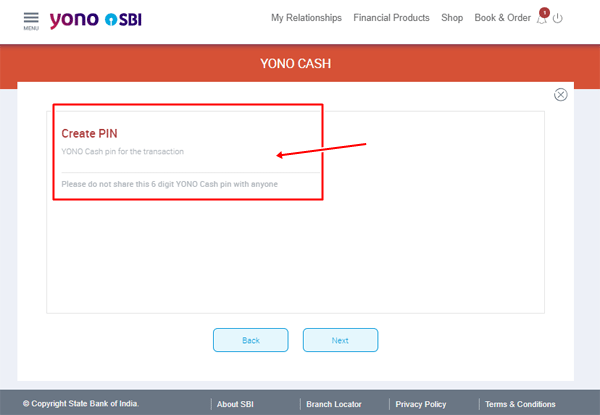
Create 6 digit pin
Step 3: To withdraw cash from ATM centres without ATM cards, Click on Yono cash
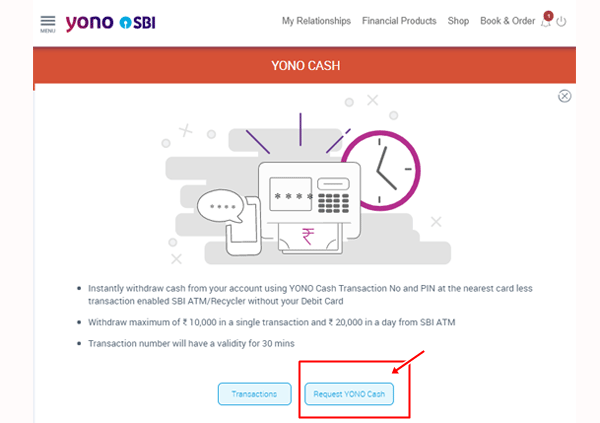
Yono Cash
Step 4: Click on the ATM section and enter the amount to be withdrawn. There is a minimum withdrawal limit of Rs.500 and maximum withdrawal limit of Rs. 10,000 per transaction.
Step 5: A cash transaction number will be sent to the registered mobile number. The transaction number and PIN can be used at Yono Cash points (cardless transaction enabled ATMs) for withdrawal.
Note: The number will remain valid for four hours. Partial withdrawals cannot be made using the same reference number.
Step 6: Choose the option Card less transaction at the Yono cash point and enter the details. The app also gives an option to account holders to locate the nearest card-less transaction enabled ATMs.
For more information on loans for startups, check IndiaFilings guides