
IndiaFilings
Expert
Published on: Jul 30, 2026
Bulk E-Way Bill Generation
Bulk
e-way bill generation facility is offered by the Government to businesses that generate a substantial number of transactions each day. Bulk e-way bill generation facility is a simple solution for generating multiple e-way bills/consolidated e-way bills as well as to update multiple e-way bills in a one-time process. In this article, we look at the documents necessary, information about obtaining JSON file for bulk e-way bill generation and the process of generating the e-way bill itself using the bulk option.Documents Required
Before doing bulk e-way bill generation, it is necessary to become a member of the e-way bill portal. Apart from being registered in the portal, it is necessary to furnish the following documents:
- All invoices related to dispatching of the goods.
- Transporter ID or Vehicle number in the case of transport through road.
- Transporter ID, Transporter document number with the date of the document in the case of transport through rail, flight or ship.
- E-way bill JSON template/EWB bulk converter or JSON template in Excel.
Obtaining JSON File for Bulk E-way Bill Generation
The process of bulk e-way bill generation requires the JSON file. The JSON file is a single file that contains multiple requests for e-way bills. The JSON file can be saved to the computing device to be used in the generation of E-way bills in bulk. There are two methods through which the JSON file can be created.
-
E-way Bill JSON Format File
STEP 1: Download the JSON template: E-Way Bill JSON Format/Consolidated E-Way Bill JSON Format file STEP 2: Fill in the details in the downloaded file. This completes the process and the JSON file is ready for upload. -
E-way Bill JSON Preparation Tool
STEP 1: Download the Excel template: E-Way Bill JSON Format or Consolidated E-Way Bill JSON Format. STEP 2: Next, download the converter tool: E-Way Bill converter tool or Consolidated E-Way Bill converter tool. STEP 3: Fill in the details of transactions in the downloaded Excel file. STEP 4: Using the converter tool that was downloaded, the excel file can be converted into a JSON file which will be ready to be uploaded.
Once this process is over, we need to update the vehicle information. Bulk provision has been implemented for updating vehicle information as well.
Bulk Update Vehicle Information
Bulk generation tool saves up a lot of time that was previously spent on updating every single vehicle names one by one which was a cumbersome process. Let us understand the procedure to file bulk updation of vehicle information:
STEP 1: On the left side of the home tab, you will have to click on "How to use" and a drop down will appear.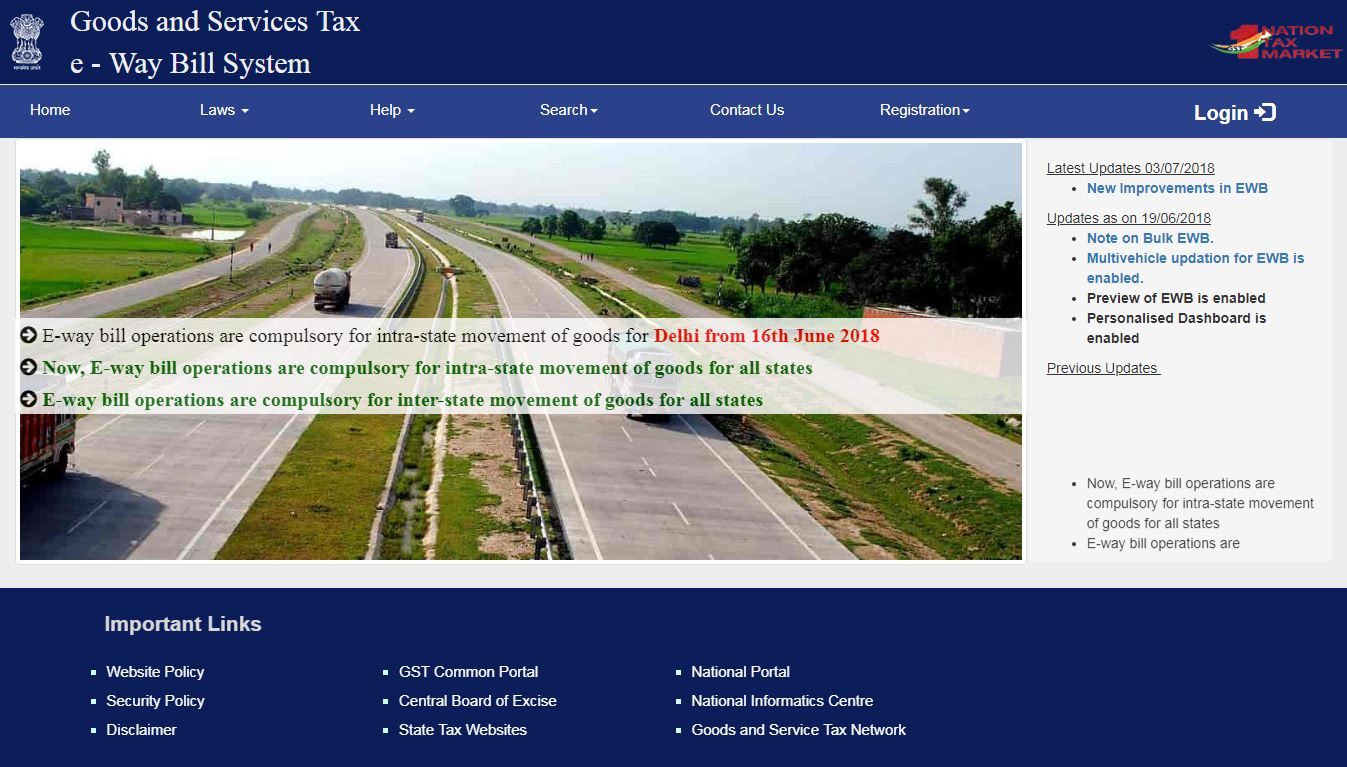 STEP 2: You will then have to select Tools from the drop down and select Bulk generation Tools.
STEP 3: It will lead to a downloads page from where you are required to download "Vehicle No Updation JSON Preparation."
STEP 4: Fill up the details in the downloaded excel file and click on "Validate." The details entered may be crosschecked once.
STEP 5: Once the details have been thoroughly verified, click the "Prepare JSON" option to get the JSON file which is ready to be used.
Once all the JSON files have been prepared, it can be uploaded to the E-Way portal.
STEP 2: You will then have to select Tools from the drop down and select Bulk generation Tools.
STEP 3: It will lead to a downloads page from where you are required to download "Vehicle No Updation JSON Preparation."
STEP 4: Fill up the details in the downloaded excel file and click on "Validate." The details entered may be crosschecked once.
STEP 5: Once the details have been thoroughly verified, click the "Prepare JSON" option to get the JSON file which is ready to be used.
Once all the JSON files have been prepared, it can be uploaded to the E-Way portal.
Generating the Bulk E-way Bill
After the preparation of the JSON file, follow the steps mentioned to generate a Single E-Way bill or a Consolidated E-Way bill.
STEP 1: Visit the EWB Portal - STEP 2: Login to your profile by providing the correct credentials and the right captcha. STEP 3: The main screen will be displayed then. On the left-hand side of the screen, the home tab can be found. Click on the "E-Way Bill" option. STEP 4: A drop down will appear from which "Generate Bulk" option must be selected STEP 5: A new screen where the JSON file can be uploaded will appear. Click on "Choose File" and select the JSON file that is relevant and click on 'Upload and Generate.' The website will then process the request. If one of the fields have been left unfilled, an error message will be generated. If there are any other errors, it is necessary to make the respective changes and repeat the process. Considering there are no errors or if all the errors have been rectified, generating the E-Way bill will end in a success.Bulk Updation of Vehicle Information
The process is a little different from the E-Way bill procedure. Follow the steps mentioned below to update vehicle information in bulk:
STEP 1: On the left side of the home screen, select E-Way bill from the side tab. STEP 2: A drop-down menu will appear from which "Update Vehicle-Bulk" must be selected. STEP 3: Click on choose file option and select the relevant JSON File and select 'Upload'. STEP 4: Once the file has been uploaded, select 'Generate' and click on it to update the vehicle information for the E-Way bill. The above-mentioned procedures may be followed on the E-Way portal for Bulk E-Way bill generation and Bulk Vehicle information Updation.